
Flight Deal / Fare Drop Alert
An unattended fare-alert card built to be posted by a scheduled job rather than authored by a person: a fare API drops a price below a watch threshold, a cron fires, and an MP4 lands in a Telegram, Instagram or X feed. Four hard-cut scenes over 16 seconds at 1080x1080 (1:1, 30fps) alternate midnight and airline white — the route and the price together in the first second, then the number alone at 264px with the struck old fare above it, then the five itinerary facts that decide whether the price is actually good (the stopover stated plainly, not buried), then the booking link with one honest sentence about how long the fare will last. Electric mint marks only the thing that changed, and sets type on midnight but is never used as type on white. There is deliberately no image slot. Fifteen dynamic text fields swap per render, all straight off a fare payload: origin_code, destination_code, origin_city, destination_city, price_value, price_was (optional), price_drop_label (optional), price_note, travel_window, airline_name, duration_label, stops_label, fare_conditions, expiry_note and cta_detail.
- Aspect ratio
- 1:1 · Square
- Duration
- ~16s
- Category
- Travel
Try it with your own copy
Edit a field and the frame re-renders in your browser. No account, no credits - previews are free because they cost a browser paint, not a render.
What you can customize
This template exposes 15 dynamic fields you can swap per video - edit them in the editor or pass them to the API to batch-render variations at scale. The monospace name is the exact key to send in replacements.
Airline Name
textairline_nameUnited Airlines
~45 characters max · 1 line
Origin Code
textorigin_codeSFO
~4 characters max · 1 line
Destination Code
textdestination_codeEZE
~4 characters max · 1 line
Origin City
textorigin_citySan Francisco
~22 characters max · 1 line
Destination City
textdestination_cityBuenos Aires
~22 characters max · 1 line
Price Value
textprice_value$1,182
~9 characters max · 1 line
Price Drop Label
textprice_drop_labelDOWN 49%
~60 characters max · 2 lines
Travel Window
texttravel_window14 Jan — 28 Feb
~49 characters max · 1 line
Price Note
textprice_noteRETURN · PREMIUM ECONOMY
~54 characters max · 1 line
Price Was
textprice_was$2,340
~14 characters max · 1 line
Duration Label
textduration_label14h 20m outbound
~34 characters max · 1 line
Stops Label
textstops_label1 stop · 5h 20m in Houston
~34 characters max · 1 line
Fare Conditions
textfare_conditions1 checked bag · no changes
~34 characters max · 1 line
Expiry Note
textexpiry_noteFares at this price usually last a few hours. This one was found four minutes ago.
~165 characters max · 3 lines
Cta Detail
textcta_detailfarewatch.io/sfo-eze
~36 characters max · 1 line
Render it from the API
Copy either call below. Both already carry this template's ID and its real variable keys - swap the values for your own.
1. Preview it — free
Same body as a render. Costs no credits, creates no job. Returns a public URL that plays the video in a browser, plus a list of problems with your payload — a mistyped key is otherwise ignored in silence.
curl -X POST https://renderly.video/api/v1/previews \
  -H "Authorization: Bearer $RENDERLY_API_KEY" \
  -H "Content-Type: application/json" \
  -d '{
  "templateId": "flight-deal-fare-drop-alert",
  "replacements": {
    "airline_name": "United Airlines",
    "origin_code": "SFO",
    "destination_code": "EZE",
    "origin_city": "San Francisco",
    "destination_city": "Buenos Aires",
    "price_value": "$1,182"
  }
}'2. Render it
Change one word in the URL. Keep templateId — it is what links your call to this template, so later improvements reach you automatically.
curl -X POST https://renderly.video/api/v1/renders \
  -H "Authorization: Bearer $RENDERLY_API_KEY" \
  -H "Content-Type: application/json" \
  -d '{
  "templateId": "flight-deal-fare-drop-alert",
  "replacements": {
    "airline_name": "United Airlines",
    "origin_code": "SFO",
    "destination_code": "EZE",
    "origin_city": "San Francisco",
    "destination_city": "Buenos Aires",
    "price_value": "$1,182"
  }
}'The body above shows 6 of 15 variables. Send any subset — every key you leave out renders its authored default. Read the full contract, with character limits, from GET /api/v1/templates/flight-deal-fare-drop-alert/variables. See the previewing guide, the rendering guide, or the OpenAPI spec.
Frequently asked questions
How do I customize the Flight Deal / Fare Drop Alert template?
Open the template in the Renderly editor and replace its 15 customizable fields (such as Airline Name) with your own text, images, or video. Every change previews instantly before you render.
How much does it cost to render this template?
Rendering is credit-based - 1 credit equals 1 minute of 1080p video, billed by the second. You only pay when you export, and credits never expire on the pay-as-you-go plan.
Can I generate this video at scale via the API?
Yes. POST this template's ID and a replacements object to /api/v1/renders - one call per row of data, 15 fields swappable per video. Send the same body to /api/v1/previews first to check it for free. No-code integrations like Zapier work the same way.
More Travel templates
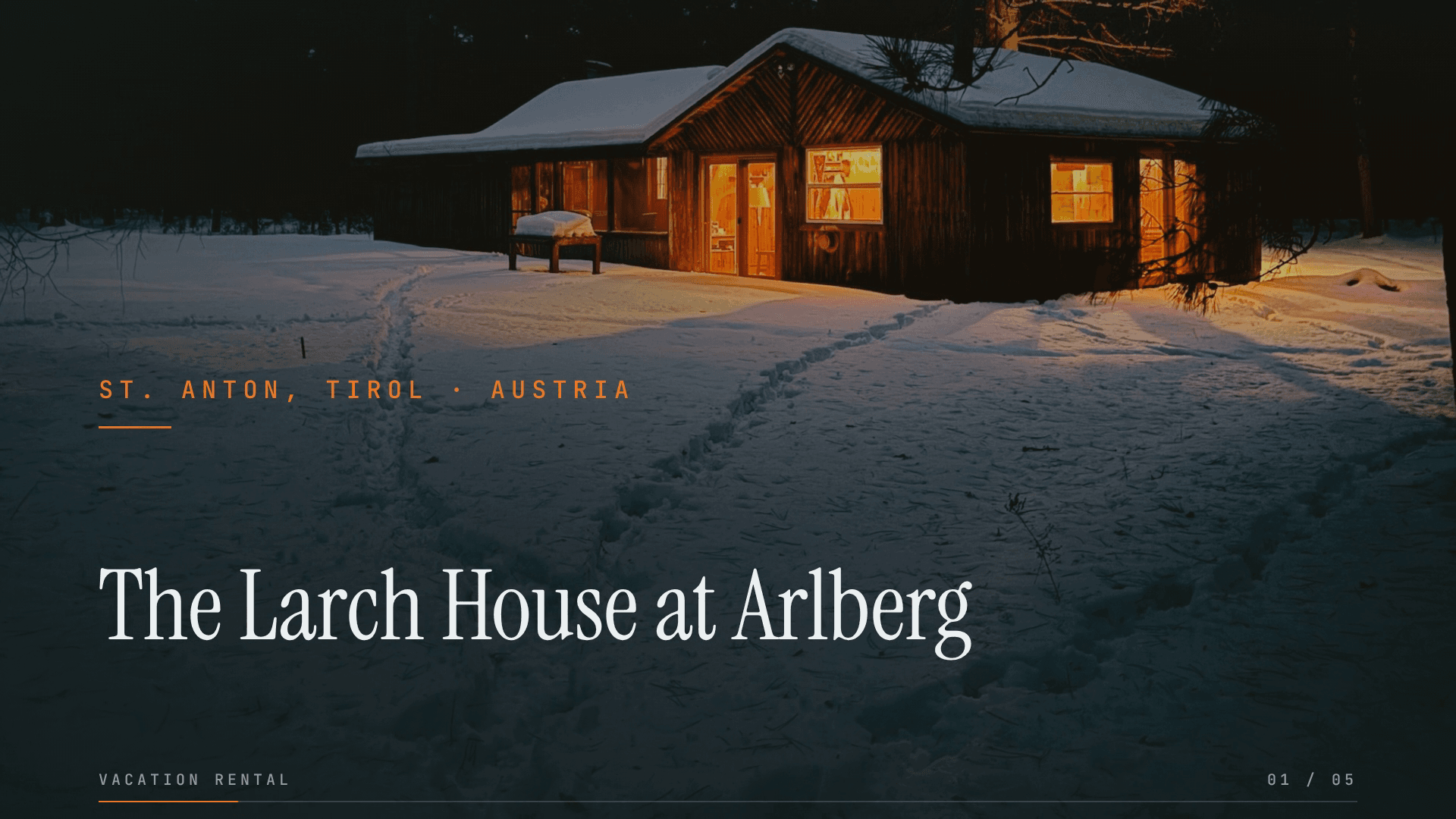
Vacation Rental Listing - Alpine Winter
A 30-second 16:9 listing film (1920x1080) for a ski chalet, cut to a calm 104 BPM track, on a pine-charcoal ground with ember-orange rules and Instrument Serif headlines. Five scenes sell it in the order a booking gets made: the destination, the view, the rooms, the essentials, then the rate and where to book. Every photo gets its own slow camera move while the text holds still once it lands: the hero pushes in under the property name, the view pans in a wide strip, the three room photos pan inside fixed tiles, the guests, bedrooms and baths figures arrive on the beat, and the end card pairs the price and booking link with the hero photo. Each scene wipes in over the last, so no frame is ever empty. Point it at a property feed to render one video per listing. 24 fields swap per render, with the same names in the alpine, city and sun-warmed versions, so a rental platform maps its feed once and picks a look per property: property_name, location_label, rating_label, property_tagline, room_1_label, room_2_label, room_3_label, guests_value, bedrooms_value, baths_value, amenity_1, amenity_2, amenity_3, availability_label, price_label, price_note, cta_label, cta_detail, and six photos (photo_hero, photo_view, photo_room_1, photo_room_2, photo_room_3, photo_pool). Every photo is a cover crop, so host photos of any size fit.
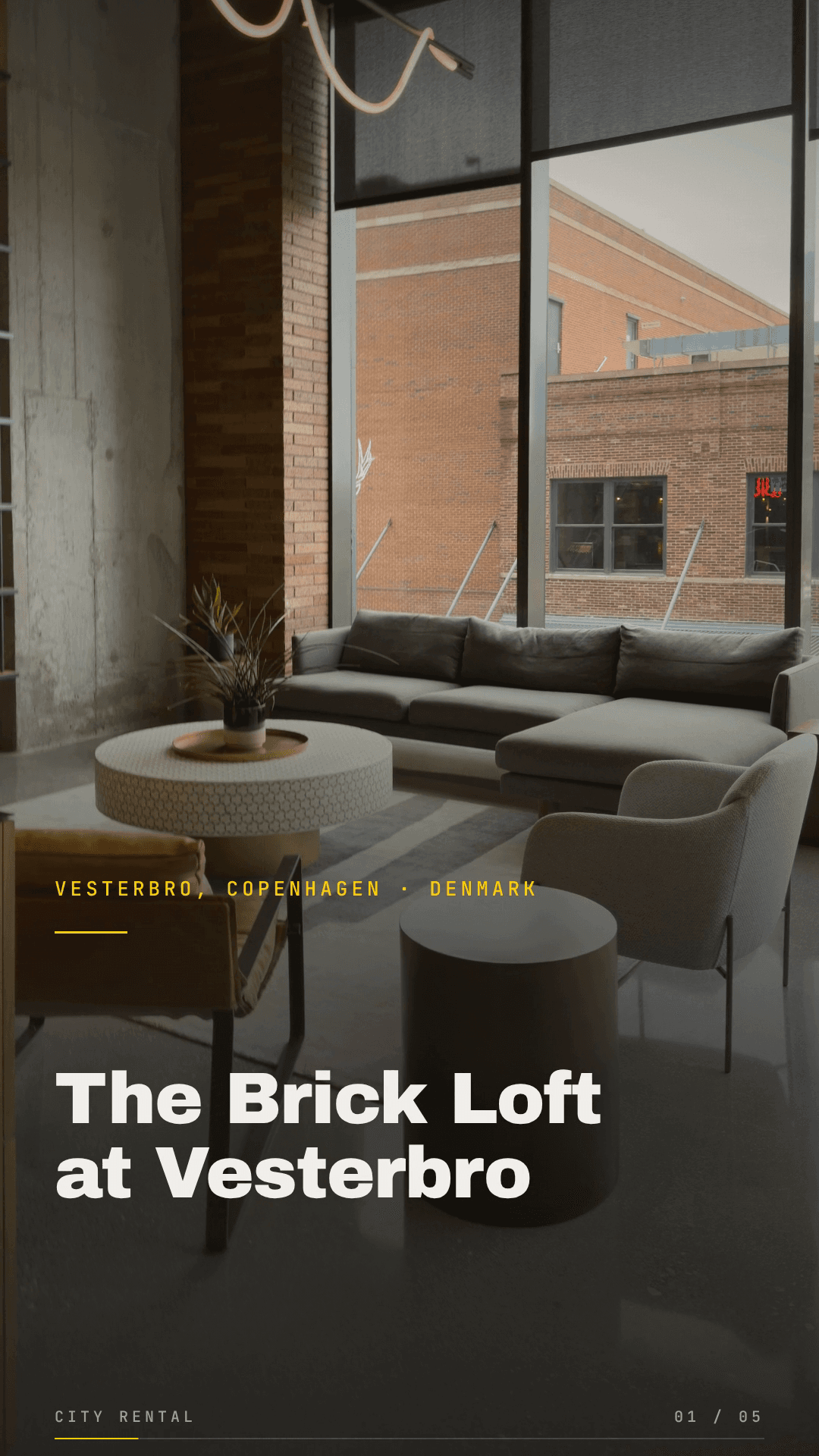
Vacation Rental Listing - City Apartment
A 28-second vertical listing film (1080x1920, 9:16) for a city apartment, built for Instagram and TikTok and cut to a 102 BPM track, with near-black and concrete grounds, safety-yellow accents and Archivo Black headlines. Five scenes: the hero, the window, the rooms, the neighbourhood, then the price and where to book. Every photo gets its own slow camera move while the text holds still once it lands: the hero pushes in under the property name, the view pans in its own band, the three room photos pan inside fixed tiles, the guests, bedrooms and baths figures arrive on the beat, and the end card pairs the price and booking link with the hero photo. Each scene wipes in over the last, so no frame is ever empty. Nothing important sits low in the frame, so platform captions never cover a word. 24 fields swap per render, with the same names in the alpine, city and sun-warmed versions, so a rental platform maps its feed once and picks a look per property: property_name, location_label, rating_label, property_tagline, room_1_label, room_2_label, room_3_label, guests_value, bedrooms_value, baths_value, amenity_1, amenity_2, amenity_3, availability_label, price_label, price_note, cta_label, cta_detail, and six photos (photo_hero, photo_view, photo_room_1, photo_room_2, photo_room_3, photo_pool). Every photo is a cover crop, so host photos of any size fit.

Vacation Rental Listing - Sun-Warmed
A 30-second 16:9 listing film (1920x1080) for a beachfront rental, cut to a warm 105 BPM track, on a deep-ocean ink and warm-sand palette with a sun-gold accent and Prata headlines. Five scenes sell it in the order a booking gets made: the destination, the view, the rooms, the essentials, then the price and where to book. Every photo gets its own slow camera move while the text holds still once it lands: the hero pushes in under the property name, the view pans in a wide strip, the three room photos pan inside fixed tiles, the guests, bedrooms and baths figures arrive on the beat, and the end card pairs the price and booking link with the hero photo. Each scene wipes in over the last, so no frame is ever empty. Point it at a property feed to render one video per listing, and render again when the rate or the season changes. 24 fields swap per render, with the same names in the alpine, city and sun-warmed versions, so a rental platform maps its feed once and picks a look per property: property_name, location_label, rating_label, property_tagline, room_1_label, room_2_label, room_3_label, guests_value, bedrooms_value, baths_value, amenity_1, amenity_2, amenity_3, availability_label, price_label, price_note, cta_label, cta_detail, and six photos (photo_hero, photo_view, photo_room_1, photo_room_2, photo_room_3, photo_pool). Every photo is a cover crop, so host photos of any size fit.