
Try it with your own copy
Edit a field and the frame re-renders in your browser. No account, no credits - previews are free because they cost a browser paint, not a render.
What you can customize
This template exposes 6 dynamic fields you can swap per video - edit them in the editor or pass them to the API to batch-render variations at scale. The monospace name is the exact key to send in replacements.
Background Image
urlbackgroundImagehttps://images.pexels.com/photos/255527/pexels-photo-255527.jpeg
First Letter
textfirstLetterh
Second Letter
textsecondLettera
Third Letter
textthirdLettern
Fourth Letter
textfourthLetterd
Fifth Letter
textfifthLetter.
Render it from the API
Copy either call below. Both already carry this template's ID and its real variable keys - swap the values for your own.
1. Preview it — free
Same body as a render. Costs no credits, creates no job. Returns a public URL that plays the video in a browser, plus a list of problems with your payload — a mistyped key is otherwise ignored in silence.
curl -X POST https://renderly.video/api/v1/previews \
  -H "Authorization: Bearer $RENDERLY_API_KEY" \
  -H "Content-Type: application/json" \
  -d '{
  "templateId": "example-7",
  "replacements": {
    "backgroundImage": "https://images.pexels.com/photos/255527/pexels-photo-255527.jpeg",
    "firstLetter": "h",
    "secondLetter": "a",
    "thirdLetter": "n",
    "fourthLetter": "d",
    "fifthLetter": "."
  }
}'2. Render it
Change one word in the URL. Keep templateId — it is what links your call to this template, so later improvements reach you automatically.
curl -X POST https://renderly.video/api/v1/renders \
  -H "Authorization: Bearer $RENDERLY_API_KEY" \
  -H "Content-Type: application/json" \
  -d '{
  "templateId": "example-7",
  "replacements": {
    "backgroundImage": "https://images.pexels.com/photos/255527/pexels-photo-255527.jpeg",
    "firstLetter": "h",
    "secondLetter": "a",
    "thirdLetter": "n",
    "fourthLetter": "d",
    "fifthLetter": "."
  }
}'Read the full contract, with character limits, from GET /api/v1/templates/example-7/variables. See the previewing guide, the rendering guide, or the OpenAPI spec.
Frequently asked questions
How do I customize the Hand Template template?
Open the template in the Renderly editor and replace its 6 customizable fields (such as Background Image) with your own text, images, or video. Every change previews instantly before you render.
How much does it cost to render this template?
Rendering is credit-based - 1 credit equals 1 minute of 1080p video, billed by the second. You only pay when you export, and credits never expire on the pay-as-you-go plan.
Can I generate this video at scale via the API?
Yes. POST this template's ID and a replacements object to /api/v1/renders - one call per row of data, 6 fields swappable per video. Send the same body to /api/v1/previews first to check it for free. No-code integrations like Zapier work the same way.
More Branding templates
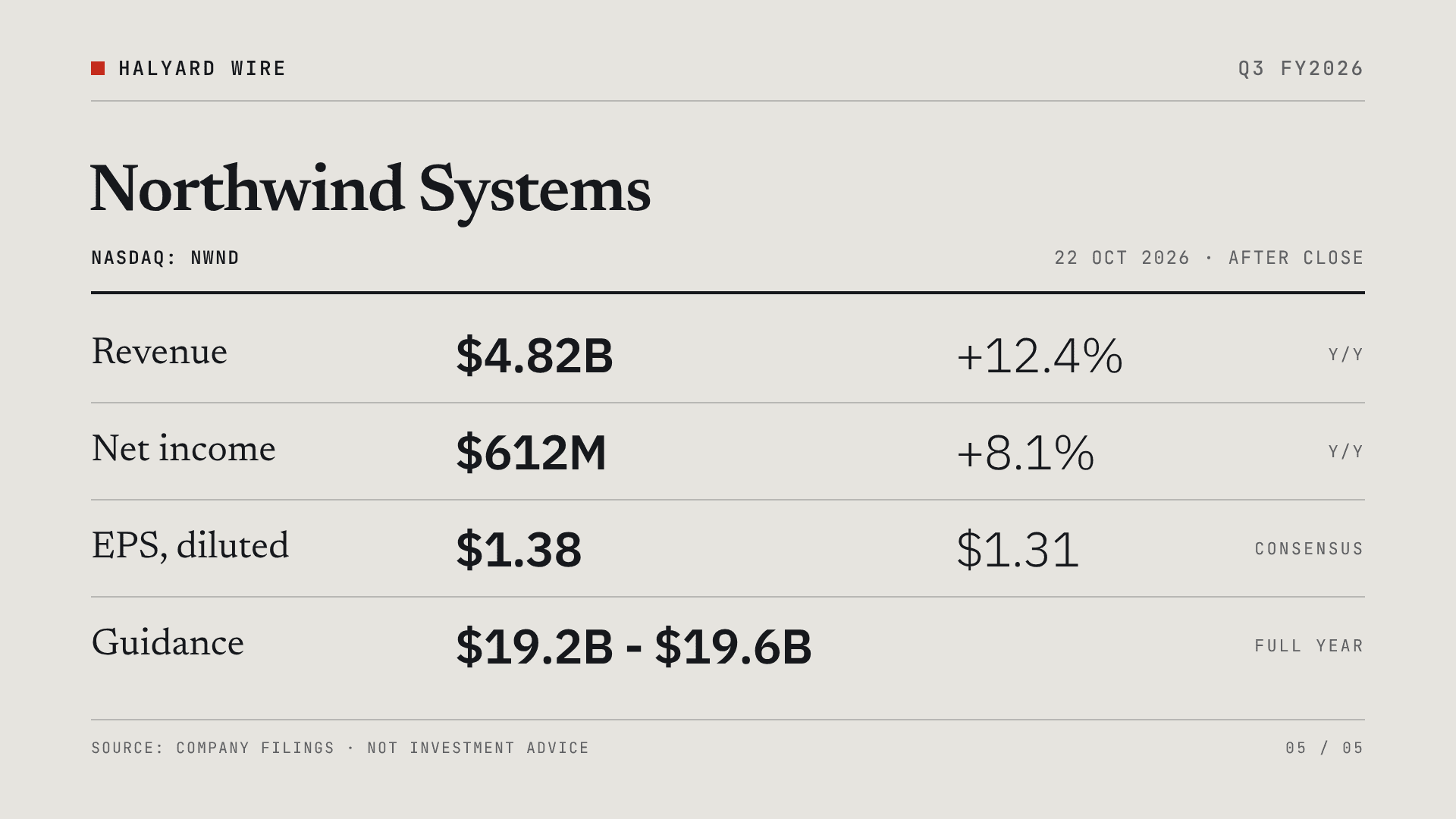
Earnings Report Card
A wire-service style quarterly earnings card for one company: the headline, revenue against last year and consensus, net income and diluted EPS, full-year guidance, and a closing four-row results table. Comparisons carry their sign in the value and are never colour-coded, so a miss reads as calmly as a beat. 22 seconds, 16:9 (1920x1080). Dynamic fields: publisher_name, quarter_label, company_name, ticker_line, report_date, headline, revenue_value, revenue_change, revenue_estimate, income_value, income_change, eps_value, eps_estimate, guidance_label, guidance_value, guidance_note. Built to render for hundreds of companies off an earnings feed every reporting season.
Product Launch Motion Reel
A beat-synced motion-graphics launch reel, built entirely with Renderly's motion engine: keyframe tracks, scene groups with camera moves, motion blur on whips, a typed code card, a 24-tile video wall and step counters, all cut to a 125 BPM music track with sound effects on the hits. 15 seconds, 16:9 (1920x1080). Dynamic fields on the end card: brand_name, headline and cta_url. Open it as a reference for building your own motion templates - every move is plain overlay JSON.
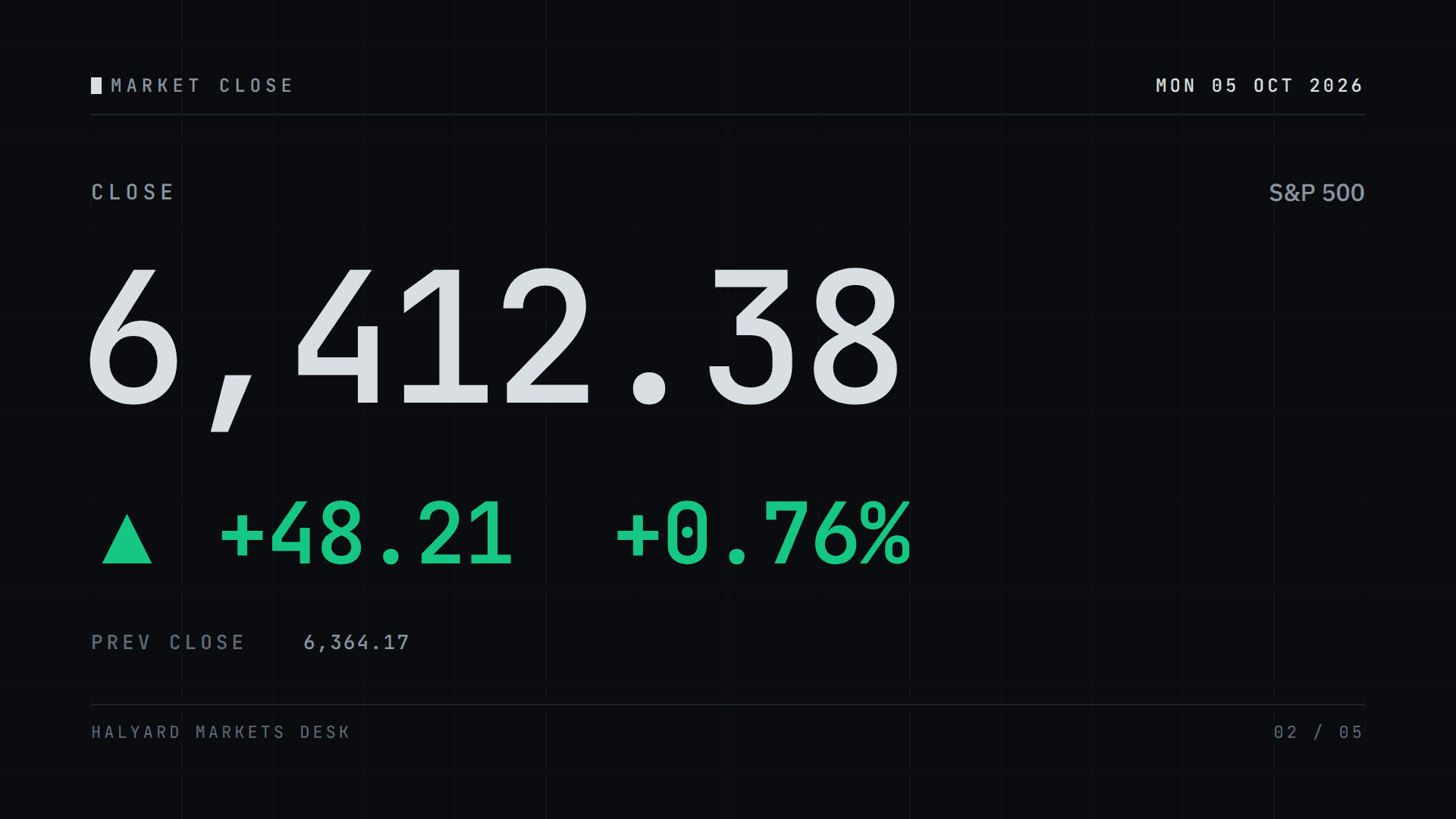
Market Close Card
A terminal-style daily market card for one index, ticker or coin: where it closed, how far it moved and which way in gain green, loss red or flat grey, the session range, three movers and the next session. 24 seconds, 16:9 (1920x1080). Dynamic fields: session_date, session_label, asset_name, asset_symbol, close_value, change_up / change_down / change_flat (fill one, send a single space for the others), open_value, high_value, low_value, prev_close, mover_1-3_symbol, mover_1-3_price, mover_1-3_up / mover_1-3_down, next_session and publisher_name. Built to render unattended off a price feed every session.