
Product Hunt Launch - AI Product
A 22-second 16:9 launch video for a product whose demo is a prompt and what comes back. The middle three beats follow one request end to end - you type it, it answers, it plugs into your stack - rather than touring features, because for an AI product the round trip is the product. Five scenes on a near-black and paper rhythm with a single rose accent, and one soft accent glow that is the template's signature and appears nowhere else in the Product Hunt set. Scene 02 is the prompt: the question types on character by character behind a caret at a rose bar, the filter chips fade in, and the Ask button pops last. Scene 03 is the payoff - the answer streams in line by line with an inline rose highlight on the phrase that matters, then three citation rows stagger up underneath it, and it is the longest hold in the cut because an answer needs reading time. Twelve dynamic fields: logo, product_name, tagline, prompt_text, three panel images (screenshot_1, screenshot_2, screenshot_3), three one-line feature claims (feature_1, feature_2, feature_3), launch_line and cta_line. prompt_text is the hero of scene 02 and sets at a fixed 66px, so keep it near 90 characters; it is the one field this template adds that the other launch cuts do not have. The three image slots are the card and panel grounds rather than photo boxes, which is what lets them tilt in 3D and rotate flat as they land - the template ships with self-contained placeholder art and renders complete with nothing uploaded, so treat an upload as a background tint rather than a screenshot, and avoid a busy capture behind the scene 03 answer where white type sits over it. launch_line is the only Product Hunt specific element in the template, and it is a single self-contained overlay - the pill's orange is that overlay's own background, and it carries its own bullet glyph. Drop that one overlay and the badge and the Product Hunt colour go with it, leaving a generic launch video for X, LinkedIn, a landing page or a mailer. Note that an empty launch_line does NOT hide it: the renderer draws placeholder text for an empty string, so omit the overlay rather than blanking the field. Set in Geist and JetBrains Mono, with a restrained sound design under the music - a click on the Ask button, a tone when the answer lands, a whoosh on each ground wipe. Attribution appears once, small, on the closing frame.
- Aspect ratio
- 16:9 · Horizontal
- Duration
- ~22s
- Category
- Branding
Try it with your own copy
Edit a field and the frame re-renders in your browser. No account, no credits - previews are free because they cost a browser paint, not a render.
What you can customize
This template exposes 12 dynamic fields you can swap per video - edit them in the editor or pass them to the API to batch-render variations at scale. The monospace name is the exact key to send in replacements.
Logo
urllogodata:image/svg+xml;base64,PHN2ZyB4bWxucz0iaHR0cDovL3d3dy53My5vcmcvMjAwMC9zdmciIHdpZHRoPSIxMzIiIGhlaWdodD0iMTMyIiB2aWV3Qm94PSIwIDAgMTMyIDEzMiI+PHJlY3Qgd2lkdGg9IjEzMiIgaGVpZ2h0PSIxMzIiIGZpbGw9IiNFMjRBNkUiLz48cGF0aCBkPSJNMzUgOTZWNDBMNjYgODRMOTcgNDBWOTYiIGZpbGw9Im5vbmUiIHN0cm9rZT0iI2ZmZmZmZiIgc3Ryb2tlLXdpZHRoPSIxNSIgc3Ryb2tlLWxpbmVjYXA9ImJ1dHQiIHN0cm9rZS1saW5lam9pbj0ibWl0ZXIiLz48L3N2Zz4=
Product Name
textproduct_nameMarlow
~16 characters max · 1 line
Tagline
texttaglineAsk anything about your customers. Get an answer, not a dashboard.
~104 characters max · 2 lines
Feature 1
textfeature_1You type it the way you'd say it.
~58 characters max · 2 lines
Prompt Text
textprompt_textWhich accounts churned after the pricing change, and what did they complain about?
~110 characters max · 2 lines
Feature 2
textfeature_2Answers with the receipts attached.
~48 characters max · 3 lines
Screenshot 1
urlscreenshot_1data:image/svg+xml;base64,PHN2ZyB4bWxucz0iaHR0cDovL3d3dy53My5vcmcvMjAwMC9zdmciIHdpZHRoPSIxMDMwIiBoZWlnaHQ9IjgyMCIgdmlld0JveD0iMCAwIDEwMzAgODIwIj48cmVjdCB3aWR0aD0iMTAzMCIgaGVpZ2h0PSI4MjAiIGZpbGw9IiMxODBGMTMiLz48L3N2Zz4=
Feature 3
textfeature_3Reads your stack. Stores nothing.
~56 characters max · 2 lines
Screenshot 2
urlscreenshot_2data:image/svg+xml;base64,PHN2ZyB4bWxucz0iaHR0cDovL3d3dy53My5vcmcvMjAwMC9zdmciIHdpZHRoPSI5OTAiIGhlaWdodD0iNTQwIiB2aWV3Qm94PSIwIDAgOTkwIDU0MCI+PHJlY3Qgd2lkdGg9Ijk5MCIgaGVpZ2h0PSI1NDAiIGZpbGw9IiNGRkZGRkYiLz48L3N2Zz4=
Screenshot 3
urlscreenshot_3data:image/svg+xml;base64,PHN2ZyB4bWxucz0iaHR0cDovL3d3dy53My5vcmcvMjAwMC9zdmciIHdpZHRoPSI2NDAiIGhlaWdodD0iNTQwIiB2aWV3Qm94PSIwIDAgNjQwIDU0MCI+PHJlY3Qgd2lkdGg9IjY0MCIgaGVpZ2h0PSI1NDAiIGZpbGw9IiMxMDBCMEUiLz48L3N2Zz4=
Launch Line
textlaunch_line● LIVE ON PRODUCT HUNT TODAY
~465 characters max · 3 lines
Cta Line
textcta_lineUpvote us - marlow.ai
~28 characters max · 1 line
Render it from the API
Copy either call below. Both already carry this template's ID and its real variable keys - swap the values for your own.
1. Preview it — free
Same body as a render. Costs no credits, creates no job. Returns a public URL that plays the video in a browser, plus a list of problems with your payload — a mistyped key is otherwise ignored in silence.
curl -X POST https://renderly.video/api/v1/previews \
  -H "Authorization: Bearer $RENDERLY_API_KEY" \
  -H "Content-Type: application/json" \
  -d '{
  "templateId": "producthunt-launch-ai",
  "replacements": {
    "logo": "data:image/svg+xml;base64,PHN2ZyB4bWxucz0iaHR0cDovL3d3dy53My5vcmcvMjAwMC9zdmciIHdpZHRoPSIxMzIiIGhlaWdodD0iMTMyIiB2aWV3Qm94PSIwIDAgMTMyIDEzMiI+PHJlY3Qgd2lkdGg9IjEzMiIgaGVpZ2h0PSIxMzIiIGZpbGw9IiNFMjRBNkUiLz48cGF0aCBkPSJNMzUgOTZWNDBMNjYgODRMOTcgNDBWOTYiIGZpbGw9Im5vbmUiIHN0cm9rZT0iI2ZmZmZmZiIgc3Ryb2tlLXdpZHRoPSIxNSIgc3Ryb2tlLWxpbmVjYXA9ImJ1dHQiIHN0cm9rZS1saW5lam9pbj0ibWl0ZXIiLz48L3N2Zz4=",
    "product_name": "Marlow",
    "tagline": "Ask anything about your customers. Get an answer, not a dashboard.",
    "feature_1": "You type it the way you'\''d say it.",
    "prompt_text": "Which accounts churned after the pricing change, and what did they complain about?",
    "feature_2": "Answers with the receipts attached."
  }
}'2. Render it
Change one word in the URL. Keep templateId — it is what links your call to this template, so later improvements reach you automatically.
curl -X POST https://renderly.video/api/v1/renders \
  -H "Authorization: Bearer $RENDERLY_API_KEY" \
  -H "Content-Type: application/json" \
  -d '{
  "templateId": "producthunt-launch-ai",
  "replacements": {
    "logo": "data:image/svg+xml;base64,PHN2ZyB4bWxucz0iaHR0cDovL3d3dy53My5vcmcvMjAwMC9zdmciIHdpZHRoPSIxMzIiIGhlaWdodD0iMTMyIiB2aWV3Qm94PSIwIDAgMTMyIDEzMiI+PHJlY3Qgd2lkdGg9IjEzMiIgaGVpZ2h0PSIxMzIiIGZpbGw9IiNFMjRBNkUiLz48cGF0aCBkPSJNMzUgOTZWNDBMNjYgODRMOTcgNDBWOTYiIGZpbGw9Im5vbmUiIHN0cm9rZT0iI2ZmZmZmZiIgc3Ryb2tlLXdpZHRoPSIxNSIgc3Ryb2tlLWxpbmVjYXA9ImJ1dHQiIHN0cm9rZS1saW5lam9pbj0ibWl0ZXIiLz48L3N2Zz4=",
    "product_name": "Marlow",
    "tagline": "Ask anything about your customers. Get an answer, not a dashboard.",
    "feature_1": "You type it the way you'\''d say it.",
    "prompt_text": "Which accounts churned after the pricing change, and what did they complain about?",
    "feature_2": "Answers with the receipts attached."
  }
}'The body above shows 6 of 12 variables. Send any subset — every key you leave out renders its authored default. Read the full contract, with character limits, from GET /api/v1/templates/producthunt-launch-ai/variables. See the previewing guide, the rendering guide, or the OpenAPI spec.
Frequently asked questions
How do I customize the Product Hunt Launch - AI Product template?
Open the template in the Renderly editor and replace its 12 customizable fields (such as Logo) with your own text, images, or video. Every change previews instantly before you render.
How much does it cost to render this template?
Rendering is credit-based - 1 credit equals 1 minute of 1080p video, billed by the second. You only pay when you export, and credits never expire on the pay-as-you-go plan.
Can I generate this video at scale via the API?
Yes. POST this template's ID and a replacements object to /api/v1/renders - one call per row of data, 12 fields swappable per video. Send the same body to /api/v1/previews first to check it for free. No-code integrations like Zapier work the same way.
More Branding templates
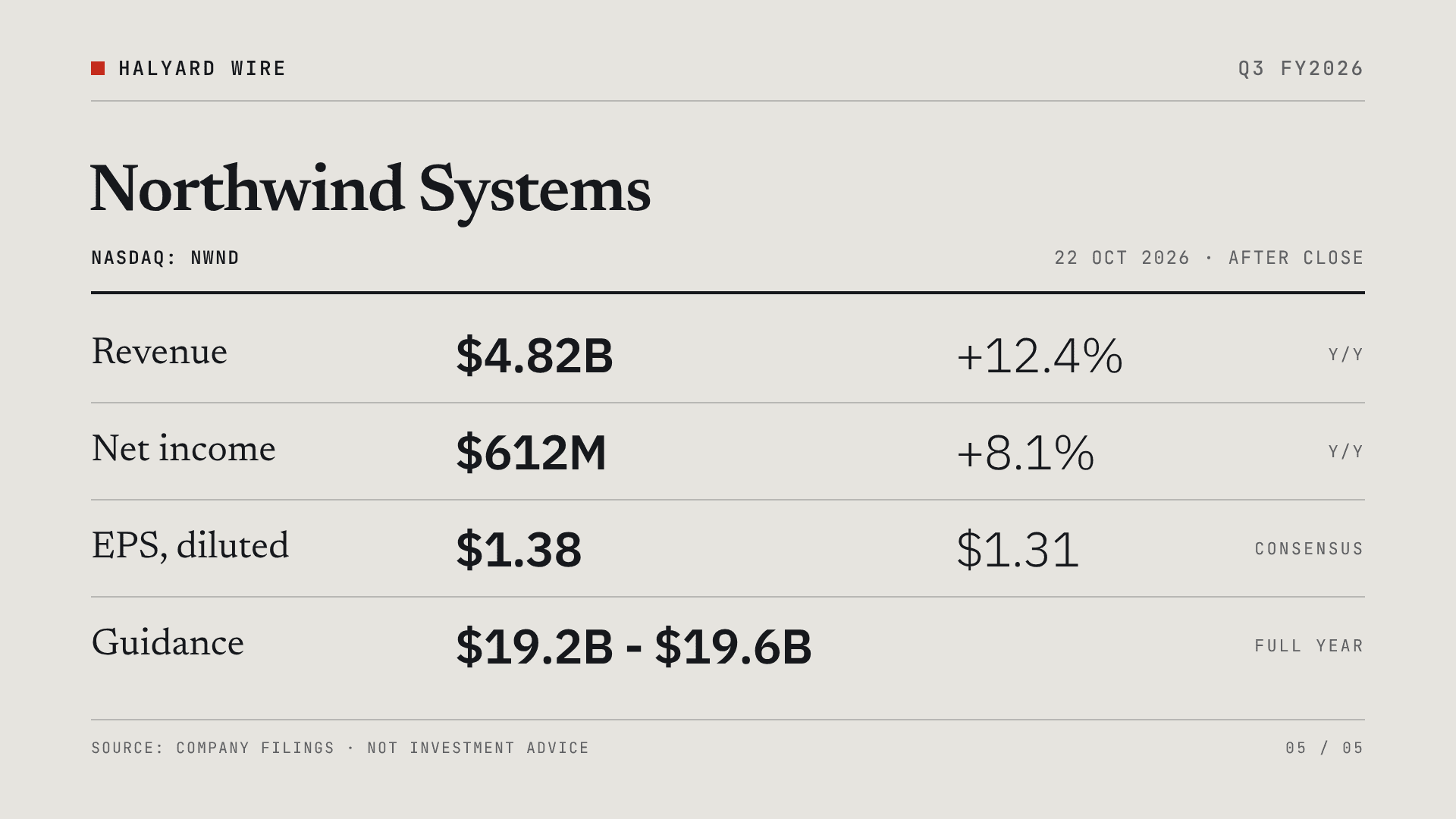
Earnings Report Card
A wire-service style quarterly earnings card for one company: the headline, revenue against last year and consensus, net income and diluted EPS, full-year guidance, and a closing four-row results table. Comparisons carry their sign in the value and are never colour-coded, so a miss reads as calmly as a beat. 22 seconds, 16:9 (1920x1080). Dynamic fields: publisher_name, quarter_label, company_name, ticker_line, report_date, headline, revenue_value, revenue_change, revenue_estimate, income_value, income_change, eps_value, eps_estimate, guidance_label, guidance_value, guidance_note. Built to render for hundreds of companies off an earnings feed every reporting season.
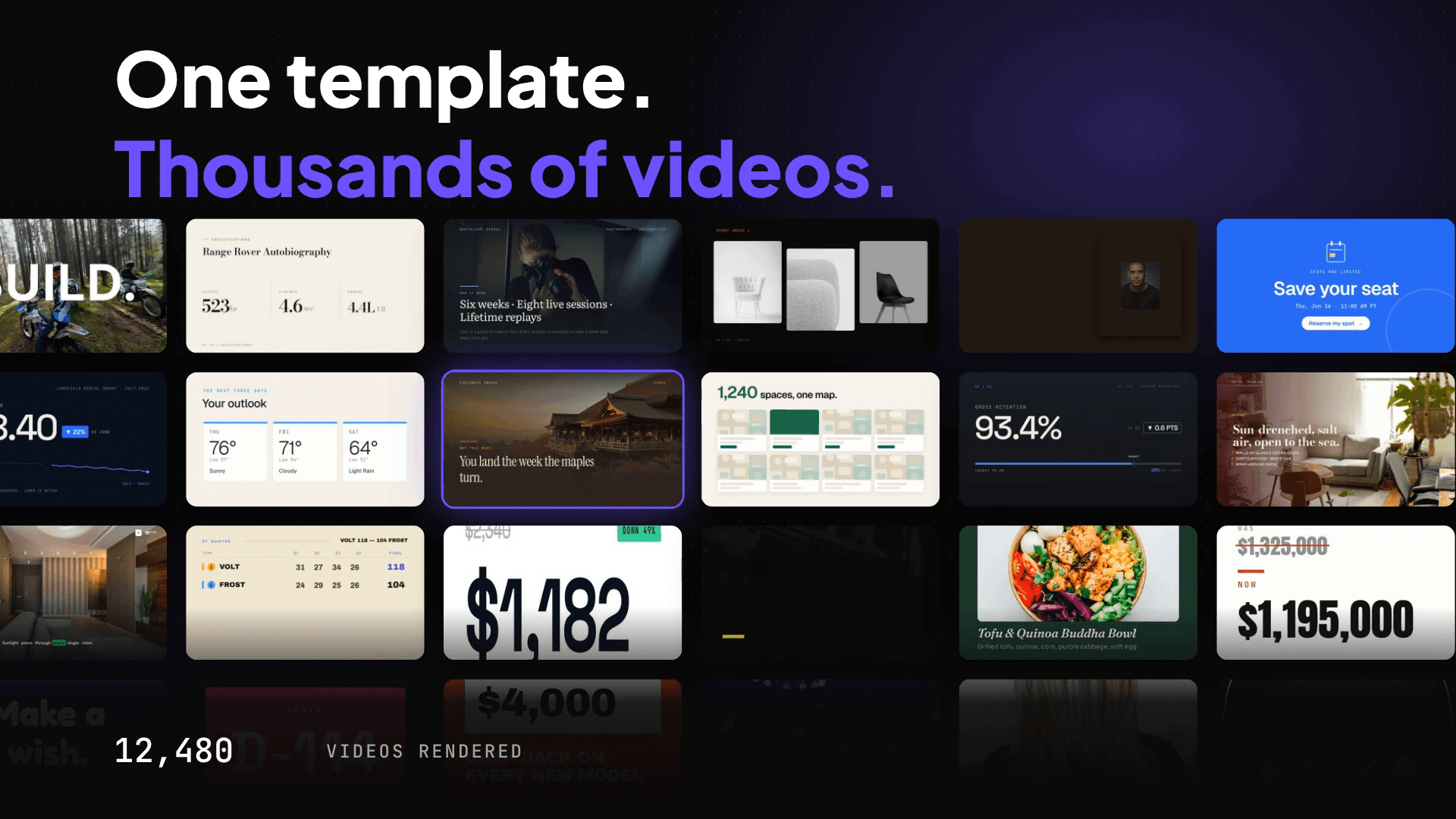
Product Launch Motion Reel
A beat-synced motion-graphics launch reel, built entirely with Renderly's motion engine: keyframe tracks, scene groups with camera moves, motion blur on whips, a typed code card, a 24-tile video wall and step counters, all cut to a 125 BPM music track with sound effects on the hits. 15 seconds, 16:9 (1920x1080). Dynamic fields on the end card: brand_name, headline and cta_url. Open it as a reference for building your own motion templates - every move is plain overlay JSON.
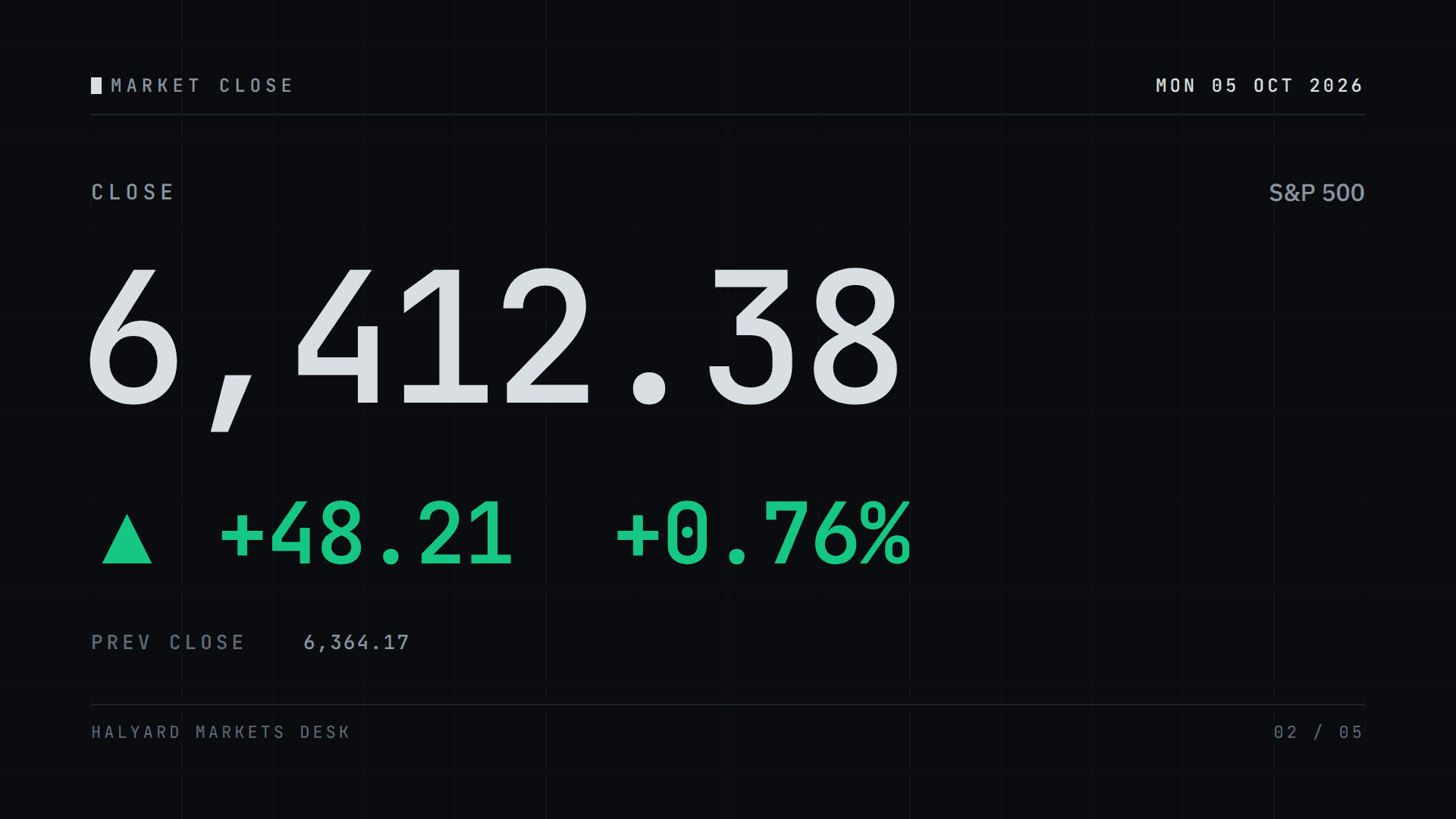
Market Close Card
A terminal-style daily market card for one index, ticker or coin: where it closed, how far it moved and which way in gain green, loss red or flat grey, the session range, three movers and the next session. 24 seconds, 16:9 (1920x1080). Dynamic fields: session_date, session_label, asset_name, asset_symbol, close_value, change_up / change_down / change_flat (fill one, send a single space for the others), open_value, high_value, low_value, prev_close, mover_1-3_symbol, mover_1-3_price, mover_1-3_up / mover_1-3_down, next_session and publisher_name. Built to render unattended off a price feed every session.