
How to Create Videos with Claude Using Renderly's MCP Connector
Renderly is an MCP connector for Claude. Connect it and render personalized videos by typing a sentence. Setup steps, all ten tools, and current limits.

Founder
In December 2025, the Model Context Protocol reported 97 million monthly SDK downloads and 10,000 active servers (Model Context Protocol, 2025). By July 2026 its official blog counted close to half a billion downloads a month across the Tier 1 SDKs (Model Context Protocol, 2026). The rails for talking to software through an AI assistant are already laid.
So we laid Renderly onto them. Renderly is available as an MCP connector - plug it into Claude and you can make videos by typing a sentence.
This guide walks through the whole thing: what the connector is, how to add it in Claude.ai, Claude Code, and Cursor, which ten tools it exposes, and how to render your first video - and then a hundred - without ever opening the editor.
Key Takeaways
- Renderly's MCP connector lets you render videos from Claude in plain language - no code, no editor, no new tooling
- MCP is an open standard Anthropic introduced in November 2024; by July 2026 its Tier 1 SDKs saw close to half a billion downloads a month (Model Context Protocol, 2026)
- Connect once at
https://renderly.video/api/mcpwith OAuth (the only option in Claude.ai and Claude Desktop) or a Renderly API key (Claude Code and Cursor)- Ten tools cover rendering, a free preview, AI voiceover, and captions, all on templates and projects you've already built
- Renders use your normal credits (~1 credit per minute of 1080p); the connector and previews are free
What is the Renderly MCP connector?
The Renderly MCP connector is a remote server that exposes Renderly's video rendering as tools any MCP-compatible AI client can call. In plain terms: it lets Claude do things in your Renderly account - list your templates, read their variables, preview a render for free, start renders, generate voiceover and captions, and fetch the finished video link.
MCP - the Model Context Protocol - is an open standard Anthropic introduced on November 25, 2024 to replace fragmented, one-off integrations with a single protocol (Anthropic, 2024). It's been widely described as a "USB-C for AI": one universal connector instead of a custom adapter for every tool. Renderly now ships one of those connectors.
What makes this credible rather than a gimmick? Every major lab adopted the same standard within a year. OpenAI added MCP support across its products in March 2025 - Sam Altman put it plainly: "People love MCP and we are excited to add support across our products" (TechCrunch, 2025). Google said in April 2025 that it would add MCP support to its Gemini models and SDK (TechCrunch, 2025), and Microsoft made MCP generally available in Copilot Studio in May 2025 (Microsoft, 2025). In December 2025 Anthropic donated MCP to the Agentic AI Foundation, a directed fund under the Linux Foundation.
The protocol is still moving. The 2026-07-28 specification made the protocol core stateless, promoted Tasks from an experimental feature to a formal extension, and hardened authorization (Model Context Protocol, 2026). Tasks matter for video, because a render takes minutes and a task handle lets a server answer a tool call now while the client polls for the result. Renderly's connector doesn't use Tasks today. It returns a job from renderly_create_render, and your assistant polls renderly_get_render_status.
The short version: MCP is how AI assistants talk to real software in 2026, and Renderly speaks it. For the full setup reference, see the MCP connector guide in our docs.
Why create videos by talking to an AI assistant?
Because the work that used to live in a UI is moving into the chat window. Gartner predicted in August 2025 that 40% of enterprise applications will feature task-specific AI agents by 2026, up from less than 5% in 2025 (Gartner, 2025). If your assistant can already read your email and query your database, asking it to render a video is the obvious next step.
There's a practical reason to do it through Claude specifically. By the end of 2025, Anthropic led enterprise LLM spend with a 40% share, up from 12% in 2023 (Menlo Ventures, 2025). A lot of teams are already working inside Claude all day. The connector meets them there instead of asking them to switch tabs.
The payoff is speed and scale. Building a personalized video by hand means opening an editor, swapping a headline, exporting, and repeating. Through the connector, you describe the change once and Claude does the repetition. That's the difference between rendering one video and rendering eighty before lunch.
How do you connect Renderly to Claude?
You connect once at a single endpoint, https://renderly.video/api/mcp, and authenticate with OAuth or, in some clients, a Renderly API key. Setup takes a couple of minutes, and the steps differ slightly by client. You'll need an existing Renderly account, since the connector acts as your account.
Claude.ai (web)
Add a custom connector pointing at https://renderly.video/api/mcp, then click Sign in with Renderly. Claude.ai uses OAuth only, so there is no API key step. The menu steps below follow the Claude Help Center.
- On Free, Pro, or Max, open Customize → Connectors, click +, choose Add custom connector, paste the URL, and click Add. Free plans are limited to one custom connector.
- On Team or Enterprise, an Owner opens Organization settings → Connectors, clicks Add, hovers over Custom, and picks Web. Members then open Customize → Connectors and click Connect. Each person's renders draw from their own account.
Claude Code (terminal)
If you live in the terminal, the fastest path uses a Renderly API key:
claude mcp add --transport http --scope user renderly \
  https://renderly.video/api/mcp \
--header "Authorization: Bearer rnd_YOUR_API_KEY"Prefer not to use a key? Add it without the header and run /mcp to sign in with OAuth instead:
claude mcp add --transport http --scope user renderly \
https://renderly.video/api/mcpClaude Desktop, Cursor, and other clients
Add a custom connector with the same URL. Claude Desktop is OAuth only: Anthropic reserves the Authorization header on an OAuth connection, so an API key has nowhere to go. Cursor and other editor or terminal clients accept OAuth or an Authorization: Bearer rnd_… header. Grab a key from your dashboard under Settings → API Keys, the same place described in our API keys guide. For the exact config block each client wants, see Renderly for AI agents.
One thing worth repeating, because it trips people up: sign in with the email that owns your Renderly account. Connect with a different address and the tools simply won't find your library.
How do you render your first video with Claude?
Once connected, you don't memorize commands - you just talk. A first session usually goes: confirm the connection, look at what's available, then render. Try this sequence.
Start by checking the connection and your library:
"What Renderly templates can I use, and what's my credit balance?"
Claude calls renderly_whoami and renderly_list_templates, then shows your account and the available templates. Next, pick something and ask what's editable:
"What can I personalize in my 'Listing Promo' project?"
It reads the project's variables - say address, price, and a background image - and lists them with their current values. Text variables also report how many characters the slot holds, which matters because a longer value can clip inside a fixed-size box (we hit exactly that in our batch-render ad variants test). Before you spend anything, preview it:
"Preview my Listing Promo with address '123 Ocean Dr', price '$1.2M', and this photo: https://…"
Claude calls renderly_preview_render, which is free. It returns a public preview link, the values that actually applied, a credit quote, and warnings such as an unknown variable name. Now render:
"That looks right. Render it."
Claude fills the variables, starts the render, and hands back a job. When you want the result:
"Is that render done? Give me the video link."
It polls the job and returns the finished MP4 URL. That's the entire loop - discover, personalize, render, fetch - and you never left the chat. If you'd rather drive this from your own backend instead of a chat window, the same renders are available over our REST API and rendering pipeline.
How do you render personalized videos at scale?
This is where the connector earns its keep. Because Claude can repeat a task across a list, one message can fan out into a whole batch. The demand is real: 63% of video marketers now use AI tools to create or edit videos, up from 51% the year before (Wyzowl, 2026), and 82% say video gives them good ROI. Batch personalization is exactly the job those teams are trying to automate.
Picture a realtor with ten new listings and a "Listing Promo" template. Instead of editing ten videos, they hand the whole batch to Claude in one message:
- Paste the ten listings - address, price, photo - and ask Claude to render the Listing Promo for each.
- Claude reads the template's variables once.
- It previews one or two listings first, then calls
renderly_create_renderfor every listing with the right values, kicking off ten renders. - It tracks each job's status.
- It hands back ten finished video URLs, ready to post.
The same pattern works for product announcements, social cuts, and outreach - anywhere you'd otherwise render one composition many times with different values. It's the conversational version of the workflow in our guide on generating 1,000+ personalized videos with API automation, minus the code. Before a big fan-out, have your assistant preview a sample, as described in how to let your AI agent preview videos before rendering.
What else can Claude do with Renderly besides render?
Rendering is one of three jobs the connector handles. The other two are checking a render before it costs anything, and adding narration or captions.
- Preview.
renderly_preview_renderis free. The full walkthrough is in how to let your AI agent preview videos before rendering. - Voiceover.
renderly_generate_voiceoverturns text into narration for 0.5 credits per started 1,000 characters. Start with the AI voiceover and auto-captions announcement, then see the real estate voiceover how-to. - Captions.
renderly_generate_captionstranscribes an audio or video URL into word-synced captions for 0.25 credits per started minute of audio. The podcast clip how-to shows the pay-per-clip math.
Each of those posts uses the REST API. The connector exposes the same features to your assistant, and renderly_create_render also accepts tts and transcribe values, so one tool call can produce a narrated, captioned video.
What can - and can't - the connector do yet?
The connector renders from templates and projects you've already built, with text and media-URL overrides, and adds AI voiceover and captions on top. It exposes ten tools your assistant picks from automatically. You won't call these by hand, but it helps to know the surface.
| Tool | What it does |
|---|---|
renderly_whoami | Confirms the connection; returns your email and credit balance |
renderly_list_templates | Lists public system templates and their variables |
renderly_list_projects | Lists your projects that have personalizable variables (all projects if you ask) |
renderly_get_variables | Returns the variables and current values for a template or project, with the character limit of each text slot |
renderly_preview_render | Resolves your values exactly as a render would, without making a video; returns a preview link, a credit quote, and warnings (free) |
renderly_create_render | Starts a render with your replacement values (uses credits); also accepts tts and transcribe values |
renderly_get_render_status | Polls a job; returns status, progress, and the final video URL |
renderly_generate_captions | Transcribes an audio or video URL into word-synced captions (uses credits) |
renderly_generate_voiceover | Turns text into narration audio saved to your media library (uses credits) |
renderly_get_ai_job | Polls a captions or voiceover job for status and results |
A few things are deliberately not here yet. You can't generate a brand-new video from a text prompt, upload local files through the connector (media variables take a URL for now), or reach every advanced editor feature. Those are on the roadmap. The sweet spot is personalizing the templates and projects you already have, which is also the highest-volume, most repetitive work. To build those templates in the first place, start with the templates and personalization guide.
Want the no-chat version of all this? Renderly also runs on Zapier, Make, and a REST API - the connector just adds a conversational front door.
MCP went from a single Anthropic announcement to 10,000 active servers and industry-wide adoption in about a year (Model Context Protocol, 2025). Video creation belongs on that list, and now it's there.
If you're already a Renderly user, add the connector and ask Claude to list your templates. If you're new, sign up at renderly.video - new accounts get 5 free credits to test a render - then come back and connect. The full setup reference lives in the MCP connector docs.
Start creating videos with Claude - connect once, then just describe what you want.
Frequently asked
What is the Renderly MCP connector?
Does creating videos through Claude cost extra?
Which AI clients work with the Renderly MCP connector?
Do I need to write code to use it?
Why won't my connection authorize?
Can I generate a brand-new video from a text prompt yet?
Can Claude preview a video before spending credits?
Related Articles
How to Let Your AI Agent Preview Videos Before Rendering (Free, No Credits)
66% of developers say their top AI frustration is output that's almost right but not quite. Renderly's free preview endpoint lets your agent see the video first.
August 11, 2026
Renderly Ships AI Voiceover and Auto-Captions
Renderly now turns a script into a narrated, word-synced-captioned video in one API call. AI voiceover (12 curated voices, 992-voice catalogue) + auto-captions, flat credit pricing.
July 19, 2026
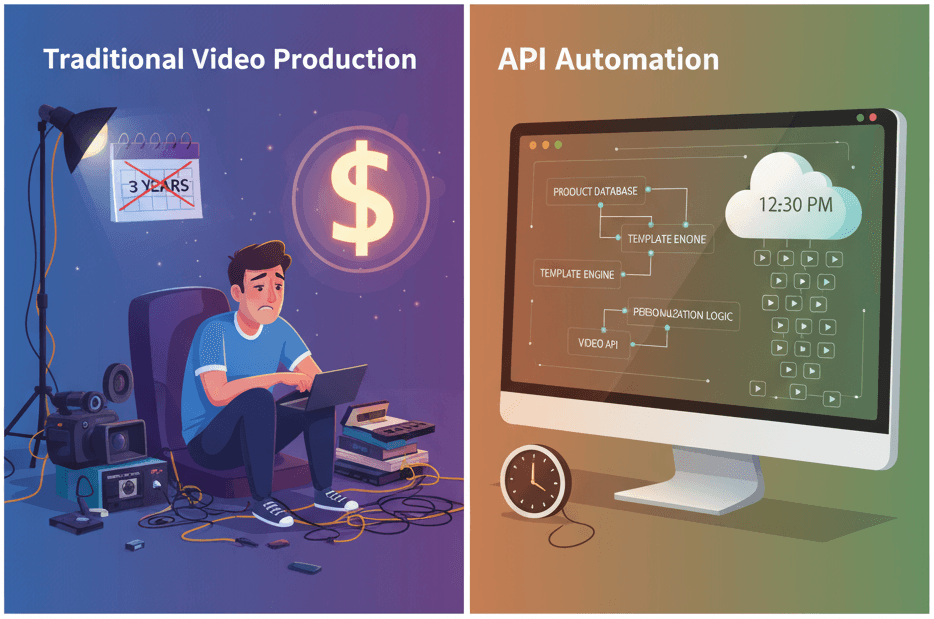
How to Generate 1,000+ Personalized Videos with API Automation (2026 Update)
A 30-second 1080p render costs $0.10 on a template API and $1.50+ on a generative one. Build the bulk pipeline: 1,000 personalized videos queued in under 20 minutes.
May 18, 2026
The Complete Guide to Automating Video Creation in 2026
Automate video creation in 2026 with templates, APIs, and AI agents. An expert production company charges about $1,000/min; a template render, $0.10-0.20.
July 28, 2026