
How to Build Automated Video Workflows with n8n (Step-by-Step Guide)
n8n hit 183k+ GitHub stars and 230k+ active users in 2026 — the fastest-growing workflow automation platform. This guide walks through building a video automation workflow with n8n + Renderly's API in under 45 minutes.

Founder
n8n crossed 183,000 GitHub stars and 230,000 active users in 2026, with 3,000+ enterprise customers including Microsoft, Vodafone, Volkswagen, and Twitch (n8n Community, 2025). SAP just embedded n8n inside Joule Studio as the orchestration layer for its AI agent platform, doubling n8n's valuation to $5.2 billion (The Next Web, 2026).
It's the fastest-growing workflow automation platform of the cycle — and almost nobody is using it for video.
That's the gap this guide fills. In about 45 minutes, you'll have a working n8n workflow that turns rows from any database, spreadsheet, or CRM into finished, rendered videos. Self-hosted or cloud, your choice. No code beyond a couple of expression fields.
If you haven't read it yet, The Complete Guide to Automating Video Creation in 2026 covers the broader no-code landscape. This guide is the n8n-specific deep-dive.
Key Takeaways
- n8n grew from 75k to 183k+ GitHub stars in roughly 12 months — the steepest growth curve in workflow automation (n8n Community, 2025)
- Self-hosted n8n is free with unlimited executions (n8n.io, 2026) — Cloud Starter starts at €24/mo
- Each video automation workflow uses 3–5 executions; even the Starter plan handles 500–800 renders/month
- Organizations using no-code automation report 50–90% reductions in development time (Kissflow, 2026)
- Video rendering is asynchronous — use n8n's Webhook trigger node to receive
render.completedevents without polling
Why n8n for Video Automation?
The short answer: it's the only workflow automation platform that's both production-grade and self-hostable, with a pricing model that scales sensibly for high-volume video work.
Three structural advantages matter for video:
Self-hosting kills the cost ceiling. Zapier's Pro plan caps at 2,000 tasks/month for $50; Make's at 10,000 operations for $16. n8n's self-hosted Community Edition is free with unlimited executions (n8n.io, 2026). For a team rendering 5,000–50,000 videos a month, that's the difference between $500/month in automation fees and roughly $10/month in VPS hosting.
Native loop and branching support. Video workflows fan out. One trigger, N variations, conditional template selection, retries on render failure. n8n's Loop Over Items and IF nodes handle this natively without nested workarounds. Zapier requires a paid plan for branching; Make.com handles it well but charges per operation on each branch.
AI-native architecture as of 2026. n8n shipped a full AI agent framework in 2025 — LangChain integration, agent nodes, vector stores, memory. For workflows that need to generate or select template variables dynamically (LLM-generated headlines, embeddings-based product matching), n8n handles it in one canvas instead of stitching together two tools.
By 2026, n8n had $40M in annual recurring revenue growing 10x year-over-year (The Next Web, 2026). That growth is concentrated in developer-led teams — the same audience that benefits most from automated video.
What Will We Build?
By the end of this guide, you'll have an n8n workflow that:
- Triggers when a new row appears in Airtable, Google Sheets, or a database
- Transforms the row data into a Renderly API payload
- Sends an HTTP POST to Renderly to queue the render
- Receives the
render.completedwebhook via an n8n Webhook trigger - Delivers the finished video to Slack, email, or back to the source row
We'll set up the trigger-to-render half first, then add the webhook-to-delivery half.
What you need:
- A Renderly account with an API key and one published template
- An n8n instance (self-hosted, Cloud trial, or Docker locally)
- Airtable or Google Sheets with test data (5 rows is plenty)
Step 1: Get an n8n Instance Running
You have three sensible options:
Option A — Self-hosted via Docker (recommended for production). One command on any Linux VPS:
docker run -it --rm \
  --name n8n \
  -p 5678:5678 \
  -v n8n_data:/home/node/.n8n \
docker.n8n.io/n8nio/n8nn8n boots on http://localhost:5678. For production, put it behind a reverse proxy with TLS and persist /home/node/.n8n to a real volume.
Option B — n8n Cloud trial. Visit n8n.io and start the 14-day free Starter trial. No credit card. Fastest path if you don't want to manage infrastructure.
Option C — Local development. npx n8n runs n8n in a temporary local instance. Great for following along; not appropriate for production webhooks since your URL isn't public.
For real production use, self-hosting on a $5/month VPS is the right call for almost everyone — the per-execution cost difference adds up fast at video volumes.
Step 2: Set Up Your Data Trigger
Open the n8n canvas and add a trigger node. The three most common for video automation:
| Trigger | When to use |
|---|---|
| Airtable Trigger | Marketing/ops teams already running on Airtable |
| Google Sheets Trigger | Lightweight data sources, customer-supplied lists |
| Webhook | External system POSTs new data directly to n8n |
| Schedule Trigger | Time-based batches (every hour, every Monday morning) |
For this guide, we'll use the Airtable Trigger node. Configure it with:
- Event: New record
- Base: Your Airtable base
- Table: Whatever holds your product/customer/content data
- Poll interval: Every 5 minutes (or use a webhook if your data source supports it)
When a new row lands, n8n will fire the workflow with the row data as $input.item.json.
Step 3: Transform Data into a Renderly Payload
Renderly's API takes a template ID and a replacements object keyed by overlay name. Add a Set node (or an inline expression in the next step) to shape your data.
For a product demo template with three dynamic overlays — product_name, product_image, price — your Set node would map:
{
  "templateId": "product-demo-v1",
  "replacements": {
    "product_name": "{{ $json.fields['Product Name'] }}",
    "product_image": "{{ $json.fields['Image URL'] }}",
    "price": "${{ $json.fields['Price'] }}"
  }
}
The isDynamic flag on each overlay (set at template creation time) tells Renderly's rendering engine to swap content per render. For a deep dive into the template system, see how to generate 1,000+ personalized videos with API automation.
Step 4: Send the Render Request
Add an HTTP Request node connected to your Set node:
- Method: POST
- URL:
https://renderly.video/api/v1/renders - Authentication: Header Auth →
Authorization: Bearer YOUR_RENDERLY_API_KEY - Body Content Type: JSON
- JSON Body:
{{ $json }}(pipes through the payload from Step 3)
Hit Test workflow. You should get back something like:
{
  "id": "job_xyz123",
  "status": "pending",
  "templateId": "product-demo-v1",
  "createdAt": "2026-05-25T14:23:01Z"
}That's the render queued. The actual rendering happens server-side; Renderly will fire a webhook when it's done.
Step 5: Receive the render.completed Webhook
Create a new workflow (or extend this one) starting with a Webhook trigger:
- HTTP Method: POST
- Path:
renderly-complete - Authentication: Header Auth (use a shared secret matching your Renderly webhook configuration)
- Response Mode: Immediately (return 200 before processing)
Copy the generated URL (e.g., https://your-n8n.example.com/webhook/renderly-complete) and register it in your Renderly account's webhook settings.
Renderly will now POST to this URL whenever a render completes or fails. The payload looks like:
{
  "event": "render.completed",
  "jobId": "job_xyz123",
  "status": "completed",
  "outputUrl": "https://renders.renderly.video/job_xyz123.mp4",
  "eventId": "evt_abc456",
  "timestamp": "2026-05-25T14:24:33Z"
}For a deeper look at webhook signature verification and idempotency, see our video rendering webhooks guide.
Step 6: Deliver the Finished Video
After the Webhook trigger, add an IF node to branch on $json.status:
- completed → send the
outputUrlto its destination - failed → log and notify
For each branch, common delivery nodes:
| Destination | n8n node |
|---|---|
| Slack channel | Slack → Send message |
| Send Email (SMTP) or Gmail | |
| Back to Airtable row | Airtable → Update record |
| S3 bucket | AWS S3 → Upload |
| Webhook to downstream system | HTTP Request |
For Slack notification on completion:
Channel: #marketing-renders
Message: "✅ New video ready: {{ $json.outputUrl }}"
That's the full loop. Trigger → render → wait → deliver. No code, no polling.
Production Hardening
A working workflow is the starting point. Three things to add before high-volume use:
Use Loop Over Items for Bulk Triggers
When your trigger emits multiple rows (e.g., Schedule Trigger running a batch query that returns 500 new products), wrap the HTTP Request node in a Loop Over Items node with batchSize: 50. This stops you from firing 500 concurrent requests and tripping rate limits.
Add Retry Logic
In the HTTP Request node settings, enable:
- Continue On Fail: true
- Retry On Fail: 3 attempts
- Wait Between Tries: 2,000ms
n8n's retry handler implements exponential backoff. For a deeper look at retry semantics across webhook providers, see the webhooks guide linked above.
Verify the Webhook Signature
Renderly signs every registered webhook delivery with x-renderly-signature, a bare hex HMAC-SHA256 of the raw body with no sha256= prefix. Add a Function node after your Webhook trigger:
const crypto = require('crypto');
const signature = $input.first().headers['x-renderly-signature'];
// Hex digest only. Prefixing this with 'sha256=' is the usual reason
// verification fails against Renderly.
const expected = crypto
  .createHmac('sha256', $env.RENDERLY_WEBHOOK_SECRET)
  .update($input.first().body)
  .digest('hex');

if (signature !== expected) {
  throw new Error('Invalid webhook signature');
}

return $input.all();Skipping this turns your webhook URL into a public endpoint anyone can POST to. Don't.
Pricing Reality Check
Picking the right n8n tier for your volume:
| Plan | Monthly cost | Executions | Best for |
|---|---|---|---|
| Self-hosted (Community) | $5–20 VPS only | Unlimited | Production, high volume |
| Cloud Starter | €24 | 2,500 | Solo / small team testing |
| Cloud Pro | €60 | 10,000 | SaaS automation at scale |
| Cloud Business | €800 | 40,000 | Mid-size enterprise with SSO |
| Cloud Enterprise | Custom | Unlimited | Enterprise with audit/SLA needs |
Source: n8n.io, 2026. Annual billing saves ~17%.
At 4 executions per video render, 2,500 executions = ~625 videos/month on Cloud Starter. Above that, self-hosting almost always wins on cost — even before you account for Renderly's per-render cost.
Common Pitfalls
Workflow design
- Polling triggers eating your execution budget. A Schedule Trigger checking every minute uses 43,200 executions/month just to poll — over the Pro cap with zero actual work done. Use Airtable/Sheets webhooks or longer poll intervals (15+ minutes).
- No Loop Over Items for batches. Firing 500 parallel HTTP requests will get rate-limited and exhaust your concurrent execution limit. Always batch.
- Storing API keys in expressions. Use n8n's Credentials store, not inline strings. Inline keys leak to workflow exports and logs.
Integration with Renderly
- Hardcoding template IDs. Use environment variables or a Set node so you can rotate templates without editing every workflow.
- Skipping webhook signature verification. Covered above. Non-negotiable for production.
- Not handling 402 credit-exhausted responses. Add an IF branch that pages the team when Renderly returns 402 so renders don't silently fail.
Self-hosted operations
- No persistent volume on Docker. Your workflows disappear on container restart. Always mount
/home/node/.n8n. - No reverse proxy / TLS. Webhooks won't fire from production services to an HTTP URL. Run n8n behind Caddy, nginx, or Cloudflare Tunnel with HTTPS.
- Single-instance bottleneck. For 10,000+ executions/day, run n8n in queue mode with Redis and worker containers.
When to Pick n8n vs Zapier vs Make.com
Three different shapes of team:
Pick n8n if — you have an engineer comfortable running Docker, you want unlimited executions, your video volume is above 1,000/month, or you need AI agent integration in the same workflow.
Pick Make.com if — you want visual workflows without self-hosting, your team is operational/marketing not engineering, and 10,000 operations/month is enough.
Pick Zapier if — you need the largest catalog of pre-built triggers (Zapier has 6,000+), simplicity matters more than cost, and your video volume is low (under 750 tasks/month on the Starter plan).
Most teams end up with a hybrid: Zapier for non-engineer-managed glue, n8n for the heavy automation. Both can call the same Renderly API.
n8n grew 10x in 12 months (The Next Web, 2026), and video is the most underserved use case in the entire ecosystem. The workflow above handles a row-to-video pipeline in 45 minutes of setup, free if you self-host.
The hardest part is deciding which template to build first. Pick your highest-volume content type — product demos, personalized outreach, social cuts — and ship the rest after the first one works.
Start with Renderly's video API — free credits on signup, REST endpoints, webhooks out of the box, and 4K on every plan.
Frequently asked
Is n8n free for video automation?
Can n8n trigger video renders from Airtable or Google Sheets?
How does n8n compare to Zapier and Make.com for video automation?
What's the Webhook trigger node in n8n and why does it matter for video?
Can I run n8n in production without paying for the cloud version?
How many video renders can n8n handle per hour?
Related Articles
The Complete Guide to Automating Video Creation in 2026
Automate video creation in 2026 with templates, APIs, and AI agents. An expert production company charges about $1,000/min; a template render, $0.10-0.20.
July 28, 2026
How to Automate Video Creation with Zapier (Step-by-Step Guide)
Automate video creation with Zapier and Renderly across 9,000+ apps. Two Zapier tasks per video, credits refunded on failure — the full build plus the real cost math.
August 18, 2026
How to Create Automated Videos with Make.com (Step-by-Step Guide)
Build a no-code Make.com video pipeline in 30 minutes. Make meters in credits now - 1 module run costs 1 credit, so a 5-module render scenario runs 5 per video.
August 24, 2026
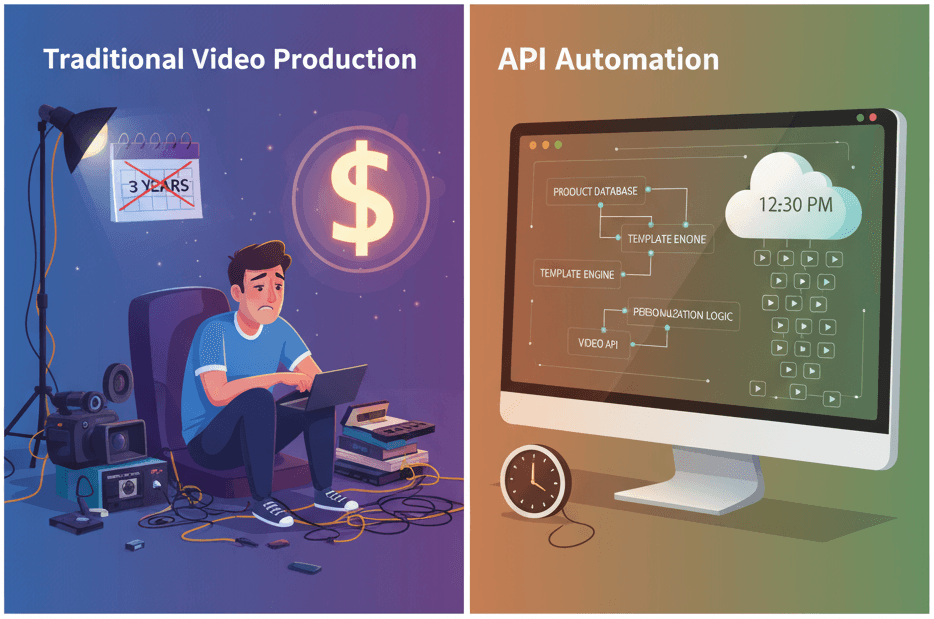
How to Generate 1,000+ Personalized Videos with API Automation (2026 Update)
A 30-second 1080p render costs $0.10 on a template API and $1.50+ on a generative one. Build the bulk pipeline: 1,000 personalized videos queued in under 20 minutes.
May 18, 2026
4 Best Video APIs for Developers (2026 Mid-Year Update)
We compared Renderly, Shotstack, Creatomate, and JSON2Video on price, speed, and DX. Subscription costs run $0.10 to $0.84 per minute at 1080p.
June 8, 2026