
Renderly Ships AI Images: Prompts In, Finished Video Out
Renderly now generates the images of your video from text prompts inside the render call. 0.5 credits per image, 0.2 on the fast tier, and repeats are free.

Founder
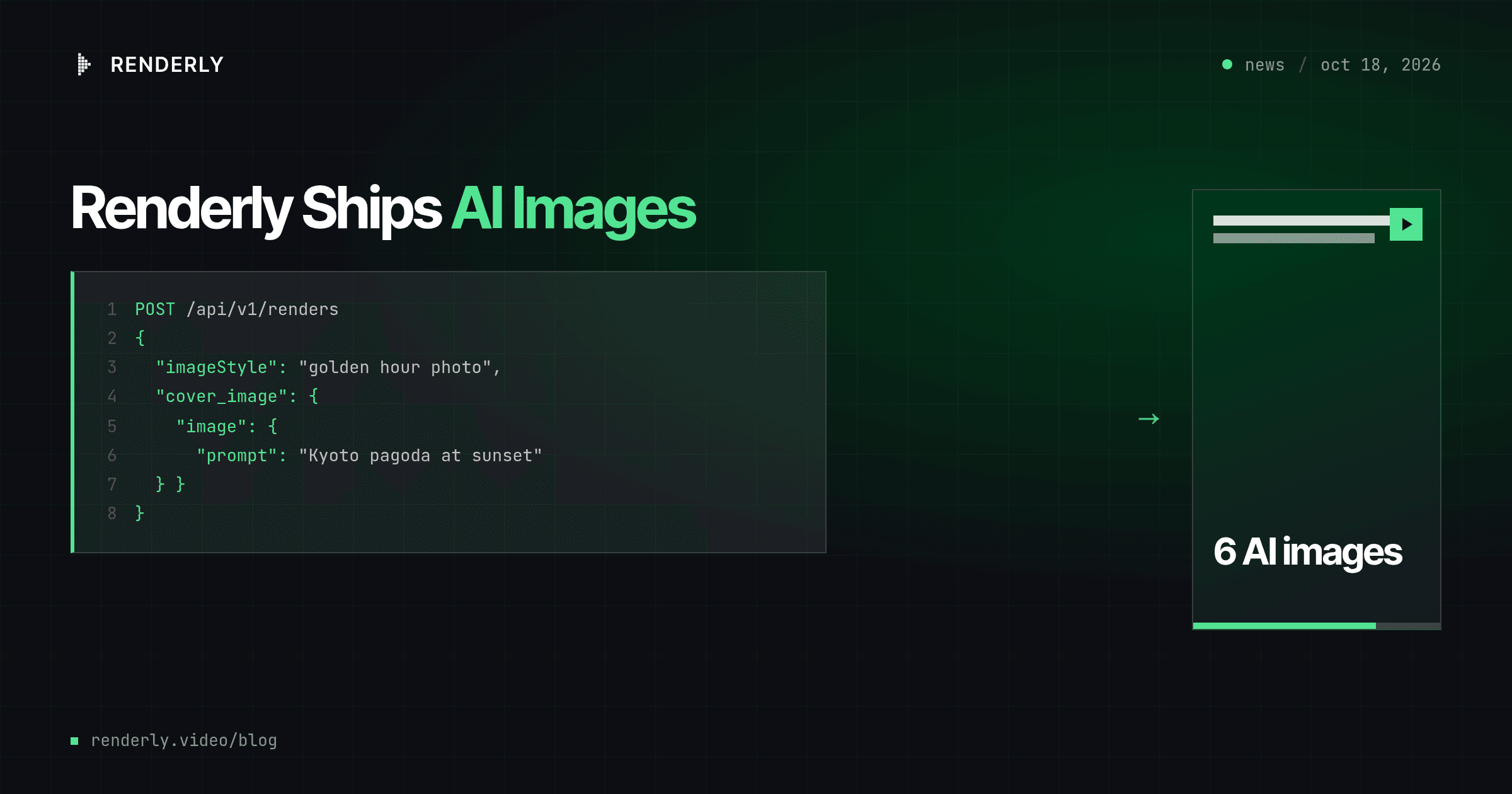
A third AI feature is live in Renderly today: AI images. You send text prompts where you used to send image URLs, and Renderly generates the images, places them in your template, and renders the video. One API call, prompts in, finished video out.
We built it because some of our users kept doing the same thing: they generate a stack of AI images in a separate tool, host them somewhere, and then send the URLs to Renderly to make a slideshow. That's two products, two bills and two integrations for one video. Now it's one request.
Here's the release in one demo. We took the public "Destination Guide - Top 5 Things To Do" template, which has six image slots, and sent this to production:
POST https://renderly.video/api/v1/renders
Authorization: Bearer rnd_...

{
  "templateId": "destination-guide-top-5-things-to-do",
  "imageStyle": "cinematic travel photography, golden hour, rich colour",
  "replacements": {
    "cover_image":  { "image": { "prompt": "Kyoto skyline with a pagoda at sunset" } },
    "item_1_image": { "image": { "prompt": "Fushimi Inari shrine red torii gates path" } },
    "item_2_image": { "image": { "prompt": "Arashiyama bamboo forest walking path" } },
    "item_3_image": { "image": { "prompt": "Kinkaku-ji golden pavilion reflected in a pond" } },
    "item_4_image": { "image": { "prompt": "Gion street with wooden machiya houses at dusk",
                                 "style": "soft watercolor illustration" } },
    "item_5_image": { "image": { "prompt": "a bowl of matcha and wagashi sweets on a tray",
                                 "tier": "fast" } }
  }
}The request returned in 39 seconds with all six images generated. The finished 34-second video was charged 3.7 credits in total: 2.7 for the images and 1 for the render. These are the six images straight out of that video:
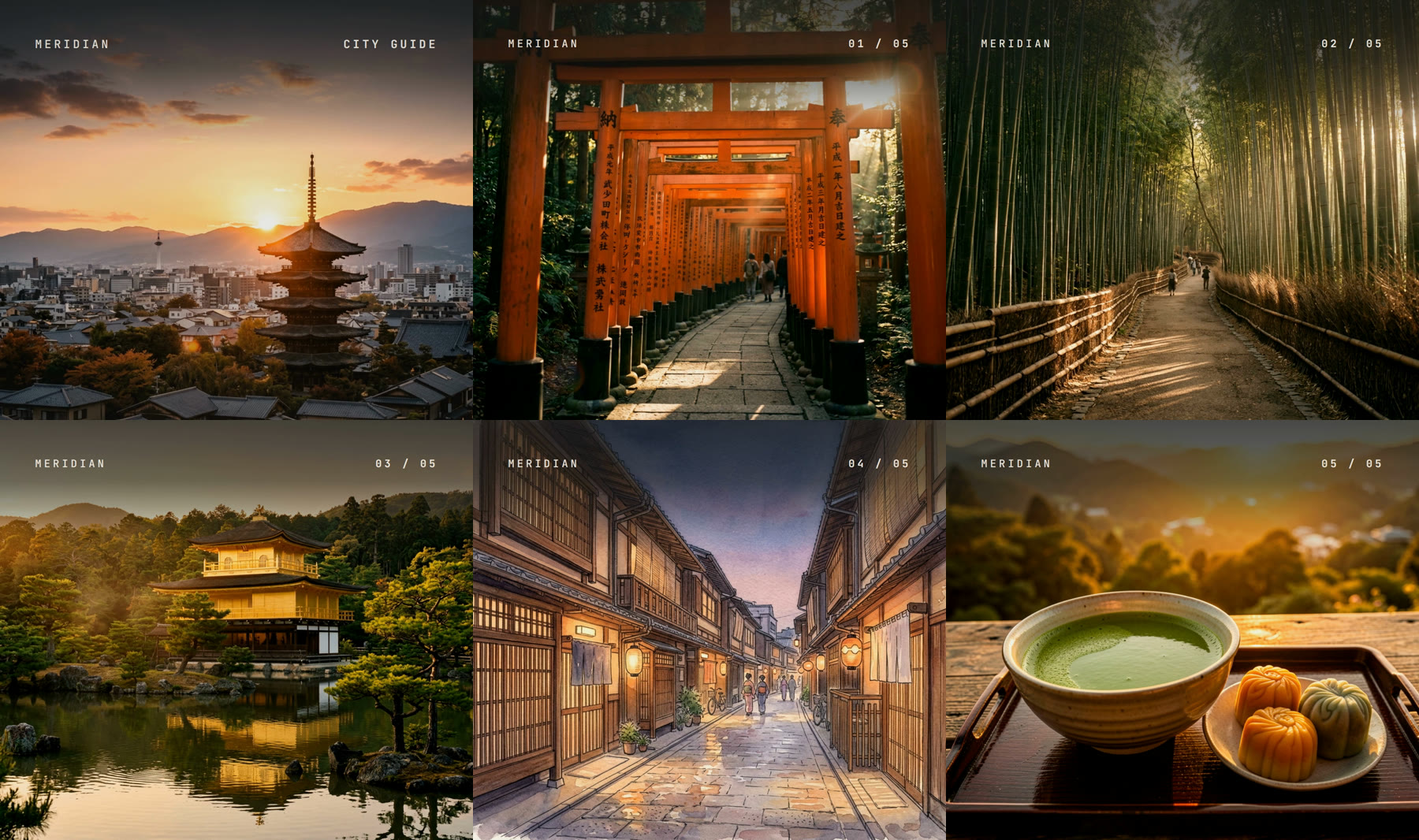
Look at slide four. It has its own style, so it came out as a watercolor while the other five kept the shared photo style. That's the per-image override, and it took one extra field.
Key Takeaways
- An image variable now accepts
{"image": {"prompt": "..."}}, and one render call generates the images and the videoimageStylekeeps a whole video in one look, and a per-imagestyleoverrides it for one slide- 0.5 credits per quality image, 0.2 per fast image, double for 2K, charged only on success
- An identical request is free: our repeat render cost 1 credit instead of 3.7 and finished in 11 seconds
What's in the release?
AI images in renders. Any isDynamic image layer accepts an image value instead of a URL. It works with templates, saved projects and raw inputProps. You can add up to 20 prompts to one render, and you can mix them freely with text, media, voiceover and caption values.
A standalone endpoint. POST /api/v1/ai/images takes a prompt and returns one image URL, saved to your media library. Use it to try a prompt before you put it in a template, or to build an image library ahead of time.
An MCP tool. renderly_generate_image lets Claude and other AI assistants generate images directly, and renderly_create_render accepts image values too. Ask for "a five-slide Kyoto guide with AI photos" and the assistant fills the prompts for you. The tool is available on API-key connections today.
Each image request takes a few optional fields:
| Field | Values | Default |
|---|---|---|
prompt | What the image shows, up to 2,000 characters | required |
tier | quality or fast | quality |
size | 1K (about 1024 px) or 2K (about 2048 px) | 1K |
aspectRatio | 10 ratios, from 1:1 and 16:9 to 9:16 and 21:9 | the shape of the image layer |
style | Free text placed before the prompt | the render's imageStyle |
Why does the image fit the slot automatically?
Because Renderly reads the box of the layer you're filling. A full-screen 16:9 background gets a 16:9 image, and a tall card in a vertical video gets a portrait one. You don't have to know the slot sizes of a template to use it.
Should you pick 1K or 2K? For a small card or a thumbnail, 1K is plenty. For a full-screen slide in a 1080p video, choose 2K: a 1K image at 16:9 is about 1344x768, so it gets enlarged to fill a 1920x1080 frame. A 2K image fills it with room to spare.
One style for the whole video, or one per slide
A slideshow looks cheap when every slide has a different look. So a render takes one shared imageStyle, such as "flat vector illustration, pastel colours", and puts it in front of every prompt. Your prompts stay short and describe only the subject.
When one slide should look different, give that image its own style. It replaces imageStyle for that image only. We chose replace over combine on purpose: two styles mixed into one prompt usually fight each other, and you get neither.
Repeats are free
Renderly stores every image it generates. When you send the same prompt again, with the same style, tier, size, aspect ratio and seed, you get the stored image back for 0 credits. We tested this on production with the Kyoto request above. The second render cost 1 credit instead of 3.7 and finished in 11 seconds instead of 39, because only the render ran.
That makes a few everyday things cheaper:
- Retries are free. If something fails halfway, the images that were already made come back from storage on the next try.
- Preview, then render. A preview with
"confirmAiCost": truegenerates the images, and the render that follows reuses them. - Re-renders are cheap. Change the text of a template and render again, and you pay only for the video.
Want a new version of an image instead? Send a different seed. It works as a key for our image store, so "imageSeed": 1 gives you fresh images for the whole render.
The same rule now covers our other AI features. An identical voiceover or transcription request returns the stored result for free as well.
What does it cost?
AI images draw from the same credit balance as rendering:
| Image | 1K | 2K |
|---|---|---|
| Quality | 0.5 credits | 1 credit |
| Fast | 0.2 credits | 0.4 credits |
The fast tier is quicker and cheaper, and works well for backgrounds and textures. In our production tests, a fast image came back in about 9 seconds and a quality image in about 28.
You're charged only when an image succeeds. Before Renderly spends anything, it checks every prompt, every target layer and your balance. A typo in a variable name or a prompt aimed at a text layer returns a clear error and costs nothing. A free preview without confirmAiCost lists the images it would generate and charges 0.
For context, 1 credit buys two quality images or five fast ones.
Getting started
API keys are self-serve. Grab one from your Renderly dashboard under Settings → API Keys. New accounts start with free credits to test with.
The fastest way to try it is one image:
curl https://renderly.video/api/v1/ai/images \
  -H "Authorization: Bearer rnd_..." \
  -H "Content-Type: application/json" \
-d '{ "prompt": "a red lighthouse on a cliff at dawn", "aspectRatio": "16:9" }'Then put prompts into any template that has image slots:
- AI features guide - endpoints, fields, pricing, and the full one-call slideshow example
- Rendering guide - image values alongside text, media, voiceover and caption values
- MCP guide - generate images and videos from Claude
- API reference - the OpenAPI spec, under the "AI" tag
Image prompts also combine with the rest of the AI toolkit. A script for AI voiceover with synced captions plus a prompt for every slide is a complete faceless video, from one request.
If you build something with AI images, we'd like to see it. Write to us at support@renderly.video.
Frequently asked
What does the Renderly AI images feature do?
How much do AI images cost?
Can I keep every image in a video in the same style?
What happens if I send the same prompt twice?
Which image sizes and aspect ratios are supported?
How many AI images can one render have?
Related Articles
Renderly Ships AI Voiceover and Auto-Captions
Renderly now turns a script into a narrated, word-synced-captioned video in one API call. AI voiceover (12 curated voices, 992-voice catalogue) + auto-captions, flat credit pricing.
July 19, 2026
Faceless Video API for TikTok and YouTube Shorts
Turn a script into a 9:16 faceless video with AI voiceover and word-synced captions in one API call. The request, the real cost per clip, and how to post it.
October 7, 2026
How to Create Videos with Claude Using Renderly's MCP Connector
Renderly is an MCP connector for Claude. Connect it and render personalized videos by typing a sentence. Setup steps, all ten tools, and current limits.
June 4, 2026
How to Set Up Video Rendering Webhooks (Production Guide)
Video rendering is asynchronous — polling wastes 90%+ of requests. This guide covers HMAC SHA-256 signature verification, retry semantics, idempotency, and the raw-body pitfall that breaks most webhook handlers.
May 28, 2026