
5 Video Automation Workflows You Can Build in 30 Minutes
Five battle-tested no-code video automation workflows — personalized outreach, bulk product videos, social cuts, onboarding, and spreadsheet-to-video. Each one is under 30 minutes of setup using Zapier, Make.com, n8n, or webhooks.

Founder
The single most underused fact about modern video automation: most production workflows take less than 30 minutes to wire up. Not the heroic, custom-everything pipelines — the bread-and-butter automations that produce the videos teams actually need.
Organizations using no-code automation report 50–90% reductions in development time (Kissflow, 2026), and the video API space has matured to the point where five distinct automation patterns cover the vast majority of business video needs.
This guide ships those five patterns end-to-end. Each one names the trigger, the tools, the setup time, and links to the deep-dive that walks through it step by step. Pick the one that matches your current pain and you'll have a working pipeline before lunch.
Key Takeaways
- Personalized video campaigns convert at 3x the rate of generic equivalents (Tavus, 2025) — and these workflows produce them at $0.10–0.50 per render
- Four of the five workflows are pure no-code (Zapier, Make.com, Google Sheets triggers)
- Self-hosted n8n is free with unlimited executions (n8n.io, 2026) — the cost-optimal choice above 1,000 videos/month
- Each workflow uses 3-5 billable automation steps per render (Make counts these as credits, Zapier as tasks), well within free-tier limits for typical volumes
- Templates are reusable across workflows — build one good template and run it through multiple automation patterns
Workflow 1 — Personalized Outreach Videos (Zapier + CRM)
Best for: Sales teams, customer success, account-based marketing.
The trigger pattern that wins most often. Every time your CRM tags a contact with outreach-ready, a personalized video gets rendered with the contact's name, company, and a custom call-to-action — then dropped into the assigned rep's Slack or directly into the outreach email.
Tools needed: Zapier (Starter plan or higher), a CRM with Zapier integration (HubSpot, Salesforce, Pipedrive, Close), Renderly account.
The workflow:
[CRM: New contact with tag] → [Filter: tag = "outreach-ready"]
  → [Renderly: Create Render]
  → [Slack: Send message to assigned rep]
Step-by-step:
- In Zapier, create a new Zap with a CRM trigger ("New tagged contact")
- Add a Filter step that only continues if
tag contains "outreach-ready" - Add a Renderly action:
Create Renderwith templateoutreach-demo-v1and replacements pulled from the CRM record ({ name, company, custom_cta }) - Add a Slack action:
Send Channel Messageto#sales-renderswith the resulting video URL
Setup time: ~20 minutes.
Monthly cost at 200 videos: Zapier Starter ($20/mo) + 200 renders at ~$0.10 each = ~$40/month total.
Why this works: Personalized video drives 3x conversion vs. generic equivalents (Tavus, 2025). The unit economics work even for low-volume sales motions — a single closed deal pays for years of automation.
For the complete walkthrough including conditional template selection and webhook delivery back to the CRM, see How to Automate Video Creation with Zapier.
Workflow 2 — Bulk Product Videos from Airtable (Make.com)
Best for: E-commerce teams, marketplaces, catalog-driven businesses.
You have 500 SKUs. You need a video for each. The Airtable → Make.com → Renderly pattern produces them in an afternoon.
Tools needed: Make.com (Core plan or higher), Airtable with product catalog, Renderly account.
The workflow:
[Airtable: Watch new records] → [Iterator: Loop over records]
  → [Renderly: Create Render with product fields]
  → [Airtable: Update record with video URL]
Step-by-step:
- In Make.com, create a scenario with
Airtable → Watch New Recordsas the trigger - Add an
Iteratormodule that loops over each new record - Add a
Renderly → Create Renderaction with templateproduct-demo-30sand replacements{ product_name, product_image, price }mapped from the Airtable fields - Add a
Sleepmodule (10s) to respect rate limits - Add an
Airtable → Update Recordaction that writes the rendered video URL back to the source row
Setup time: ~25 minutes.
Monthly cost at 1,000 videos: Make.com Core ($9/mo, 10,000 credits covers 2,000 five-module video workflows) + 1,000 renders at ~$0.25 each = ~$260/month.
Why this works: Make bills one credit per standard module run, so this five-module scenario spends 5,000 credits for 1,000 videos - inside Core's $9/month allowance. The same pipeline on Zapier bills 4 tasks per video (Zapier doesn't bill triggers), which needs its 5,000-task tier at $133.50/month (Zapier, monthly billing, checked 2026-08-24). That's roughly 15x the automation cost for identical output, and it's the gap that matters once batch jobs run every day. The visual Iterator module also handles bulk loops without per-item Zap counts.
For the complete walkthrough including pagination, retry logic, and webhook-based completion handling, see How to Create Automated Videos with Make.com.
Workflow 3 — Self-Hosted Social Cuts (n8n + Schedule Trigger)
Best for: Content teams producing daily social content, agencies with multiple clients, anyone whose video volume puts SaaS automation plans over budget.
n8n's killer feature for this use case: self-hosted with unlimited executions (n8n.io, 2026). If you're producing 100+ videos a day, the automation platform itself disappears as a cost line.
Tools needed: Self-hosted n8n (free, on any $5/month VPS), Renderly account, an S3 bucket or Cloudflare R2 for storage.
The workflow:
[Schedule Trigger: Every day at 9am] → [HTTP Request: Pull today's content from CMS]
  → [Loop Over Items] → [HTTP Request: Renderly render in 3 aspect ratios]
  → [Wait for webhook] → [S3 Upload]
  → [Slack: Notify team]
Step-by-step:
- In n8n, create a workflow starting with
Schedule Trigger(cron:0 9 * * *) - Add an
HTTP Requestnode fetching content for the day from your CMS - Wrap the next steps in a
Loop Over Itemsnode (batch size 20) - For each item, add three
HTTP Requestnodes — one for each aspect ratio (9:16for TikTok/Reels,1:1for Instagram,16:9for YouTube) - Create a second workflow with a
Webhooktrigger to receiverender.completedevents - In the webhook workflow, upload to S3 and post to Slack
Setup time: ~30 minutes (assumes n8n is already deployed; add 15 minutes for first-time Docker setup).
Monthly cost at 1,500 videos: $5–10/month VPS + 1,500 renders at $0.15 each = ~$235/month total. No automation cost ceiling.
Why this works: n8n grew from 75k to 183k+ GitHub stars in roughly 12 months (n8n Community, 2025), and the self-hosted edition is the cost-optimal choice for high-volume video work. At 1,500 videos/month, you're saving $40+/month on automation costs versus Make.com and $150+/month versus Zapier.
For the complete walkthrough including credentials management, retry logic, and webhook signature verification, see How to Build Automated Video Workflows with n8n.
Workflow 4 — User Onboarding Videos (Webhook → Video → Email)
Best for: SaaS products with onboarding flows, course platforms, customer-facing apps.
Every new signup triggers a personalized welcome video that lands in the user's inbox within 2 minutes. The pattern requires no SaaS automation platform — just a webhook handler in your app code.
Tools needed: Your app's signup handler, Renderly account, an email service (Resend, Postmark, SendGrid), an HTTPS endpoint.
The workflow:
[App: New user signup]
  → [Server: POST to Renderly /renders with user's name/plan]
  → [Renderly: Render welcome video]
  → [Webhook: render.completed → your endpoint]
  → [Email: Send welcome with video URL]
Step-by-step:
- In your signup handler, after user creation, POST to Renderly's
/api/v1/renderswith templatewelcome-video-v1and replacements{ user_name, plan_name, dashboard_url } - Register a webhook endpoint in Renderly pointing at
https://yourapp.com/webhooks/renderly - In that webhook handler: verify the HMAC SHA-256 signature, dedupe on
eventId, then enqueue an email job - Send the welcome email with the rendered video embedded as a thumbnail linking to the full video
Setup time: ~30 minutes (assumes you have email infrastructure and a webhook endpoint).
Monthly cost at 2,000 signups: Renderly: 2,000 renders at $0.10 = $200/month. Email service: typically free up to 3,000 emails. No automation platform fees.
Why this works: This is the highest-leverage video in most SaaS products — first-impression onboarding. Producing it manually doesn't scale. Producing it via API costs $0.10/user and runs while the user is still reading the welcome screen.
For the complete walkthrough including signature verification (raw body, constant-time comparison) and idempotency, see How to Set Up Video Rendering Webhooks.
Workflow 5 — Spreadsheet-to-Video Campaign Generator
Best for: Marketing teams running personalized email/SMS campaigns, recruiters sending custom outreach, customer success at-risk-account flows.
The simplest possible video automation: a Google Sheet with rows for each recipient, a button or schedule that fires the workflow, and personalized videos hitting inboxes 15 minutes later.
Tools needed: Google Sheets, your choice of automation platform (Zapier, Make.com, or n8n — all work), Renderly account.
The workflow:
[Google Sheets: New row OR scheduled scan]
  → [Filter: status = "queued"]
  → [Renderly: Create Render]
  → [Email/SMS: Send to recipient]
  → [Google Sheets: Mark row as "sent"]
Step-by-step (using Zapier for simplicity):
- Create a Google Sheet with columns:
Name,Email,Custom Message,Status,Video URL - In Zapier, create a Zap with
Google Sheets → New Spreadsheet Rowas the trigger - Add a Filter: continue only if
Status = "queued" - Add
Renderly → Create Renderwith templateoutreach-v1and replacements pulled from the row - Add an email action (
Gmail → Send EmailorResend → Send Email) using the rendered video URL - Add
Google Sheets → Update Rowto setStatus = "sent"and write theVideo URL
Setup time: ~15 minutes.
Monthly cost at 500 campaign sends: Zapier Starter ($20/mo) + 500 renders at $0.15 = ~$95/month.
Why this works: This is the workflow non-developers ship in their first afternoon with a video API. The data lives in a tool everyone already uses (Sheets), the trigger is human-paced (you queue rows, automation runs them), and the cost per send is two orders of magnitude below traditional campaign tooling.
For the complete walkthrough across Zapier, Make.com, and the source-of-truth API documentation, see the Complete Guide to Automating Video Creation in 2026.
How Do These Workflows Compare?
Picking the right one depends on volume, technical comfort, and tool preference:
| Workflow | Best for | Setup time | Cost at 500/mo | Cost at 5,000/mo |
|---|---|---|---|---|
| 1. Personalized outreach (Zapier) | Sales, ABM | 20 min | ~$70 | $300+ (Zapier limits) |
| 2. Bulk products (Make.com) | E-commerce, catalogs | 25 min | ~$80 | ~$1,300 |
| 3. Social cuts (n8n self-hosted) | Content teams, agencies | 30 min | ~$80 | ~$760 |
| 4. Onboarding (webhooks) | SaaS, courses | 30 min | ~$50 | ~$500 |
| 5. Spreadsheet campaigns (Zapier) | Marketing, recruiting | 15 min | ~$95 | $400+ (Zapier limits) |
The pattern at scale: above ~1,500 videos/month, n8n self-hosted is the cost-optimal automation layer for almost every use case. Below that, pick whichever platform your team already uses.
What Renderly Adds to Each Workflow
All five workflows assume a video API that supports:
- Template-based rendering with named dynamic overlays (
isDynamic: trueflag) - REST API for queuing renders programmatically
- Webhooks for completion notifications (signed with HMAC SHA-256)
- Concurrent rendering so batch jobs don't serialize
- 4K output across all plans
- Pay-as-you-go pricing without monthly minimums
Renderly's pricing — $0.20 per credit (1 minute of 1080p video), no expiration, 4K on every plan — keeps the per-video cost predictable across all five workflows. For the deep-dive on the template system, see how to generate 1,000+ personalized videos with API automation.
Five workflows. Each one under 30 minutes of setup. Each one producing videos at a per-unit cost 95%+ below agency production (Synthesia, 2025).
The hardest part isn't the wiring — it's deciding which one to build first. Pick the workflow that maps to your highest-volume current video type, ship it this week, and let the cost math speak for itself.
Try Renderly's video API — free credits on signup, REST endpoints, signed webhooks, 4K on every plan.
Frequently asked
Do I need to be a developer to build these workflows?
How much do these workflows cost to run at scale?
Which workflow should I build first?
Can these workflows handle thousands of videos per month?
Do I need separate templates for each workflow?
What if a render fails mid-workflow?
Related Articles
The Complete Guide to Automating Video Creation in 2026
Automate video creation in 2026 with templates, APIs, and AI agents. An expert production company charges about $1,000/min; a template render, $0.10-0.20.
July 28, 2026
How to Automate Video Creation with Zapier (Step-by-Step Guide)
Automate video creation with Zapier and Renderly across 9,000+ apps. Two Zapier tasks per video, credits refunded on failure — the full build plus the real cost math.
August 18, 2026
How to Create Automated Videos with Make.com (Step-by-Step Guide)
Build a no-code Make.com video pipeline in 30 minutes. Make meters in credits now - 1 module run costs 1 credit, so a 5-module render scenario runs 5 per video.
August 24, 2026
How to Build Automated Video Workflows with n8n (Step-by-Step Guide)
n8n hit 183k+ GitHub stars and 230k+ active users in 2026 — the fastest-growing workflow automation platform. This guide walks through building a video automation workflow with n8n + Renderly's API in under 45 minutes.
May 25, 2026
How to Set Up Video Rendering Webhooks (Production Guide)
Video rendering is asynchronous — polling wastes 90%+ of requests. This guide covers HMAC SHA-256 signature verification, retry semantics, idempotency, and the raw-body pitfall that breaks most webhook handlers.
May 28, 2026
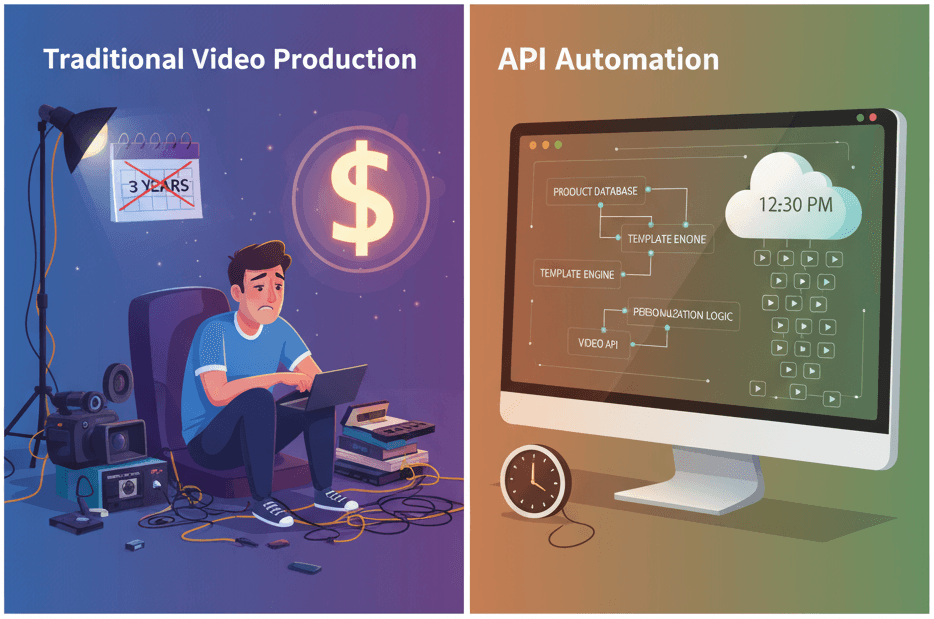
How to Generate 1,000+ Personalized Videos with API Automation (2026 Update)
A 30-second 1080p render costs $0.10 on a template API and $1.50+ on a generative one. Build the bulk pipeline: 1,000 personalized videos queued in under 20 minutes.
May 18, 2026