
FFmpeg vs a Video API: When to Stop Self-Hosting
We render with FFmpeg in production. Infrastructure crosses over near 2,600 video-minutes a month - and the bill was never the expensive part. The effort is.

Founder
We render video with FFmpeg in production. Our renderer shells out to it on every job that runs longer than about twenty seconds, and it has never been the thing that woke anyone up.
So this is not a post about replacing FFmpeg, and if you came looking for permission to delete it, you will not find it here. The honest question is narrower and more expensive: FFmpeg is one component of a rendering system, and you are deciding whether to build and operate the other nine. This is what those nine involve, drawn from our own fleet, and the volume at which the arithmetic changes sides.
Key Takeaways
- Hosted video APIs are not an alternative to FFmpeg. Ours spawns FFmpeg to concatenate chunks, so the real choice is about the queue, retries, autoscaling and failure accounting around it
- One m7i.2xlarge in us-east-1 is $0.4032/hour on Linux, roughly $294/month run continuously (AWS published price list, 18 September 2026)
- 10,000 one-minute videos is 250 hours of render work. On one box that is ten and a half days. Across 50 workers it is five hours, across 100 it is two and a half - the same division either way, but on a hosted pipeline those workers are already running
- The infrastructure crossover lands around 2,600 video-minutes a month. Below it, self-hosting loses on price alone. Above it, self-hosting wins on hardware and the question becomes what you pay the person maintaining it
- Past AWS's free 100 GB a month, delivering one video costs 4.4x what storing it for a month does ($0.1093/GB egress vs $0.025/GB-month). Below that it is free - which is why it is missing from every self-hosting estimate we have seen, and why it bites later
- The expensive failures were never encoding failures. They were a half-deployed fleet producing two different videos from identical inputs, and a health check that reported "online" while every worker crash-looped
When is FFmpeg the right answer?
Often, and the category of work is easy to describe: anything where you control the inputs, nobody is waiting, and a failure means you run it again. FFmpeg is free, it is the most battle-tested media tool in existence, and on hardware you already own the marginal cost of another render is zero.
Concretely, keep FFmpeg and skip this entire decision if you are doing offline batch
conversion, codec or filter research, one-off transformations, archive re-encoding, or
anything where the job queue is a shell loop and that is genuinely fine. A for loop over a
directory is not a naive version of a rendering pipeline. It is the correct amount of
machinery for that problem, and wrapping it in a distributed queue would be the mistake.
Full control matters too. Filter graphs, exotic codecs, hardware acceleration decisions, bit-exact output: a hosted API abstracts those away by design, and if the abstraction is the thing you need to reach past, the abstraction is wrong for you. We hit this ourselves. We could not find a hosted product that would let us do what our renderer does, which is why we run our own.
The case for stopping is not that FFmpeg is bad at encoding. It is that encoding turns out to be a small fraction of what a production rendering service does.
What does a video API do that FFmpeg does not?
FFmpeg is one box. The rest of the system it lives inside, drawn from ours, looks like this.
Two of those boxes are worth specifics, because the specifics are what you cannot guess before you have run this.
Chunking. Long renders do not fit in one pass, so ours are split by complexity rather
than duration: width x height x frames, against a ceiling of 1920 x 1080 x 600. At
1080p30 that is about twenty seconds. The consequence people miss is that the ceiling is in
pixels, so a 4K job crosses it four times sooner than a 1080p job of the same length, and a
pipeline tuned on 1080p test clips will quietly change shape the first time someone asks for
4K. Chunks render in parallel, then FFmpeg concatenates them.
Retry budgets, plural. Our render jobs get 3 attempts with exponential backoff from a 5-second base; the concatenation jobs get 2 attempts from a 3-second base. That is not fussiness. A concat failure usually means the inputs are wrong and retrying costs you time you will not get back, while a render failure is often a transient worker problem that a second attempt fixes. A single global retry setting cannot express that, and a single global retry setting is what most hand-rolled pipelines have.
If you want the shape of the delivery layer in detail, we wrote that one up separately as a production guide to video rendering webhooks.
Where does the cost actually go?
Compute is the small number, and it is the only one most build-versus-buy estimates contain. We have modelled this on an m7i.2xlarge in us-east-1, because it is what a reader is most likely to reach for: current-generation general purpose, x86, eight vCPU and 32 GiB, in the default region. It is $0.4032 per hour on demand for Linux, about $294 a month if you leave it up (AWS on-demand pricing; read from AWS's published price list, 18 September 2026). Move to ARM, or to a cheaper region, and you can cut that materially - which is itself a piece of work you have just taken on and we have not.
Turn that into a per-minute figure and it nearly vanishes. Our renders take roughly 1.5x the video's duration, so a one-minute video occupies a box for about ninety seconds, or $0.0101 of compute. That is the figure at full utilisation, which nobody achieves. At the 40% the model below assumes, the honest all-in number is the same $294 box divided by the roughly 11,700 minutes it can absorb: about 2.5 cents a minute.
Which is exactly why the per-minute framing misleads. At those numbers the encoder is free and the decision is entirely about fixed costs:
- The box you cannot turn off. Either you run a machine continuously and pay for the idle, or you build autoscaling and pay for it with your attention instead.
- Storage, and the bill that is not storage. Rendered output is large. Ours runs 4 to 10 MB per minute depending on the template. In the same region, S3 Standard is $0.025 per GB-month while moving a file out to the internet is $0.1093 per GB beyond AWS's free allowance (AWS published price list, September 2026). Past that allowance, delivering a video once costs 4.4x what storing it for a month does. The free allowance is the catch in both directions: the first 100 GB a month is free, and at roughly 7 MB per rendered minute you do not cross it until about 14,000 minutes a month. Below that, egress is genuinely zero. Above it, it becomes the line every self-hosting estimate we have seen leaves out.
- The engineer. This is the term that dominates, and it is the one that does not appear on any cloud pricing page.
For the engineer, use your own loaded cost if you know it. If you want a defensible public number, the US Bureau of Labor Statistics puts the mean hourly wage for network and computer systems administrators at $49.85, and for software developers at $71.20 (BLS, Occupational Employment and Wage Statistics, Table 1, May 2025 reference period). We use the lower figure throughout, because it is the more conservative of the two and it makes the argument harder to dismiss. Two honest caveats: BLS publishes wages, not employer cost, so the real number is higher once benefits and overhead are loaded in; and there is no BLS occupation code for "DevOps engineer", so neither row is an exact fit. To price the hosted side of the comparison, the cost calculator will do that part for you; the self-hosted column you will have to build from the figures above.
Four failures that were not encoding bugs
These are four real ones from our own fleet, and the encoder was healthy through all of them.
A half-deployed fleet renders two different videos from identical inputs. On 17 September we produced two renders from byte-identical input, nine minutes apart, that did not match. One host was still running the previous bundle. Every host had reported a successful deploy. If your output is inconsistent between runs and the code looks right, suspect the fleet before you suspect the code, because nothing in a green deploy log will tell you.
One stale configuration value takes down everything at once. A shared environment file gets copied to every host on deploy, which means a single wrong value is not a partial outage, it is a total one. Ours was a dead cache endpoint. The deploy script now aborts a host rather than restarting it on top of a failed config copy, which is the kind of guard you only write after you have needed it.
"The process is running" is not a health check. Our workers stayed online in the
process manager while crash-looping against an unreachable queue. The supervisor was
perfectly happy. The only check that meant anything was the count of workers actually
draining jobs. Whatever you monitor, make sure a worker that has stopped doing work can fail
it, because the thing most people monitor cannot.
New machines are born stale. An instance launched from a machine image baked months ago runs months-old code until something redeploys it. Autoscaling that adds capacity without also deploying to it adds capacity that renders the wrong thing, which is worse than no capacity at all.
The pattern across all four: the encoder was fine every time. What broke was the distributed-system paraphernalia you take on the day you decide to run more than one box.
What does it cost at 100, 1,000 and 10,000 videos a month?
About $20, $99 and $1,179 a month on a hosted API, against a flat ~$294 for one self-hosted box. Here is the model behind those numbers. It is ours, and the inputs are listed so you can disagree with them.
Assumptions: one-minute 1080p videos; render time at 1.5x duration; a self-hosted box at 40% utilisation, since you cannot schedule a real workload to the edge; m7i.2xlarge at $0.4032/hour in us-east-1; hosted pricing at our own published rates. Engineer time excluded from both columns, then added back afterwards, because that is the honest way round.
| Videos per month | Self-hosted infrastructure | Hosted API | Cheaper on infrastructure |
|---|---|---|---|
| 100 | ~$294 (one box left up) | ~$20 | Hosted, by about 15x |
| 1,000 | ~$294 (same box) | ~$99 | Hosted, by about 3x |
| 10,000 | ~$294 (same box, now busy) | ~$1,179 | Self-hosted, by about 4x |
Three honest notes on that table. The self-hosted column is compute only, which is the omission this post just criticised, so: storage and egress add about $9 a month at 10,000 minutes and nothing below AWS's free tier, which moves the crossover by under a hundred minutes. The 100-video row assumes you leave the box up; scale it to zero and you pay a few dollars plus the autoscaler you now maintain. And one box at 40% utilisation tops out near 11,700 video-minutes a month, which is why the green line below is flat all the way to 10,000, and why it stops being flat just past the right edge of the chart.
Read the flat green line carefully. It is the whole argument: self-hosting is a fixed cost and hosted rendering is a variable one, so the two lines are not competing offers so much as different shapes. Below the crossover you are paying $294 for a machine that is asleep. Above it, the machine is busy and the saving compounds.
At 10,000 minutes a month, self-hosting saves roughly $885 a month on infrastructure. Now put the engineer back in, and price the saving in the currency that actually pays for it. At $49.85 an hour, $885 buys about 18 engineer-hours a month. That is the whole budget: if keeping the queue, the workers, the autoscaler and the deploy path healthy costs you more than roughly half a day a week, the trade is already losing money, and you are carrying the on-call rota for free.
Half a day a week is not a generous allowance for a distributed system.
That is the uncomfortable middle of this decision. There is a genuine band, somewhere above a few thousand minutes a month, where self-hosting is cheaper on hardware and still not worth doing. The infrastructure argument flips long before the staffing argument does.
What does each option cost you in effort?
The money is the easy half and we have now spent two sections on it. The half that decides most of these arguments does not appear on either invoice, so here it is side by side. This is the comparison we would want if we were the one reading.
| What you take on | Self-hosted | Hosted API |
|---|---|---|
| Getting the first render into production | Days to weeks | An afternoon |
| Queue, priorities, retry budgets | You design them, per job type | Already decided |
| Long renders that exceed one pass | You design the split and the concat | Already there |
| Autoscaling | You build it, then tune it against a bill | Not yours |
| FFmpeg, codec and dependency upgrades | You re-baseline output and prove nothing moved | Absorbed upstream |
| Keeping every worker on the same build | Yours, and see the four failures above | Not yours |
| Refunding a customer for a failed render | You build the accounting and the backstop | Already there |
| Absorbing a spike without a queue backing up | You size, warm and pay for the headroom | Not yours |
| Who gets paged when it breaks at 3am | You | Us |
The last row is the one to weigh, and it is the only row in the table you cannot solve with a weekend. Everything above it is work that ends. An on-call rota does not end, it just gets quieter, and it costs you whether or not a render fails tonight.
Be honest with yourself about the first row too. Getting one video out of FFmpeg on your laptop genuinely is an afternoon, and that afternoon is what convinces people the rest will be cheap. It is not the render that takes weeks. It is the queue that survives a restart, the retry that does not double-charge, the autoscaler that does not thrash, and the deploy that reaches every worker - none of which you need on day one, and all of which you need the first time something matters.
We are not going to claim that a hosted pipeline never fails. Ours does. The difference is narrower and more useful than "it just works": when it fails, the work of finding out why and fixing it is on our side of the line, and the four incidents earlier in this post are examples of us doing exactly that. You get the outcome without the rota.
Speed is a property of the fleet, not of the server
The cost model above priced a month. It said nothing about when, and that omission flatters self-hosting more than any other number in this post.
Work the wall clock. At 1.5x render time, one box working through a queue does a one-minute video every ninety seconds, so 1,000 one-minute videos take about 25 hours and 10,000 take about 250 hours, which is ten and a half days. Those are not queue times. That is the box running flat out, start to finish, with nothing going wrong.
Now look back at the flat green line. It is flat because the model spread 10,000 minutes evenly across 730 hours, and at that spread one box is busy about a third of the time and genuinely is enough. Work does not arrive on a spreadsheet's schedule. Push the same 10,000 minutes into a single week and one box is 82 hours short. Push them into a day, which is what a product launch or a quarter-end campaign actually looks like, and it is 226 hours short. The monthly average said one box was fine. The week it arrived in says it never was.
You cannot buy your way out of this vertically. A renderer already uses the cores it is given, so doubling the vCPU makes one video somewhat faster and does almost nothing to a queue of a thousand. Throughput comes from concurrency, which means more workers, and more workers is not a bigger invoice - it is a fleet, with everything in the table above attached to it.
So put the other side of it on the clock too. Those 10,000 videos are 250 hours of render work no matter who runs them; the only question is how many workers are pulling from the queue. Divide:
| Workers pulling from the queue | 10,000 one-minute videos | 1,000 one-minute videos |
|---|---|---|
| 1 (your box) | 10.4 days | 25 hours |
| 10 | 25 hours | 2.5 hours |
| 25 | 10 hours | 1 hour |
| 50 | 5 hours | 30 minutes |
| 100 | 2.5 hours | 15 minutes |
There is no cleverness in that table. It is one division, and you could build any row of it yourself. The difference is that on a hosted pipeline the workers are already running, so you get the bottom rows on a batch you submit this afternoon, without having provisioned anything the day before. To get the same row on your own hardware you would be standing up and paying for that many machines, tuning an autoscaler to grow and shrink them safely, and keeping every one of them on the same build - which is the entire effort table again, now with a capacity-planning problem stapled to it.
Two axes of parallelism sit underneath that, and one box gives you neither at scale. Across jobs: independent renders all go at once, so a batch takes as long as its slowest member rather than the sum of its parts. Within one job: a long render is split by the complexity ceiling described earlier, the chunks go to different workers simultaneously and are concatenated at the end, which is why a ten-minute video does not take ten times as long as a one-minute one.
This is also where the cheapest self-hosted setup quietly gets expensive again. To absorb a spike you need workers sitting ready, and workers sitting ready are workers you are paying for while they do nothing. The alternative is to start them on demand and accept that the first render after a quiet period waits for a machine to boot, a bundle to load and a cache to warm. Pick one: headroom you pay for, or latency you do not control. Running this on a fleet is the reason we can be quick from a standing start, and building that yourself is squarely back in the effort column.
Volume is not the axis that decides it
Volume is the axis everyone draws, and it is not the one that decides most cases. Three others matter more.
Burstiness, which is the wall-clock problem from the previous section wearing a planning hat. A steady 10,000 minutes a month has a known answer. The same 10,000 arriving in one afternoon needs headroom you will not touch for the other twenty-nine days, or it needs autoscaling - a component with its own failure modes, not a checkbox.
Tolerance for latency. Ours scales out when the queue depth passes 2, with a 30-second cooldown, and scales back in after 5 idle minutes with a 300-second cooldown, evaluated every two minutes. That asymmetry is deliberate and it is the single most useful thing in this post if you are building your own: scale out fast and scale in ten times slower, because thrashing costs more than idling does. It took us longer than it should have to land on that ratio, and nothing tells you it is wrong except a bill.
Whether anyone is on call. A pipeline nobody owns degrades silently. If the honest answer is that this would be somebody's fourth priority, the hosted option is not more expensive. It is the only one that works.
Do not migrate if all four of these are true
Vendors do not usually print this list, so here is ours, with thresholds rather than vibes. Stay self-hosted if:
- Volume is above roughly 2,600 video-minutes a month, and it arrives steadily rather than piling into the last Thursday of the quarter.
- The person who would maintain it is already on payroll, and rendering sits in their top two priorities rather than their fourth. If it would be somebody's side quest between two roadmap items, this one is not met, however senior they are.
- Nothing user-facing blocks on a render finishing.
- You need control we cannot give you: a specific codec, a filter graph, bit-exact output, or on-device processing.
If all four hold, a hosted API is a worse deal than the box you already run, and you should keep it. If the first three hold but not the fourth, you are in the band where self-hosting is cheaper on hardware and the decision turns entirely on what that engineer's time is worth against the eighteen hours a month the saving buys.
How do you migrate without a rewrite?
You do not have to choose globally, and you should not try to. The migration that works is boring and reversible.
Move the queue before you move the encoder. The queue, the retry policy, the autoscaler and the failure accounting are what cost you. Keep FFmpeg exactly where it is for offline work, and route only the user-facing renders elsewhere.
Route a percentage, then compare. Send 5% of jobs down the new path and diff the output against the old one. Widen only when the comparison is boring. Keep the old path warm until it has been boring for a month, because the failure you are looking for is the one that needs a partly-deployed fleet or a quarter-end spike to show up.
Keep the escape hatch. The reason to insist on output you can diff, rather than output you merely like, is that it keeps going back cheap. A migration you cannot reverse is a rewrite wearing a smaller word.
If you want the mechanics of the batch side, we walked through a full pipeline in how to generate 1,000+ personalized videos with API automation, and the category-level view is in the developer's complete guide to video APIs and our per-minute pricing comparison.
The short version
Keep FFmpeg. It is not the thing costing you money, and on our own fleet it is not the thing that breaks either.
Below roughly 2,600 video-minutes a month, self-hosting loses on price before you have paid anyone to maintain it. Above that, the hardware argument flips - and the effort argument usually does not. A saving under $900 a month is about eighteen engineer-hours, which does not go far against an autoscaler, a retry policy, a codec upgrade path and a deploy process that can silently render two different videos from the same input.
And the invoice hides the other half of it. A single box that wins on monthly cost still needs ten and a half days to render 10,000 one-minute videos, which is fine right up until the week they all arrive at once.
So do not run this decision on the invoice. Run it on the effort table, and on the wall clock. If the bottom row of that table is the one that worries you, you already have your answer, and no amount of cheap compute is going to change it.
The decision is not FFmpeg versus an API. It is whether operating the other nine boxes is work you want. If it is, the FFmpeg documentation is genuinely excellent and the numbers above should help you size it. If it is not, the arithmetic above is the whole decision, and the cost calculator will price the hosted half of it.
Frequently asked
Is FFmpeg free?
Do video APIs use FFmpeg under the hood?
What does it cost to run FFmpeg on a server for video rendering?
At what volume does self-hosting become cheaper?
Is a video API faster than running FFmpeg myself?
Can I use both?
Related Articles

Video APIs in 2026: The Developer's Complete Guide
What a video API costs, how the three architectures differ, and how to ship your first render. One 1080p minute runs $0.10-$0.84 across four verified rate cards.
August 12, 2026
Video API Pricing Comparison 2026: The Real Cost Per Video
Five video APIs, every rate card re-checked in August 2026. One finished 1080p minute costs $0.10 to $1.38 depending on who you buy it from - and the credit math hides most of it.
August 14, 2026
What Is Programmatic Video? A Developer's Explainer
Programmatic video means two unrelated things. For developers it means rendering a video file from JSON - one POST, no editor, from $0.10 a minute.
August 25, 2026
How to Set Up Video Rendering Webhooks
Polling a render burns your API rate limit. Set up video rendering webhooks with HMAC SHA-256 verification, retries, idempotency and the raw-body fix.
May 28, 2026
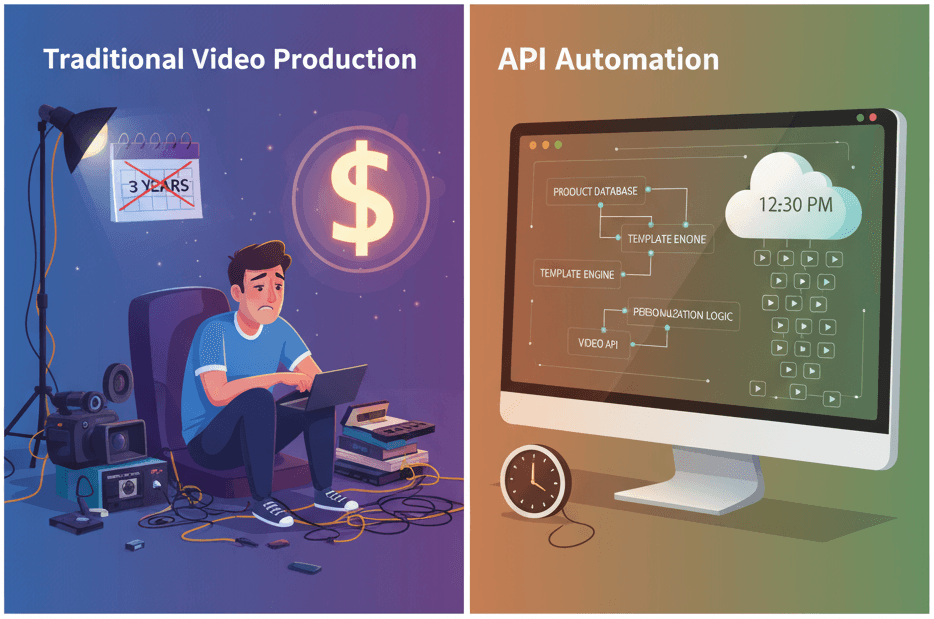
How to Generate 1,000+ Personalized Videos with API Automation (2026 Update)
A 30-second 1080p render costs $0.10 on a template API and $1.50+ on a generative one. Build the bulk pipeline: 1,000 personalized videos queued in under 20 minutes.
May 18, 2026
4 Best Video APIs for Developers (2026 Mid-Year Update)
We compared Renderly, Shotstack, Creatomate, and JSON2Video on price, speed, and DX. Subscription costs run $0.10 to $0.84 per minute at 1080p.
June 8, 2026