
Video APIs in 2026: The Developer's Complete Guide
What a video API costs, how the three architectures differ, and how to ship your first render. One 1080p minute runs $0.10-$0.84 across four verified rate cards.

Founder
We rendered a 31-second product video last week for 0.5 credits - about $0.05 on the Creator plan. One POST, no timeline, no editor. The same deliverable quoted out to a production company runs $1,000 to $3,000 per finished minute for a live shoot, and $7,000 to $20,000+ per minute for 2D vector animation (Synthesia, 2025).
That gap is why video APIs exist. It is also why the category has filled up with vendors whose pricing pages are genuinely hard to compare - one meters by the minute, one by the second, one by the pixel. A "credit" means four different things across four rate cards.
This guide is the developer's map: what a video API is, the three architectures competing for the job, what a finished minute actually costs on each vendor's published rates, and how to get a render into production without discovering the failure modes in front of customers.
Every price here was checked against the vendor's own pricing page in August 2026, and each page is linked below. Where a number comes from a formula rather than a published table, the formula is shown.
Renderly is our product. Every competitor figure comes from that vendor's own published rate card and is re-derivable from the formulas below - check them.
Key Takeaways
- One finished 1080p minute costs $0.10-$0.84 across the four main template APIs on entry paid tiers - an 8x spread for the same output
- The three architectures are assembly, generation, and self-hosted rendering - assembly covers the large majority of business video work
- Credit units are not comparable between vendors: Shotstack bills 1 credit per minute, JSON2Video 1 per second, Creatomate 1 per 100 million pixels
- 4K is the most common hidden gate - Shotstack restricts it to a custom tier
- Webhook retry windows are short across the category; a reconciliation poll is mandatory, not optional
- Concurrency decides your batch window more than price does: 5,000 renders at 90s each is 31 hours on 4 slots and under 8 on 16
What Is a Video API?
A video API is an HTTP service that turns structured data into a rendered video file. You send JSON describing the video - or a template id plus the variables that change between renders - and the service queues a job, renders it on its own infrastructure, and hands back a hosted MP4. The interaction is asynchronous by design: you get a job id immediately and the finished URL arrives later by webhook.
The category also goes by "programmatic video," a phrase that collides badly with an unrelated advertising term. If that is the wording you arrived on, start with what programmatic video means for developers.
That asynchronous shape is the first thing to internalize. A render is not a request-response operation. A 30-second 1080p video takes seconds to minutes depending on complexity and queue depth, which is far outside any sensible HTTP timeout. Every production-grade integration treats renders as jobs.
The second thing to internalize is that "video API" covers two genuinely different products that happen to share a category name.
Assembly APIs arrange existing assets programmatically: your footage, your images, your fonts, your copy, positioned on a timeline defined in JSON. Nothing novel is created. The output is deterministic - the same input renders the same video every time.
Generation APIs create net-new pixels with a model. You describe a scene and get footage that did not exist. The output is probabilistic, and the same prompt gives you a different video on the second call.
Both are marketed as "AI video." They have opposite cost curves, opposite quality profiles, and opposite failure modes. Choosing the wrong one is the most expensive mistake in this space, which is why we wrote a dedicated comparison of template-based and AI-generated video.
The boundary moved in 2026
The clean split above needs one update. Assembly engines now generate audio while still not generating pixels: text-to-speech narration from a script field, and speech-to-text captions transcribed back off that narration.
So a template render can produce something that did not exist before the request - a synthetic voice reading per-record copy - without the cost or brand-control problems of generative video. If you learned the assembly/generation distinction in 2024, the line is about pixels now, not about whether a model is involved.
The Three Architectures
Developers evaluating video infrastructure are really choosing between three architectures, not a list of vendors. Assembly APIs fit templated, high-volume, brand-controlled output. Generation APIs fit novel footage nobody has shot. Self-hosted rendering fits teams whose volume justifies owning the pipeline. Most product requirements land squarely in the first bucket.
| Architecture | What it does | Unit cost | Determinism | Best fit |
|---|---|---|---|---|
| Assembly (hosted API) | Arranges your assets from JSON | $0.10-0.84 / min | Exact | Personalization, ads, localization, product demos |
| Generation (model API) | Creates new footage from a prompt | $0.40-2.50 / clip | None | B-roll, concept work, footage that doesn't exist |
| Self-hosted (Remotion, FFmpeg) | You run the renderer | Compute + engineer time | Exact | Sustained very high volume, unusual requirements |
The economics only look similar at low volume. At 10,000 renders a month the differences compound hard, and the deciding factor is usually not price per render - it is whether output has to be identical every time. A brand cannot ship an ad whose logo lands in a slightly different place on each variation.
When self-hosting is the right answer
Self-hosting deserves an honest hearing, because Renderly itself is built on Remotion, the same open-source renderer teams self-host. The question is never "can I run this myself" - you can. The question is what the pipeline costs to own.
Running renders in production means managing a browser farm, font installation and fallback behaviour, codec and container settings, a job queue with backpressure, autoscaling for spiky load, S3 lifecycle rules, and per-render observability. That is a real service with a real on-call rotation.
The break-even is a spend comparison, not a render comparison: self-host when your monthly render bill exceeds the loaded cost of the engineering time to run the pipeline. For most teams under roughly 50,000 minutes a year, that math does not close.
What a Finished Minute Actually Costs
On entry paid tiers checked in August 2026, one finished minute of 1080p video costs $0.10 on Renderly Business, $0.20 on Shotstack subscription, $0.25 on JSON2Video Professional, and $0.84 on Creatomate Essential. That is an 8x spread for the same deliverable, and it is invisible on the pricing pages because each vendor meters a different unit.
Here is where each number comes from, so you can re-derive them when the rate cards move.
Shotstack: 1 credit per minute, any resolution
Rounded down to the second, so a 30-second render is half a credit. Subscription starts at $39/month for 200 credits - $0.195 per minute. Pay-as-you-go is $0.30. Overage on a subscription carries a 30% premium (Shotstack, 2026).
JSON2Video: 1 credit per second
Four credits per second at 4K. Professional is $49.95/month for 12,000 credits, so a 1080p minute costs 60 credits, or $0.25. A Hobby tier arrived in 2026 at $16.95/month for 3,000 credits, capped at 1-minute renders (JSON2Video, 2026).
Creatomate: 1 credit per 100 million pixels
width × height × fps × duration ÷ 100,000,000. A 1080p minute at 25fps is 31.1 credits; on Essential at $54/month for 2,000 credits that is $0.84. Watch the fps term - the same minute at 30fps costs 37.3 credits, or $1.01, so dropping a template to 25fps cuts the bill 17% (Creatomate, 2026).
Renderly: 1 credit per minute × a resolution multiplier
Rounded up to the nearest half credit, with 2x at 2K and 4x at 4K. Creator is $29/month for 200 credits ($0.145 per 1080p minute) and Business is $99/month for 1,000 credits - $0.099 per minute, which we round to $0.10 throughout. Pay-as-you-go is $0.20 per credit with a 50-credit minimum.
The 4K gate
Resolution is where published rate cards diverge most sharply, and it is worth checking before you commit.
| Vendor | 1080p / min | 4K / min | 4K availability |
|---|---|---|---|
| Renderly (Business) | $0.10 | $0.40 | All plans, including PAYG |
| JSON2Video (Professional) | $0.25 | $1.00 | All paid plans |
| Creatomate (Essential) | $0.84 | $3.36 | All paid plans |
| Shotstack (subscription) | $0.20 | - | High Volume tier only (custom pricing) |
Shotstack's own pricing page states 4K is available exclusively on High Volume Solutions, with pay-as-you-go and subscription plans capped at 1080p. If your product roadmap includes 4K, that is a migration you want to know about on day one rather than at launch.
For the full tier-by-tier breakdown including annual billing, rollover caps, and overage behaviour, see our video API pricing comparison. For how these rates compare against hiring a production crew, see video API vs traditional production.
The Developer's Evaluation Checklist
Price is the easiest thing to compare and rarely the thing that breaks a project. These eight criteria are what actually determine whether an integration survives contact with production.
Run this list against a trial account, not a docs page. Six of the eight items below are only observable by making real calls. Every vendor here has a free tier - Renderly gives 5 credits on signup, Shotstack 20 watermarked minutes a month, JSON2Video 600 credits with a watermark, and Creatomate 50 trial credits (about 1.6 minutes at 1080p).
- Determinism. Render the same payload twice and diff the output. If a brand asset moves by a pixel, you cannot use it for ad variations.
- Concurrency limits. Ask what happens at 500 simultaneous renders. Queue depth and per-account concurrency caps are rarely on the pricing page.
- Maximum duration. JSON2Video's Hobby tier caps renders at 1 minute and Professional at 10. A long-form use case can be silently blocked by your plan.
- Font handling. Custom fonts are where template rendering most often fails visually. A missing font usually falls back silently rather than erroring, so you ship broken text without a failed job.
- Webhook contract. Check the signature scheme, whether the timestamp is signed, and the actual retry window. See the failure-handling section below.
- Asset ingestion. Can it pull from a signed S3 URL? What is the timeout on a slow origin? Does it cache remote assets between renders?
- Output control. Codec, container, bitrate, and whether you can render to your own bucket rather than the vendor's CDN.
- Idempotency. If your queue retries a render request, do you get one video or two charges?
For a vendor-by-vendor scoring against these criteria, see our comparison of the best video APIs for developers.
Your First Render
The shortest path to a working render is a template plus a replacements object. You build the video once in an editor, mark the elements that change as dynamic, and then vary only those fields per call.
Renderly marks a layer replaceable with isDynamic: true and keys it by the layer's name. There is no inline {{ VARIABLE }} syntax - the flag and the name are the whole contract.
curl -X POST https://renderly.video/api/v1/renders \
  -H "Authorization: Bearer $RENDERLY_API_KEY" \
  -H "Content-Type: application/json" \
  -d '{
    "projectId": "proj_9fa2c1",
    "replacements": {
      "headline": "The Meridian - 3 bed, 2 bath",
      "price": "$845,000",
      "hero_clip": "https://cdn.example.com/listings/9fa2/tour.mp4"
    },
    "webhookUrl": "https://api.example.com/hooks/render"
}'The response is a job, not a video - the full endpoint reference is in the rendering guide:
{
  "success": true,
  "data": {
    "jobId": "clx456def789",
    "status": "PENDING",
    "creditsUsed": 1.5
  }
}Poll GET /api/v1/renders/clx456def if you must, but webhooks are the correct pattern. Polling a render queue at any useful frequency burns rate limit for no benefit.
One caveat on that webhookUrl field: it is a one-off callback, and Renderly documents it as unauthenticated - it carries no delivery id and is not retried. It is fine for a smoke test. For production, register an endpoint with POST /api/v1/webhooks so deliveries are signed with a secret only you hold and carry a stable X-Renderly-Delivery id to key idempotency on. See the webhooks guide and our webhook setup walkthrough.
Adding narration and captions in the same call
Because assembly engines now generate audio, a narrated and captioned video does not need three services. A sound layer accepts a tts object and a caption layer accepts a transcribe object pointing at that same narration:
{
  "projectId": "proj_9fa2c1",
  "replacements": {
    "headline": "The Meridian - 3 bed, 2 bath",
    "narration": {
      "tts": {
        "text": "Welcome to the Meridian, a three bedroom home in the Cedar Park district.",
        "voice": "henry"
      }
    },
    "subtitles": { "transcribe": { "source": "narration" } }
  }
}On Renderly's published rates that adds 0.5 credits per started 1,000 characters of script, on top of the render itself. It rounds up, which is why the 73-character script above still costs a full 0.5 credits - and its captions cost nothing, because the word timings come back with the generated audio. Transcribing a separate video or audio URL is billed on its own at 0.25 credits per started minute.
Handling Failure in Production
Renderly retries a webhook three times a couple of seconds apart, and most vendors in this category are in the same range. That absorbs a momentary blip, not a deploy. A one-minute outage on your side loses those events permanently, which is why a reconciliation poll is not a nice-to-have - it is the difference between a pipeline that self-heals and one that silently drops renders. Renderly also stamps X-Renderly-Timestamp in epoch seconds, and the documented guidance is to reject anything more than five minutes off your clock.
Four rules cover most of what goes wrong.
Verify against the raw body. HMAC signatures are computed over the exact bytes sent. If your framework parses JSON and you re-serialize it for verification, key order and whitespace change and every signature fails. In Express that means express.raw({ type: 'application/json' }) on the webhook route, not express.json().
app.post("/hooks/render",
  express.raw({ type: "application/json" }),
  (req, res) => {
    const expected = crypto
      .createHmac("sha256", process.env.RENDERLY_WEBHOOK_SECRET)
      .update(req.body)              // Buffer, untouched
      .digest("hex");

    const sig = req.get("X-Renderly-Signature") || "";
    const ok =
      sig.length === expected.length &&
      crypto.timingSafeEqual(Buffer.from(sig), Buffer.from(expected));

    if (!ok) return res.status(401).end();

    const event = JSON.parse(req.body.toString("utf8"));
    enqueue(event);                  // ack fast, work later
    res.status(200).end();
});Be idempotent on the delivery id, not the job id. A retried delivery carries the same delivery id; a re-render of the same job does not. Key your dedupe table on the delivery header.
Acknowledge before you work. Return 200 as soon as the payload is durable. Downloading a 40 MB MP4 inside the handler will blow the vendor's delivery timeout and trigger a retry you did not need.
Reconcile on a schedule. Run a periodic sweep over jobs still marked pending past a threshold and poll their status directly. This catches everything the retry window missed.
Scaling Past the First Thousand Renders
The integration that works for ten renders usually breaks at ten thousand in one of four places: concurrency, asset fetching, duplicate charges, and cost control. None of them are visible during a proof of concept, and all four are cheaper to design for than to retrofit.
Concurrency is the number nobody publishes
Per-minute cost is on every pricing page. Per-account render concurrency usually is not, and it is the number that decides whether your nightly batch finishes by morning.
Plainly is the exception that publishes it clearly - 2 concurrent renders on Starter rising to 16 on Pro. Elsewhere you have to ask. Do the arithmetic before you commit: 5,000 renders at 90 seconds each, with 4 concurrent slots, is a 31-hour job. With 16 slots it is under 8 hours.
Design your queue so concurrency is a config value you can turn down. When you hit a vendor's cap, the failure is usually a 429 or a silently growing queue, and a worker pool that ignores backpressure turns that into a retry storm.
Fetch assets once, not once per render
Every remote asset in a template is an HTTP fetch the render worker performs. A thousand renders pointing at the same logo is a thousand requests to your origin, and slow origins show up as render timeouts rather than as an obvious network error.
Two rules keep this cheap. Put static assets - logos, fonts, background plates - on a CDN with long cache headers, so the vendor's fetch is fast and your origin is not the bottleneck. And use signed URLs with an expiry comfortably longer than your queue depth: a URL that expires in 15 minutes will fail on a job that sat in a queue for 20.
Make the request idempotent before you need to
Queue systems retry. If your worker crashes after calling the render API but before recording the job id, the retry renders the same video again and charges you twice. At volume this is not hypothetical - it is a weekly occurrence.
The fix is to generate the idempotency key yourself, from data rather than from a random value:
// Deterministic: the same record + template always yields the same key.
const renderKey = crypto
  .createHash("sha256")
  .update(`${templateId}:${record.id}:${templateVersion}`)
  .digest("hex")
.slice(0, 32);Write that key to your own jobs table with a unique constraint before the API call. A retry then collides on insert and you skip the render instead of paying for it. Include a template version in the hash so a genuine re-render after a template change is not deduped away.
Put a ceiling on spend
A loop bug on a pay-as-you-go plan is a bill. Two guardrails cover most of it: a hard daily render cap enforced in your own code before the API call, and an alert when a day's job count exceeds some multiple of the trailing average.
Vendors with no-overage plans - Creatomate and JSON2Video stop rendering when credits run out - give you this for free at the cost of a stalled pipeline. Vendors that keep rendering and bill the overage, like Renderly and Shotstack, need the guardrail in your code. Pick the failure you would rather explain.
Batch by template, not by record
One more throughput detail that is easy to miss: rendering 500 variations of one template is meaningfully faster than 500 renders across 500 templates, because asset and font caches stay warm. If your job mix allows it, group work by template before you enqueue. It costs nothing and it is often worth double-digit percentages of wall-clock time.
The full batch pattern, including a working script and realistic throughput numbers, is in generating 1,000+ personalized videos with API automation.
When Not to Use a Video API
A hosted video API is the wrong tool in three situations, and being honest about them saves a failed proof of concept.
You need one video, once. The setup cost of templating, wiring webhooks, and handling failure states does not amortize over a single deliverable. Use an editor.
The footage does not exist yet. Assembly APIs arrange assets you supply. If the requirement is a drone shot over a coastline nobody has filmed, you need a generation model or a camera, and the template pipeline is downstream of that.
Your output is genuinely bespoke per unit. Templates pay off through repetition. If every video needs a different structure rather than different content in the same structure, you are doing manual editing with extra steps.
The honest test: can you describe your video as one layout with a handful of fields that change? If yes, assembly is the right architecture. If no, look hard at whether it should be.
Choosing a Vendor
Match the architecture to the job first, then let cost break the tie. The four template APIs compared above are close enough on core capability that pricing structure, 4K availability, and duration caps usually decide it.
| If you need... | Start with |
|---|---|
| Lowest cost per minute at 1080p | Renderly, then Shotstack |
| 4K on an entry plan | Renderly or JSON2Video - Shotstack gates it |
| Renders longer than 10 minutes | Renderly or Shotstack - JSON2Video caps by tier |
| Narration and captions in one call | Renderly |
| Predictable flat monthly spend with no overage | Creatomate or JSON2Video (no overage; you upgrade instead) |
| Overage that keeps rendering past your allowance | Renderly or Shotstack |
Two practical notes. Creatomate's and JSON2Video's no-overage model means renders stop when credits run out rather than costing more - safer for budgets, worse for a launch spike. And because Creatomate meters by pixel volume including frame rate, dropping a template from 30fps to 25fps cuts its bill by 17% with no change to anything else.
Ready to build? The SaaS embedding guide covers exposing renders to your own customers, and generating 1,000+ personalized videos covers the batch pipeline pattern.
Frequently asked
What is a video API?
How much does a video API cost per minute?
Should I use a video API or self-host Remotion or FFmpeg?
Can a video API generate voiceover and captions?
How do I handle render failures in production?
Is 4K available on every video API?
Related Articles
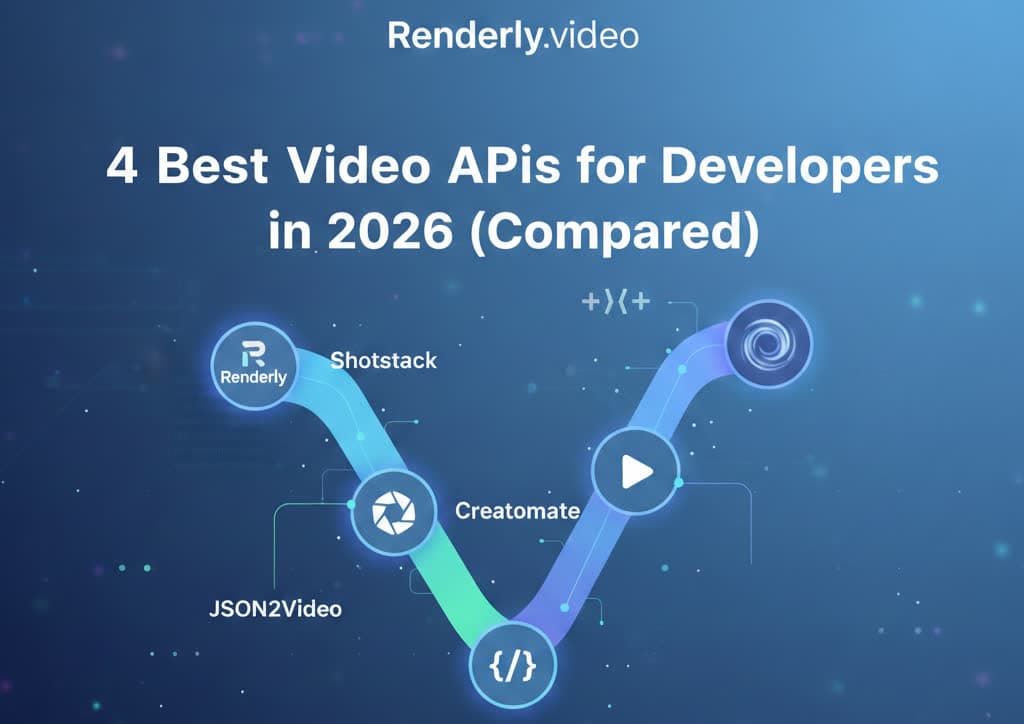
4 Best Video APIs for Developers (2026 Mid-Year Update)
We compared Renderly, Shotstack, Creatomate, and JSON2Video on price, speed, and DX. Subscription costs run $0.10 to $0.84 per minute at 1080p.
June 8, 2026
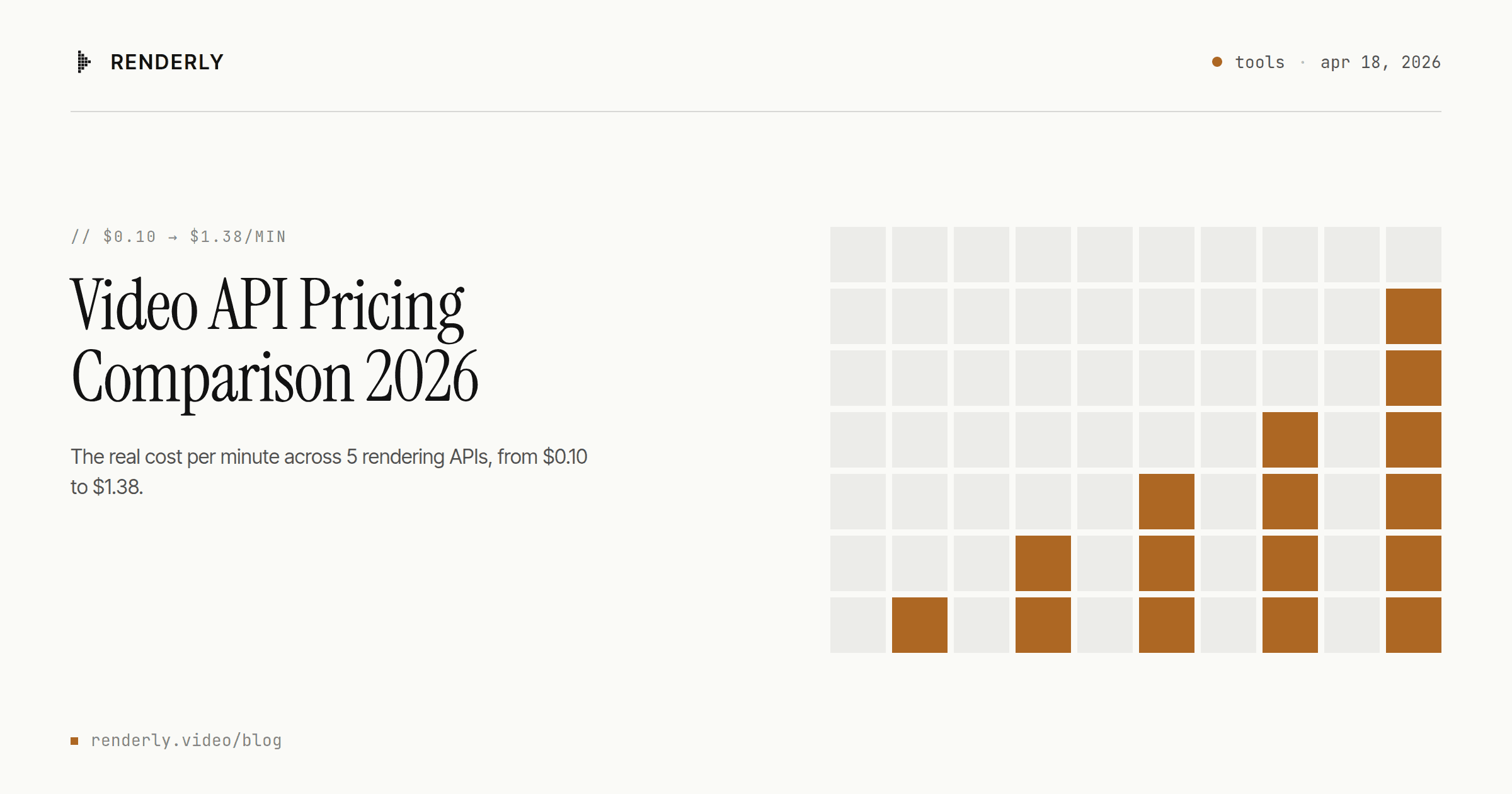
Video API Pricing Comparison 2026: The Real Cost Per Video
Five video APIs, every rate card re-checked in August 2026. One finished 1080p minute costs $0.10 to $1.38 depending on who you buy it from - and the credit math hides most of it.
August 14, 2026

Template-Based Video vs AI-Generated Video: Which Should You Choose?
Template video vs AI video in 2026: a 1080p minute costs $0.10-$0.20 to render from a template and $4.80-$24.00 to generate with Veo 3.1. Here's the decision rule.
April 16, 2026
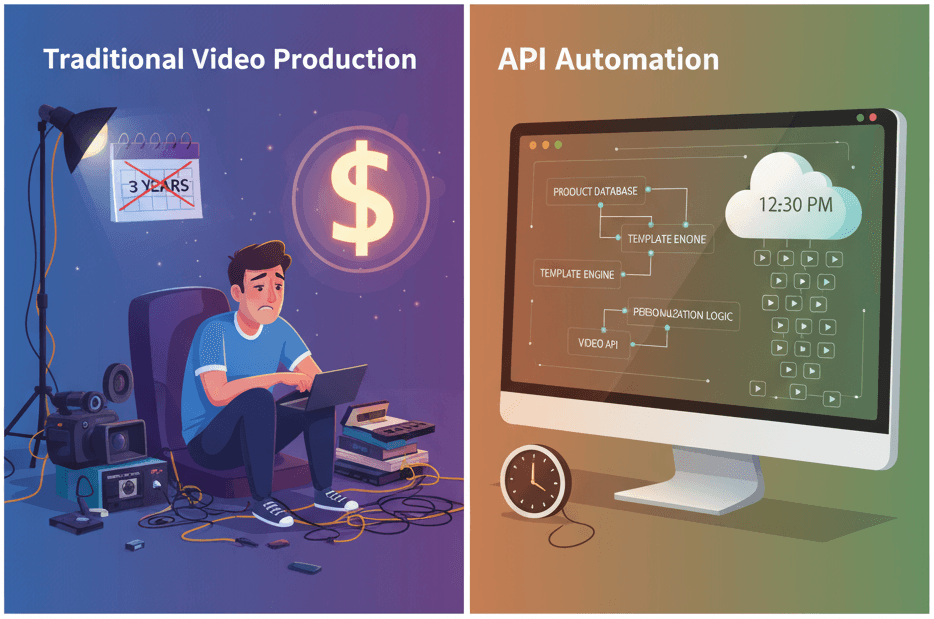
How to Generate 1,000+ Personalized Videos with API Automation (2026 Update)
A 30-second 1080p render costs $0.10 on a template API and $1.50+ on a generative one. Build the bulk pipeline: 1,000 personalized videos queued in under 20 minutes.
May 18, 2026

Video API vs Traditional Video Production: 2026 Cost Comparison
Agency video runs $1,000–7,000 per finished minute (Synthesia, 2025). Template APIs render the same minute for $0.10–0.20. The real cost math, tier by tier.
August 5, 2026
How to Embed Video Generation in Your SaaS Product
Wire a video API into your SaaS as a customer-facing feature. Multi-tenancy, quota metering, webhook routing, and the async UX - with working code. A 30s render costs $0.07.
August 13, 2026
What Is Programmatic Video? A Developer's Explainer
Programmatic video means two unrelated things. For developers it means rendering a video file from JSON - one POST, no editor, from $0.10 a minute.
August 25, 2026