
Meta Ads API: Upload Rendered Video Ad Variants
Render a video ad variant from a template, hand the MP4 URL to Meta's advideos edge, wait for processing, and create a paused ad. Four calls per variant.

Founder
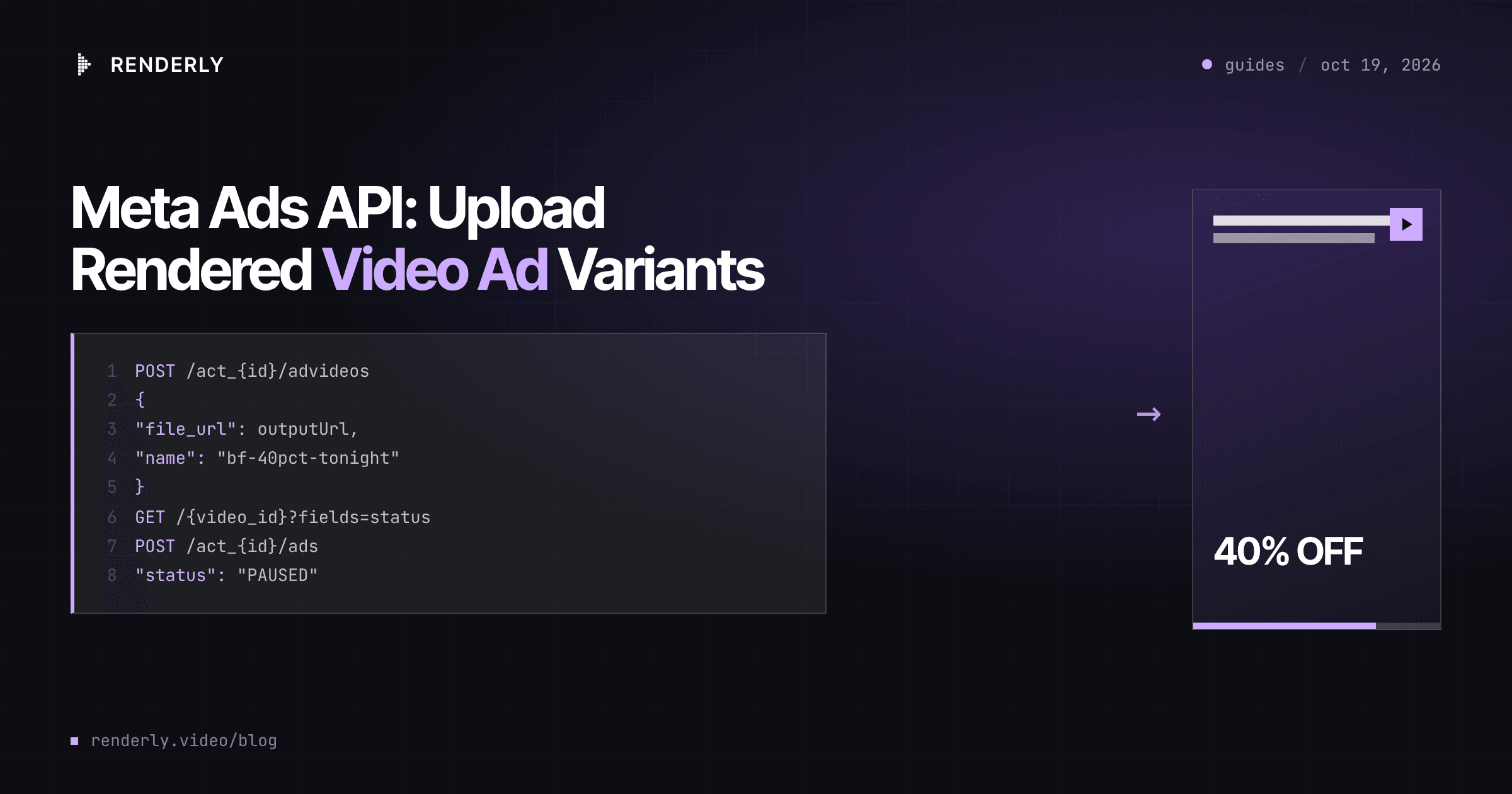
You can render a video ad variant and put it in your Meta ad account with no file
in between. Renderly renders the MP4 from a template and returns a public URL. Meta's
Marketing API fetches that URL through the advideos edge, processes the video, and
gives you a video_id for an ad creative. That is four calls per variant, and each one
is below.
This post covers the push. How to plan the variant matrix (which variables to test, how many variants a campaign needs) is in batch-render ad variants.
Key Takeaways
- Meta's
advideosedge takes afile_url, so a public render URL goes straight in. If Meta cannot fetch it, the call fails with error 389.- Wait for the video
statusto readreadybefore you create the creative. Meta's Page Stories doc listsready,processing,expiredanderror.- Create every ad as
PAUSED. Meta allows onlyACTIVEandPAUSEDat creation, and a person should approve spend.- Use Graph API v26.0. Marketing API v24.0 stopped on October 6, 2026.
- One 19-second 9:16 variant costs 0.5 credits: $0.10 pay-as-you-go, about $0.05 on the Business plan.
The pipeline: four calls per variant
Meta's reference for the ad account video edge lists the endpoint as
/act_{ad_account_id}/advideos, with a file_url parameter next to the chunked-upload
fields upload_phase, video_file_chunk and start_offset
(Meta for Developers, Ad Videos, v26.0,
read 2026-10-19). The file_url path is the short one, and it is the one this post uses.
The four calls, in order:
- Render the variant with
POST /api/v1/renders. A registered webhook tells you when the MP4 is ready and gives you itsoutputUrl. - Upload by URL with
POST /act_{ad_account_id}/advideosandfile_url. Meta returns a videoid. - Wait until Meta has processed the video.
- Create an ad creative that points at the
video_id, then an ad in an existing ad set, withstatus: PAUSED.
You need three things from Meta before you start: an ad account ID, a Facebook Page ID for the creative, and an access token that can manage that ad account. Campaign and ad set setup stays in Ads Manager. This pipeline only adds creatives and ads to an ad set that already exists.
Step 1: Render the variant
The example is the live
Black Friday / Flash Sale Countdown
template: 1080 x 1920, 30 fps, 572 frames, which is about 19 seconds. It has 12 named
variables, and 17 overlays change when you send them. deadline_label alone writes to
five overlays across the scenes.
Check the copy before you pay for a render. POST /api/v1/previews takes the same body as
/renders, costs no credits, and returns a warnings array. A TEXT_MAY_CLIP warning
means a value may not fit its text box. An UNKNOWN_REPLACEMENT warning means a key does
not match any variable. Copy length is the common failure in ad variants, because a
longer offer line can clip and the render still succeeds.
const RENDERLY = "https://renderly.video/api/v1";
const headers = {
  Authorization: `Bearer ${process.env.RENDERLY_API_KEY}`,
  "Content-Type": "application/json",
};

const variant = {
  templateId: "black-friday-flash-sale-countdown",
  replacements: {
    discount_value: "40%",
    discount_scope: "OFF EVERYTHING",
    deadline_label: "ENDS TONIGHT",
    time_remaining: "6 HOURS LEFT",
    promo_code: "BF40",
    cta_label: "SHOP NOW",
    product_image: "https://example.com/products/hoodie.jpg",
  },
};

// 1a. Free check: does every value fit?
const preview = await fetch(`${RENDERLY}/previews`, {
  method: "POST", headers, body: JSON.stringify(variant),
}).then((r) => r.json());
if (preview.data.warnings.length) console.warn(preview.data.warnings);

// 1b. Render it.
const render = await fetch(`${RENDERLY}/renders`, {
  method: "POST", headers, body: JSON.stringify(variant),
}).then((r) => r.json());
// render.data => { jobId, status: "PROCESSING", creditsUsed: 0.5, ... }The create response gives you a jobId, status: "PROCESSING" and creditsUsed. Keep a
row in your own database that maps the jobId to the variant, the ad set and the copy you
want on the ad. Step 2 needs that row.
Step 2: Hand the MP4 URL to Meta
Meta's error list for the advideos edge includes code 389, "Unable to fetch video file
from URL", and code 352, "The video file you selected is in a format that we don't
support" (same reference, read 2026-10-19). Both are about the file you point at, so it
helps to know what a render produces.
A Renderly render is an H.264 MP4 with AAC audio, and its outputUrl is a public S3 link
with no expiry on the URL. Meta's Instagram Feed video spec recommends MP4, MOV or GIF
at 9:16 and 1080 x 1920 pixels, and its technical limits are 1 second to 60 minutes and up to 4GB
(Meta Ads Guide, Instagram Feed video,
read 2026-10-19). The 19-second, 1080 x 1920 template fits all of it.
When the render finishes, the render.completed webhook carries the outputUrl:
const GRAPH = "https://graph.facebook.com/v26.0";
const META_TOKEN = process.env.META_ACCESS_TOKEN;
const AD_ACCOUNT = process.env.META_AD_ACCOUNT_ID; // digits only, no "act_"

async function graphPost(path, params) {
  const res = await fetch(`${GRAPH}${path}`, {
    method: "POST",
    body: new URLSearchParams({ ...params, access_token: META_TOKEN }),
  });
  const json = await res.json();
  if (json.error) throw new Error(`Meta ${json.error.code}: ${json.error.message}`);
  return json;
}

async function uploadToMeta(outputUrl, name) {
  const { id } = await graphPost(`/act_${AD_ACCOUNT}/advideos`, {
    file_url: outputUrl,
    name, // the video's name in the ad account library
  });
  return id; // the video_id for the creative
}Use the variant as the name, for example bf-40pct-tonight-shopnow. Ads Manager then
shows which variant is which, and so does any report you export later.
Step 3: Wait for Meta to finish processing
Meta's video API documents a status field with "video_status with a value of ready,
processing, expired, or error", plus separate uploading, processing and publishing
phases
(Meta for Developers, video status,
read 2026-10-19). That page is about Page stories, and the ad video reference does not
describe the field. So treat the check as a safe default, not a documented requirement.
async function waitForReady(videoId, { tries = 30, everyMs = 10_000 } = {}) {
  for (let i = 0; i < tries; i++) {
    const res = await fetch(
      `${GRAPH}/${videoId}?fields=status&access_token=${META_TOKEN}`,
    ).then((r) => r.json());
    const state = res.status?.video_status;
    if (state === "ready") return;
    if (state === "error") {
      throw new Error(`Meta could not process ${videoId}: ${JSON.stringify(res.status)}`);
    }
    await new Promise((r) => setTimeout(r, everyMs));
  }
  throw new Error(`Video ${videoId} not ready after ${tries} checks`);
}Thirty checks ten seconds apart is five minutes. Pick a limit, and put the variant back in a retry queue when it runs out. Do not loop forever inside a worker.
Step 4: Create the creative and a paused ad
Meta's video ad guide creates the creative with an object_story_spec that holds a
page_id and a video_data block with image_url and video_id, and it says "The
video_id must be associated with the ad account"
(Meta for Developers, Video and Carousel Ads,
read 2026-10-19). An upload through that account's advideos edge meets that rule.
The video_data reference describes image_url as the "URL of image to use as
thumbnail" and adds "You should not use image URLs returned from the FB CDN". Reuse the
product_image URL you sent in Step 1 as thumbnailUrl. It is a public image that you
already have. message is the main body text, and call_to_action is optional.
async function createPausedAd({ videoId, thumbnailUrl, adSetId, copy, link, name }) {
  const creative = await graphPost(`/act_${AD_ACCOUNT}/adcreatives`, {
    name,
    object_story_spec: JSON.stringify({
      page_id: process.env.META_PAGE_ID,
      video_data: {
        video_id: videoId,
        image_url: thumbnailUrl,
        message: copy,
        call_to_action: { type: "SHOP_NOW", value: { link } },
      },
    }),
  });

  const ad = await graphPost(`/act_${AD_ACCOUNT}/ads`, {
    name,
    adset_id: adSetId,
    creative: JSON.stringify({ creative_id: creative.id }),
    status: "PAUSED",
  });
  return ad.id;
}Meta's ad reference says "Only ACTIVE and PAUSED are valid during creation"
(Meta for Developers, Ad reference, developers.facebook.com/docs/marketing-api/reference/adgroup,
read 2026-10-19). Use PAUSED. The pipeline runs without a person, and a person should
look at the creative, the copy and the landing page before spend starts. Meta's guide also
notes that the call-to-action type you can use depends on the campaign objective, so
check that SHOP_NOW is valid for yours.
Wire it to the render webhook
Renderly retries a failed webhook delivery 3 times with a 1-second and then a 2-second backoff, and it expects a 2xx response within 10 seconds (webhooks docs). Steps 2 to 4 take longer than 10 seconds, because Step 3 waits on Meta. So the handler must only verify, record and queue. A worker does the Meta calls.
// POST /webhooks/renderly
app.post("/webhooks/renderly", express.raw({ type: "application/json" }), async (req, res) => {
  if (!verifyRenderlyWebhook(req.body, req.get("x-renderly-signature"), SECRET)) {
    return res.sendStatus(401);
  }
  const event = JSON.parse(req.body);
  // deliveryId is stable across retries: process each one once.
  if (await alreadySeen(event.deliveryId)) return res.sendStatus(200);

  if (event.event === "render.completed") {
    await queue.add("push-to-meta", {
      jobId: event.data.jobId,
      outputUrl: event.data.outputUrl,
    });
  }
  res.sendStatus(200);
});Three rules keep this correct:
- Use a registered webhook, not a per-render
webhookUrl. A registered webhook is signed with your secret and carries adeliveryId. A one-off callback has neither. - Make the worker idempotent on
jobId. Store the Meta videoidas soon as Step 2 returns it. If the worker restarts, it resumes at Step 3 and does not upload twice. - Reconcile. The retry window is a few seconds. Run a job that calls
GET /api/v1/renders/{jobId}for any variant that has no Meta video after a few minutes. ACOMPLETEDstatus has the sameoutputUrlthe webhook would have sent.
verifyRenderlyWebhook is the HMAC check from the webhooks guide. It must run on the raw
body, before JSON.parse.
Which API version to pin
Meta's changelog lists v26.0 as the latest Graph API and Marketing API version, introduced July 29, 2026. Marketing API v24.0 was available until October 6, 2026, and v25.0 shows no end date yet (Meta for Developers, Graph API changelog, developers.facebook.com/docs/graph-api/changelog, read 2026-10-19).
So code pinned to v24.0 needs an upgrade now, and new code should start on v26.0. Put the
version in one constant, as GRAPH does above, so an upgrade is a one-line change.
Meta's own reference pages still show v25.0 in some examples, and v25.0 is still
available.
What a batch costs on the render side
A 572-frame render at 30 fps is 0.32 minutes. Renderly charges 1 credit per minute at 1080 x 1920, rounded up to the nearest half credit, so each variant costs 0.5 credits. Your ad spend is a separate budget.
| Plan | Per credit | One variant (0.5 credits) | 25 variants (12.5 credits) |
|---|---|---|---|
| Pay-as-you-go | $0.20 | $0.10 | $2.50 |
| Creator, $29 for 200 credits | $0.145 | about $0.07 | $1.81 |
| Business, $99 for 1,000 credits | $0.099 | about $0.05 | $1.24 |
The half-credit rounding costs short videos more per second. A 19-second variant uses 0.32 minutes of output and pays for 0.5. A 30-second template would pay the same 0.5 credits, so for short ads the rounding, not the length, sets the price.
When this pipeline is the wrong tool
- One ad, made by hand. Upload it in Ads Manager. The pipeline pays off when the variant count changes every week.
- One video per product in a catalog. That is a different unit of work from a variant test, covered in e-commerce product video automation.
- Spend decisions. This post creates paused ads. Turning them on, setting budgets and reading results stays with a person, or with rules you set in Ads Manager.
To set up the template side, read how dynamic video templates map variables to overlays. The webhook side, with signature checks in Node and Python, is in how to set up video rendering webhooks.
Frequently asked
Can I upload a video to Meta ads from a URL instead of a file?
Do I need to wait before I use an uploaded video in an ad creative?
Which Graph API version should a new Meta ads integration use?
What video format does Meta accept for Instagram feed ads?
How much does it cost to render one Meta ad variant?
Should new ads go live as soon as they are created?
Related Articles
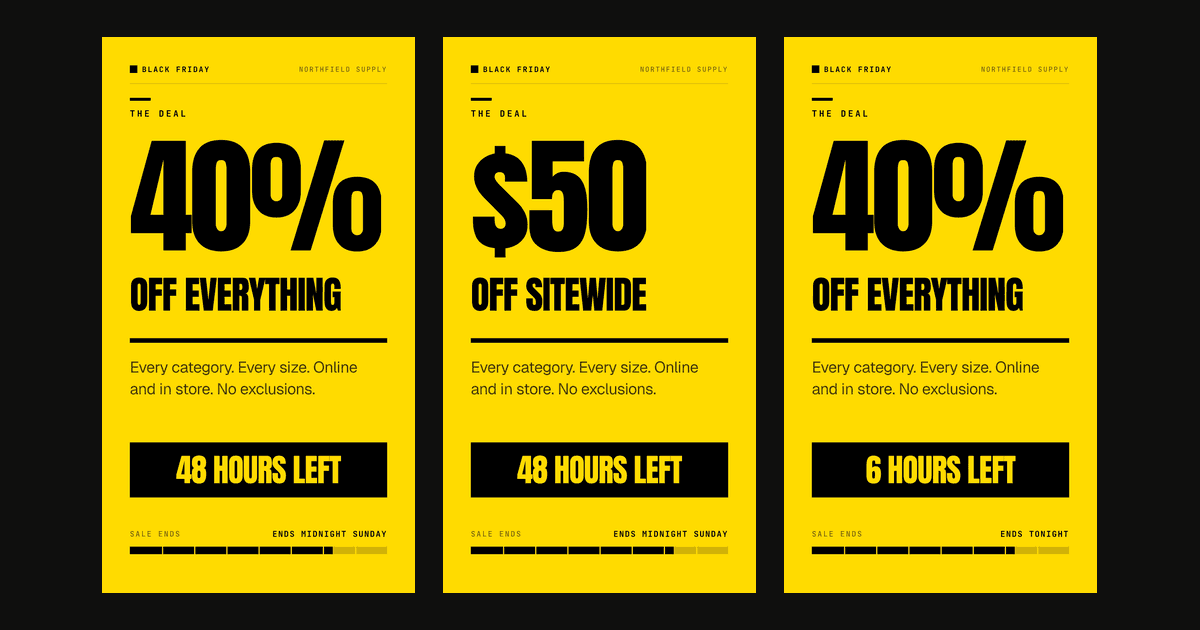
Social Media Video Automation: Batch-Render Ad Variants
TikTok suggests 3-5 creatives per ad group across 3-5 ad groups, so up to 25 videos. We rendered variants of one 9:16 template in 13 to 19 seconds each.
August 20, 2026
How to Set Up Video Rendering Webhooks (Production Guide)
Video rendering is asynchronous — polling wastes 90%+ of requests. This guide covers HMAC SHA-256 signature verification, retry semantics, idempotency, and the raw-body pitfall that breaks most webhook handlers.
May 28, 2026
E-commerce Product Video Automation: Catalog to Video at Scale
85% of shoppers say a video convinced them to buy. Here's how an ecommerce product video API turns a Shopify catalog into a video ad for every SKU.
June 20, 2026
Dynamic Video Templates: Variable-Based Video Creation
91% of businesses use video and 82% report good ROI (Wyzowl 2026). Dynamic video templates let you build one design and render thousands of unique videos.
July 16, 2026