
E-commerce Product Video Automation: Catalog to Video at Scale
85% of shoppers say a video convinced them to buy. Here's how an ecommerce product video API turns a Shopify catalog into a video ad for every SKU.

Founder
Eighty-five percent of people say a video has convinced them to buy a product, and 84% want to see more video from the brands they shop (Wyzowl, 2026). Yet open almost any online store and the product pages still ship with static images only. The blocker was never demand — it's production. Shooting a video for every SKU costs hundreds to thousands of dollars per product and books out for weeks, so video stays a luxury reserved for hero items while the long tail of the catalog goes silent.
This guide shows you how to close that gap with a video API. By the end, you'll render a polished 16-second product ad — premium reveal, multiple angles, animated price, "Shop now" CTA — from a single JSON payload, and wire it to your catalog so every product gets its own video automatically. We'll cover the API path, the product-feed mapping nobody else documents, and the no-code route for non-developers.
Key Takeaways
- 85% of people say a video has convinced them to buy, and 63% would rather learn about a product from a short video than from text (Wyzowl, 2026)
- A template-based API renders a finished 16-second product ad for about $0.06, versus the $1,000–$3,000 per minute that industry guides quote for live-action production
- Five variables — title, price, and three images — produce a unique video per product, and they map straight onto Shopify or Google Merchant product-feed fields
- The viral "product videos lift conversions 80%" and "144% more add-to-carts" stats are unsourced — we traced them and they fail verification
Why Automate Product Video at Catalog Scale?
The demand for product video is no longer in question. In Wyzowl's 2026 survey, 96% of people said they'd watched an explainer video to understand a product, 84% wanted more video from brands, and when asked how they'd most like to learn about a product, 63% chose a short video — against just 12% for a text article (Wyzowl, 2026). Discovery is shifting onto video-native surfaces too: eMarketer reports that 73% of US Gen Z say social media is their main source for learning about new products, and forecasts TikTok Shop alone will drive $23.41 billion in US sales in 2026 (eMarketer, 2026). Those feeds run on video.
The supply side is where it breaks. A modern catalog isn't ten products — it's hundreds to tens of thousands of SKUs, refreshed every season. Shopify merchants alone processed roughly $292 billion in GMV in 2024 and crossed $1 trillion in cumulative sales (Digital Commerce 360, 2025), and behind that number sit millions of product pages. Production guides put a single live-action product video at roughly $1,000–$3,000 per finished minute with a 7–14 day turnaround per item (QuickFrame, 2026). No catalog team can put a film crew on every SKU. So video gets rationed — and most of the catalog never gets the format shoppers say they prefer.
Our finding: You've probably seen "product videos boost conversions 80%" or "shoppers are 144% more likely to add to cart after watching." We tried to source them. They trace back to a single page with no study behind it, echoing decade-old vendor marketing collateral from around 2014 — recycled across SEO blogs ever since, with no methodology anyone can check. We're not going to repeat them. The honest, verifiable number is Wyzowl's 2026 finding that 85% of people say a video has convinced them to buy. Less dramatic, but real — and enough to justify giving every product a video instead of a lucky few.
How Does an E-commerce Product Video API Work?
An e-commerce product video API works by separating design from data: a template defines the look of your video ad once — scenes, motion, branding, timing — and the API fills its dynamic slots (title, price, product images) from your catalog at render time. One template plus your product feed produces a unique, finished video per SKU, with no editor in the loop. It's the same template-plus-data pattern behind personalized video at scale, applied to one of its highest-volume verticals. The mirror-image job, many versions of one offer rather than one video per SKU, is covered in batch-rendering social ad variants.

The pipeline has three parts. A data source — your Shopify catalog, product feed, or even a spreadsheet — supplies one row per product. A template marks certain layers as dynamic: in Renderly's system, any overlay flagged isDynamic becomes a named variable. And a render API accepts a replacements object per product and returns an MP4, notifying your app via webhook when it's done.
Why a template instead of generative AI? Product ads are a bounded-variation problem: the structure repeats, only the product data changes. Template rendering keeps every video on-brand and faithful to your actual catalog photos — no synthetic products, no hallucinated finishes, no off-brand drift across 5,000 renders. We've covered the trade-offs in depth in our template-based vs AI-generated video comparison, but for catalog marketing where every frame represents a real product you're selling, faithful-to-the-photos wins.
Inside the Template: A 16-Second Product Ad
Here's the template this guide renders — Renderly's E-commerce Product Video, running with its default demo data:
The video runs about 16 seconds at 1080p and moves through five scenes with a deliberate rhythm: a dark cold-open tease, a clean hero reveal of the product, a detail scene that sells the craft, an "every angle" scene showing all three shots, and a dark buy scene with the price and a "Shop now" button. The dark-light-dark structure bookends the bright showroom middle — Apple-product-page energy, restrained and premium.
When we designed this template, the per-product interface was deliberately small. Catalogs reliably have a title, a price, and a handful of images per product — and almost nothing else that's consistent across every SKU. So the template asks for exactly that and nothing more. Everything else — the tease line, the section kickers, the CTA label, the color system — is locked brand framing that stays identical across every render, so a thousand product videos all look like they came from the same studio.
Five variables control the output:
| Variable | Type | What it controls |
|---|---|---|
product_title | text | Product name in the hero reveal and the buy scene |
price | text | Price string for the animated reveal (passed pre-formatted) |
product_image_1 | image | Hero / front shot — the main reveal and the buy scene |
product_image_2 | image | Angle / detail shot — the craft scene |
product_image_3 | image | Lifestyle / in-context shot — the every-angle scene |
That's the whole interface. Three image URLs and two strings. If a product has fewer than three images, reuse product_image_1 for the empty slots — the template letterboxes images inside rounded frames rather than cropping, so mismatched aspect ratios stay clean.
Step-by-Step: Rendering a Product Video with the API
One POST request renders a product video: you send a template ID plus a replacements object, get a job ID back immediately, and receive a webhook when the MP4 is ready — typically within minutes. Here's the full flow against the template above.
Step 1 — Get an API key. Sign up at renderly.video, open Settings → API Keys, and create one. New accounts include free credits, so your first renders cost nothing.
Step 2 — Send the render request. Map your product's data to the template's variable names:
curl -X POST https://renderly.video/api/v1/renders \
  -H "Authorization: Bearer $RENDERLY_API_KEY" \
  -H "Content-Type: application/json" \
  -d '{
    "templateId": "ecommerce-product-video",
    "replacements": {
      "product_title": "Aera Lounge Chair",
      "price": "$1,290",
      "product_image_1": "https://cdn.yourstore.com/aera/front.png",
      "product_image_2": "https://cdn.yourstore.com/aera/detail.png",
      "product_image_3": "https://cdn.yourstore.com/aera/lifestyle.png"
    },
    "webhookUrl": "https://yourapp.com/webhooks/renderly"
}'The response includes a jobId with status pending. Any variable you omit keeps the template's default — useful while testing.
Step 3 — Receive the finished video. You can poll GET /api/v1/renders/:jobId, but don't: pass webhookUrl as above (or register a persistent endpoint) and Renderly sends a render.completed event with the download URL the moment rendering finishes. Failed renders fire render.failed with a reason. Our guide to setting up video rendering webhooks covers signature verification and retries.
Step 4 — Loop it over your catalog. In production this is a 20-line worker:
async function renderProductVideo(product) {
  const res = await fetch("https://renderly.video/api/v1/renders", {
    method: "POST",
    headers: {
      Authorization: `Bearer ${process.env.RENDERLY_API_KEY}`,
      "Content-Type": "application/json",
    },
    body: JSON.stringify({
      templateId: "ecommerce-product-video",
      replacements: {
        product_title: product.title,
        price: product.priceFormatted,
        product_image_1: product.images[0],
        product_image_2: product.images[1] ?? product.images[0],
        product_image_3: product.images[2] ?? product.images[0],
      },
      webhookUrl: "https://yourapp.com/webhooks/renderly",
    }),
  });
  return res.json(); // { jobId, status: "pending", ... }
}The same pattern scales from one product to your whole catalog — we've documented the batching and rate-limit approach in how to generate 1,000+ personalized videos with API automation.
How Do You Connect a Shopify or Product Feed?
Your catalog already speaks the right language — you just have to map it. Product feeds follow well-defined schemas, and their fields line up almost one-to-one with template variables. That mapping is the piece most automation tutorials skip: they stop at a hand-built spreadsheet and never touch the feed your store actually runs on.

For a Shopify store, the Admin API product object maps directly:
| Shopify field | Template variable | Handling note |
|---|---|---|
product.title | product_title | Use as-is, or trim a long SEO title down to the display name |
product.variants[0].price | price | Format with currency symbol and separators before sending |
product.images[0].src | product_image_1 | The hero / featured image |
product.images[1].src | product_image_2 | Fall back to image 0 if absent |
product.images[2].src | product_image_3 | Fall back to image 0 if absent |
If you syndicate to ads or marketplaces, you likely already publish a Google Merchant Center feed, which works just as cleanly: g:title → product_title, g:price → price, g:image_link → product_image_1, and g:additional_image_link → product_image_2 / product_image_3 (Google Merchant product data spec). One feed already drives your shopping ads; the same rows can now drive your video ads.
The trigger is the last piece. On Shopify, subscribe to the products/create and products/update webhooks so a new or edited product fires a render the moment it goes live. For a static catalog, a nightly job that loops the feed re-renders anything that changed — fresh price, new photos, seasonal copy — without anyone opening an editor.
What Does It Actually Cost at Catalog Scale?
A single 16-second render at 1080p costs about $0.06 on Renderly's pay-as-you-go pricing. Compare that to the production range for one live-action product video:
Run the math at catalog scale. A store rendering video for 1,000 products would face roughly $1 million and months of scheduled shoots at traditional rates. The same 1,000 SKUs through the API cost about $60 — and every video can publish the moment the product goes live, not weeks after a shoot gets booked. A 10,000-SKU catalog that's simply impossible to film becomes a $600 overnight batch job.
Credits never expire, there's no subscription requirement, and 4K rendering is included on every plan. For the full spreadsheet treatment — including crew day rates and editing time — see our video API vs traditional production cost comparison.
Common Mistakes to Avoid
Most failures at catalog scale aren't rendering bugs — they're data hygiene. The patterns below account for the majority of "why does this one video look wrong" tickets.
1. Passing raw price numbers instead of formatted strings. The price variable is text, not a number — the template does no currency formatting. Send "$1,290", not 1290. Format the currency symbol and separators from your catalog data before the request, or one render in your batch will display a bare integer.
2. Assuming every product has three images. Plenty of catalog rows have one photo. If you map product_image_2 and product_image_3 to URLs that don't exist, those scenes break. Always fall back to product_image_1 for missing slots, as the worker above does with ?? product.images[0].
3. Cropping product shots before sending them. The template frames images with object-fit: contain inside rounded boxes, so it never crops a product awkwardly. Pre-cropping to a square fights the layout. Send clean catalog shots — ideally on a transparent or neutral background — and let the template frame them.
4. Polling for status instead of using webhooks. At catalog scale, polling thousands of job IDs hammers the API and adds latency. Pass a webhookUrl and let render.completed tell you when each video is ready.
Start Rendering Product Videos Today
Product video stopped being a production problem the moment it became a data problem. To recap:
- The demand is verified: 85% of people say a video has convinced them to buy, and 63% prefer a short video to text for learning about a product (Wyzowl, 2026)
- The interface is small: five variables — title, price, three images — produce a premium 16-second product ad
- The data is already there: Shopify and Google Merchant feed fields map straight onto template variables, so every product can trigger its own video
- The economics are absurd: about $0.06 per video against a $1,000–$3,000 traditional range
The fastest way to see it: open the E-commerce Product Video template at renderly.video, swap in a real product's photos and price, and render your first video on free credits. Then wire it to your products/create webhook and let the rest of your catalog — the long tail that never got a video — start selling on the format shoppers actually prefer.
Frequently asked
Can you automate product videos for an e-commerce catalog?
How much does an automated product video cost?
Can you generate product videos from a Shopify catalog?
Do product videos actually increase sales?
How long does it take to render a product video?
Related Articles
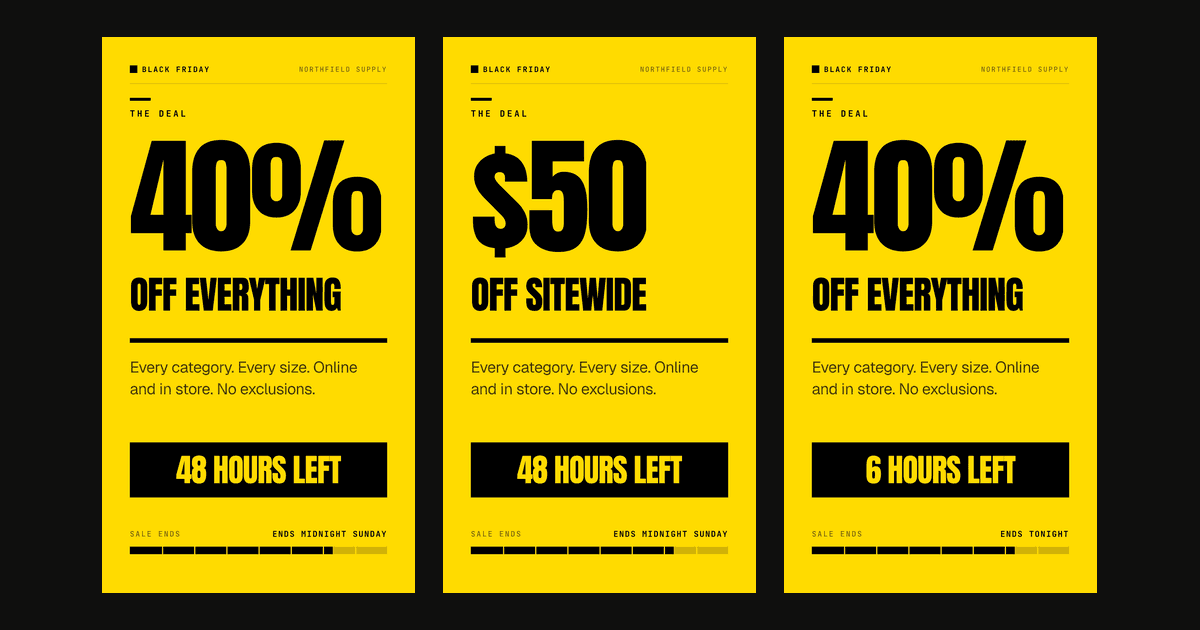
Social Media Video Automation: Batch-Render Ad Variants
TikTok suggests 3-5 creatives per ad group across 3-5 ad groups, so up to 25 videos. We rendered variants of one 9:16 template in 13 to 19 seconds each.
August 20, 2026
Personalized Video at Scale: The Complete Guide (2026)
83% of consumers can spot AI video and 36% trust those brands less. Here's how to scale personalized video in 2026 without falling into the avatar trap.
June 4, 2026
Dynamic Video Templates: Variable-Based Video Creation
91% of businesses use video and 82% report good ROI (Wyzowl 2026). Dynamic video templates let you build one design and render thousands of unique videos.
July 16, 2026
How to Automate Real Estate Listing Videos with an API
474,976 new US listings hit the market in May 2026 — almost none got a video. Here's how to turn listing data into property videos with one API call.
June 12, 2026
How to Generate 1,000+ Personalized Videos with API Automation (2026 Update)
Personalized videos convert at 3x the rate of generic ones (Tavus, 2025). This developer guide shows how to build a bulk video generation pipeline using REST APIs — 1,000 videos in under 20 minutes at $0.10–0.50 each.
May 18, 2026

Video API vs Traditional Video Production: 2026 Cost Comparison
Agency video runs $1,000–7,000 per finished minute (Synthesia, 2025). Template APIs render the same minute for $0.10–0.20. The real cost math, tier by tier.
August 5, 2026