
How to Let Your AI Agent Preview Videos Before Rendering (Free, No Credits)
66% of developers say their top AI frustration is output that's almost right but not quite. Renderly's free preview endpoint lets your agent see the video first.

Founder
Your agent writes a video payload. It looks right. You pay to render it. Then you watch the MP4 and the guest's name is cut in half.
That gap between looks right and is right is the single biggest complaint developers have about AI tooling. In 2025, the Stack Overflow Developer Survey found that 66% of developers name "AI solutions that are almost right, but not quite" as their top frustration, ahead of every other issue (Stack Overflow, 2025 Developer Survey: AI, 2025). Video makes it worse, because you only find out after the render finishes and the credits are gone.
Renderly now has a fix. POST /api/v1/previews resolves your payload exactly the way a render does, then hands back a link that plays the video in a browser — free, no render job, no credits. Your agent can open that link, screenshot it, and look at the result before it spends anything.
Key Takeaways
- Only 29% of developers trust AI output to be accurate, down from 40% in 2024 (Stack Overflow, 2025).
POST /api/v1/previewscosts zero credits and returns a public URL plus a machine-readable list of payload problems.?mode=gridrenders a contact sheet, so one screenshot shows an agent the whole video.PUT /api/v1/previews/{id}updates the payload and keeps the same URL, so iteration is reload-and-look.
Why does "almost right" cost so much in video?
Renderly applies your values by matching keys against overlays marked dynamic. A key that matches nothing gets ignored — the render returns 200, charges credits, and quietly uses the value the template shipped with. In 2025, the same Stack Overflow survey found 45% of developers say debugging AI-generated code takes more time than expected (Stack Overflow, 2025 Developer Survey: AI, 2025). Silent substitution is the worst version of that problem, because nothing tells you to start debugging.
Text is the other trap. Renderly hides overflow rather than shrinking type or adding an ellipsis, so a value a few pixels too wide wraps onto a hidden line and the tail just disappears. $1,250,000 renders as $1,250,00. Nobody gets an error.
We audited our own published templates to find out how common that is. Across 29 published templates, 174 dynamic text fields sit in a box that fits exactly one line and cannot wrap at all. Twelve of those have zero characters of headroom at their sample value — meaning the very next character clips.
If you generate one video by hand, you notice. If your agent generates 500 personalized invitations overnight, you ship 500 broken names. For a walkthrough of that batch pattern, see our guide to generating 1,000 personalized videos with the API.
What does a preview actually return?
Send the same body you'd send to /renders. You get back two URLs, the values that actually applied, a credit quote, and a severity-ranked list of problems. Nothing renders and nothing is charged.
curl -X POST https://renderly.video/api/v1/previews \
  -H "Authorization: Bearer $RENDERLY_API_KEY" \
  -H "Content-Type: application/json" \
  -d '{
    "templateId": "wedding-invitation-named",
    "replacements": { "guest_name": "Alexandrina" }
}'{
"previewUrl": "https://renderly.video/p/MB1BWp-p_YFmT78o3G-eXPyilAerNxLd",
"editUrl": "https://renderly.video/p/MB1BWp-p_YFmT78o3G-eXPyilAerNxLd/edit",
"previewId": "cmsodwbwc00016najm05m3qgl",
"revision": 1,
"quote": { "credits": 0.5 },
"resolved": { "guest_name": "Alexandrina" },
"warnings": [
{
"code": "TEXT_MAY_CLIP",
"severity": "info",
"variable": "guest_name",
"message": "Text \"Alexandrina\" is likely to be clipped — it needs about 2 line(s) but its box only shows 1."
}
]
}Two fields do most of the work. resolved shows the value that landed on each variable, which is how you catch a misspelled key: send venu_name and resolved still shows the authored default for venue_name. warnings carries a code and a severity, so your agent can triage on the field instead of parsing prose.
Anything marked error will render wrong or fail. Anything marked warning renders, but not as you authored it. info is advisory and estimated.
Can an AI agent really see the video?
Yes, and this is the part that surprises people. Remotion draws Renderly compositions in React, so a frame costs a browser paint rather than a render job. Add ?mode=grid to the preview URL and the page returns a contact sheet of frames as ordinary images — no video file involved.
That output is legible to anything with a headless browser and vision. Here's the real page for a 32-second property template, captured with headless Chrome:

Each tile carries its timestamp and frame number as visible text, so a single screenshot is self-describing. The page also exposes data-preview-ready="true" once fonts have loaded and the first frame has painted — wait on that selector rather than a fixed delay, because fonts are what shift layout.
We tested this claim rather than assuming it. We pointed an AI agent at a preview URL and asked it a single question: what name appears at the 5-second mark? It captured frame 150, read the glyphs off the screenshot, answered correctly, and described the card's bone background and teal edge bar unprompted. Then it found a bug in our own frame sampling that we had shipped — more on that below.
How does the loop work in practice?
Here's the full cycle on a template we know is fragile. The guest_name field in our wedding invitation template is one of those zero-headroom fields, so a long name breaks it.
Send the payload and read the warnings
POST /api/v1/previews with guest_name: "Alexandrina" returns one TEXT_MAY_CLIP warning. The detail says the estimate is 2,215px of text in a 952px box: two lines needed, one line visible.
Open the frame and look
The warning is an estimate, so confirm it. ?frame=150 renders the 5-second mark, where this template puts the guest's name.
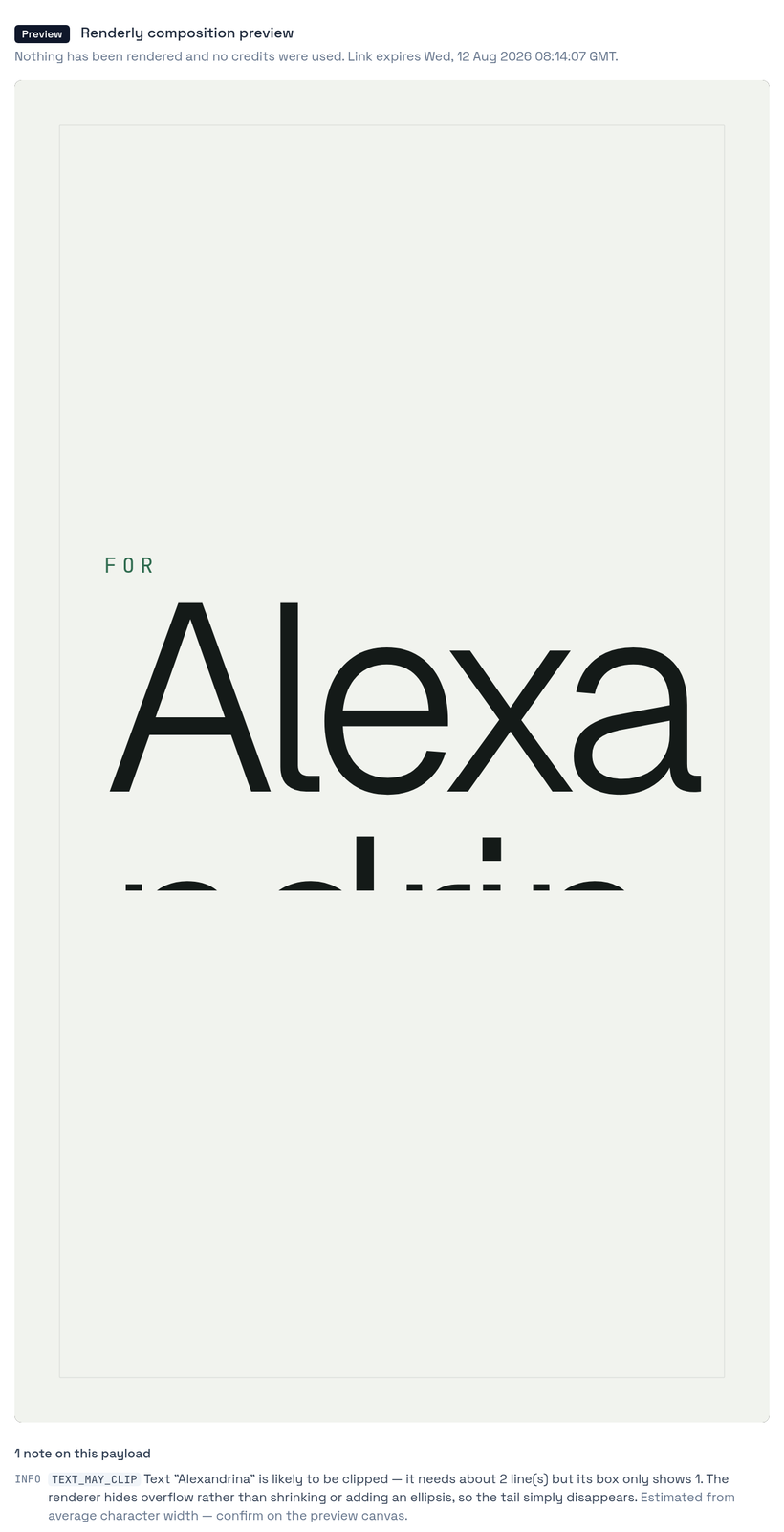
There it is. "Alexa" on the first line, the rest cut off below the box. A render would have produced exactly this, and the API would have returned 200.
Fix it and keep the same URL
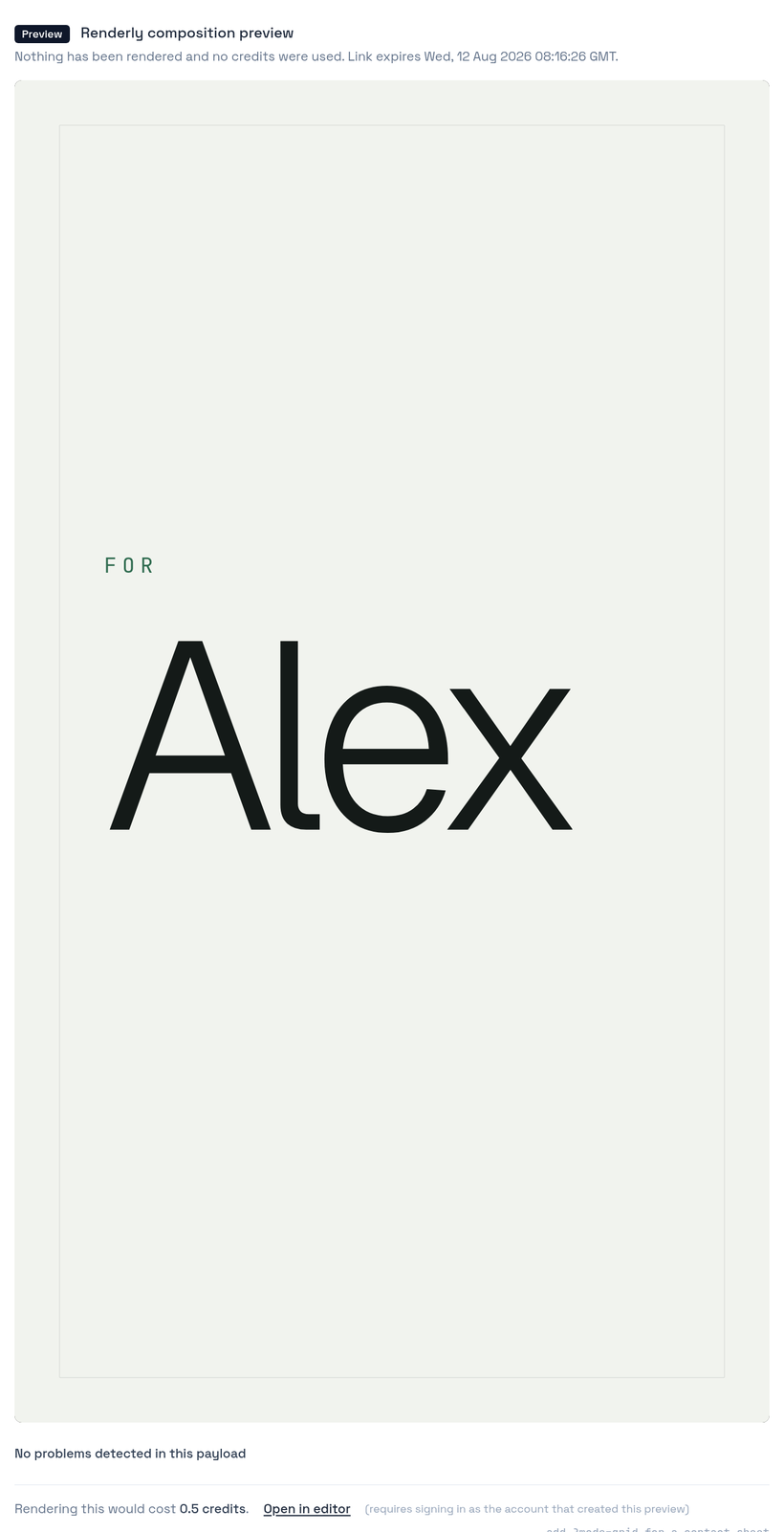
Send PUT /api/v1/previews/{previewId} with a corrected value. The URL does not change, so your agent reloads instead of navigating somewhere new.
curl -X PUT https://renderly.video/api/v1/previews/cmsodwbwc00016najm05m3qgl \
  -H "Authorization: Bearer $RENDERLY_API_KEY" \
  -H "Content-Type: application/json" \
  -d '{
    "templateId": "wedding-invitation-named",
    "replacements": { "guest_name": "Alex" }
}'Confirm the fix
Same link, revision: 2, zero warnings. The page now reports "No problems detected in this payload".
Render once
Now spend the credit. You know what you're getting.
The revision number matters more than it looks. It increments on every PUT and appears on the page as data-preview-revision, so an agent can wait for [data-preview-revision="2"] and be certain it isn't screenshotting a cached earlier version. Race conditions are how automated verification turns flaky.
What can validation catch, and what needs eyes?
Split the checks. Machine-readable warnings catch the class of failure that has a definite answer; the contact sheet catches the class that needs judgment. In 2025, only 29% of developers said they trust AI output to be accurate, down from 40% the year before (Stack Overflow, 2025 Developer Survey: AI, 2025). Verification is how you close that gap, and the two halves catch different things.
The warnings cover four codes. UNKNOWN_REPLACEMENT means your key matched nothing and carries a spelling suggestion. MEDIA_UNREACHABLE means a URL you supplied didn't respond — expired presigned links are the usual cause. FONT_NOT_RESOLVED means the family isn't a resolvable Google font and will render as Roboto; CSS stacks like "Inter, sans-serif" trigger it, so use the bare family name. TEXT_MAY_CLIP is the estimate you saw above.
Layout is the other half, and no validator can do it. Text that collides with an image, a photo that isn't what the user described, a colour that fights the brand — those need a picture. The full field reference lives in the previewing guide and the overlays guide.
What did we get wrong the first time?
Our first version of the contact sheet sampled frames evenly across the array of scene changes rather than across time. On a real 28-second invitation that produced tiles at 0.5s, 1.8s, 10.5s, and later — a nine-second hole across the middle with nothing near the 5-second mark.
The dangerous part wasn't the gap. The 25-second tile showed a different guest name than the 5-second card, so an agent working from the contact sheet alone would have answered confidently and wrongly. A verification tool that returns a confident wrong answer is worse than no tool.
We found this because we asked an agent to use the feature and report problems, not because a test caught it. The fix places evenly spaced targets along the timeline and snaps each to the nearest scene change, so tiles still land on meaningful moments but cover the whole video.
Grid tiles land on scene changes, so they are not evenly spaced in time. If you need a specific moment, ask for it with ?frame=N where N = seconds × fps. Don't reason from the nearest tile — a neighbouring scene can show a different value for the same variable.
Each frame also carries data-preview-overlays, a count of how many overlays are on screen. A blank capture with a count of 0 is a deliberately empty moment between scenes. A blank capture with a non-zero count means something failed to paint. Without that number, an agent can only report "blank, cause unknown".
How do you wire this into an agent?
Two calls and a screenshot. If you use the Renderly MCP server, the renderly_preview_render tool takes the same arguments as the render tool and costs nothing, so an assistant can preview first and report back before it spends your credits.
const { data } = await (await fetch("https://renderly.video/api/v1/previews", {
  method: "POST",
  headers: { Authorization: `Bearer ${key}`, "Content-Type": "application/json" },
  body: JSON.stringify({ templateId, replacements }),
})).json();

// 1. Machine-readable pass — stop on anything definite.
const errors = data.warnings.filter((w) => w.severity === "error");
if (errors.length) throw new Error(JSON.stringify(errors));

// 2. Visual pass — one screenshot covers the whole video.
await page.goto(`${data.previewUrl}?mode=grid`);
await page.waitForSelector('[data-preview-ready="true"]');
await page.screenshot({ path: "preview.png", fullPage: true });
// ...look at preview.png, then PUT a correction or render.Because previews are free, this also works as a deploy gate. Run it over a sample of rows before a batch of a few hundred renders and a bad column mapping costs you one API call instead of 300 credits. Our webhook guide covers how to pick up the finished files once you do render.
Ready to try it? Grab an API key and send your first preview — it's free, and you'll know within one call whether your payload does what you think.
Where does this go next?
Preview gives an agent eyes. It doesn't yet give it hands for every problem. Today an agent can see that a name will clip and tell you, but it can't send a smaller font size for that one row — the API accepts variable values, not per-overlay overrides. Closing that gap turns every warning from a report into a repair, and it's the next thing we're building.
The wider point holds regardless. Agents are writing more of the payloads that hit video APIs, and 41% of code is now AI-generated across tools like Copilot, Cursor, and Claude Code (SQ Magazine, AI Coding Statistics, 2026). An API that only tells an agent "accepted" is not enough. It has to tell the agent what it actually did, and let it look.
Sources
- Stack Overflow, 2025 Developer Survey: AI, retrieved 2026-08-11, https://survey.stackoverflow.co/2025/ai
- Stack Overflow, Developers remain willing but reluctant to use AI, retrieved 2026-08-11, https://stackoverflow.blog/2025/12/29/developers-remain-willing-but-reluctant-to-use-ai-the-2025-developer-survey-results-are-here/
- SQ Magazine, AI Coding Statistics 2026: Adoption, Productivity and Market Data, retrieved 2026-08-11, https://sqmagazine.co.uk/ai-coding-statistics/
- Renderly internal template audit, 2026 (29 published templates, 174 single-line dynamic text fields)
Frequently asked
Does a preview cost credits?
Can my AI agent actually see the video, or just read the JSON?
Do I need to log in to open a preview link?
How does my agent fix a problem and check the same link again?
What problems does the preview catch that validation cannot?
Will a preview change the project my production code renders?
Related Articles
How to Create Videos with Claude Using Renderly's MCP Connector
Renderly is now an MCP connector. Connect it to Claude and render personalized videos by typing a sentence — here's how, plus why 10,000+ MCP servers now exist.
June 4, 2026
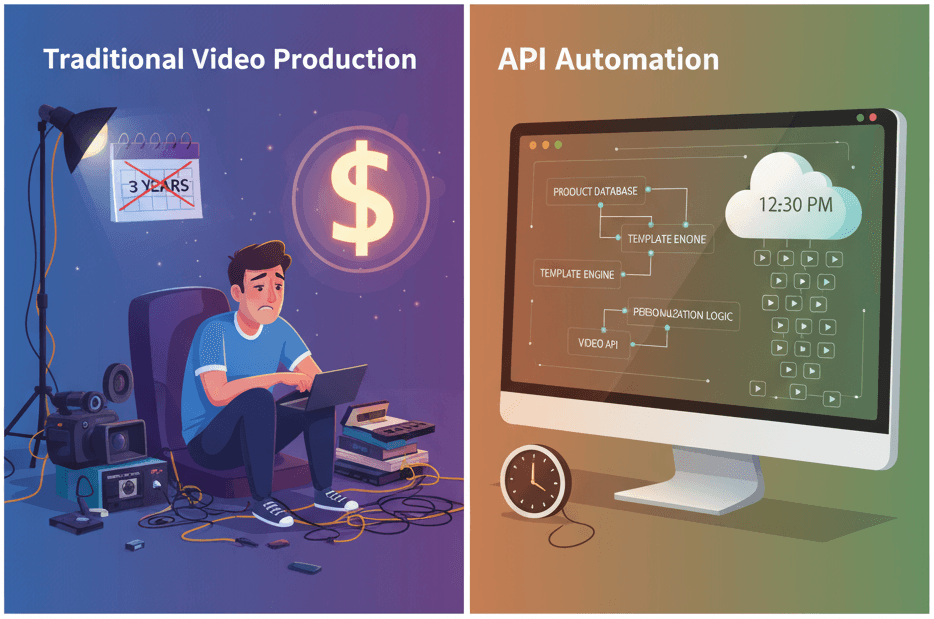
How to Generate 1,000+ Personalized Videos with API Automation (2026 Update)
A 30-second 1080p render costs $0.10 on a template API and $1.50+ on a generative one. Build the bulk pipeline: 1,000 personalized videos queued in under 20 minutes.
May 18, 2026
The Complete Guide to Automating Video Creation in 2026
Automate video creation in 2026 with templates, APIs, and AI agents. Agency video runs $1,000-7,000/min; template rendering runs $0.10-0.20. The full playbook.
July 28, 2026
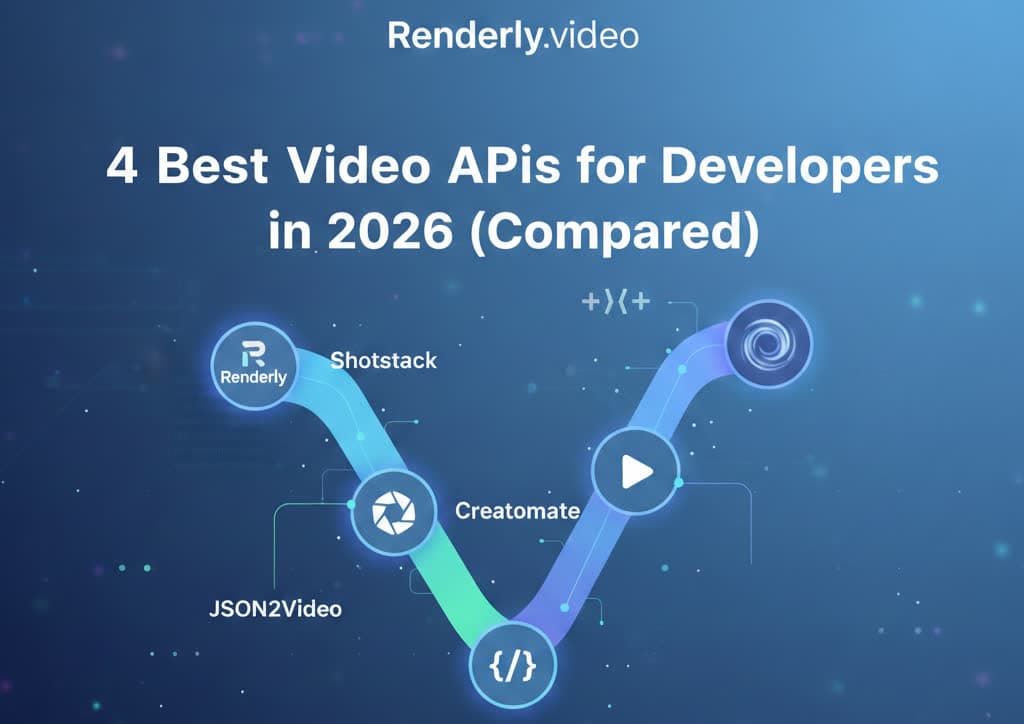
4 Best Video APIs for Developers (2026 Mid-Year Update)
We compared Renderly, Shotstack, Creatomate, and JSON2Video on price, speed, and DX. Subscription costs run $0.10 to $0.84 per minute at 1080p.
June 8, 2026
How to Build Automated Video Workflows with n8n (Step-by-Step Guide)
n8n hit 183k+ GitHub stars and 230k+ active users in 2026 — the fastest-growing workflow automation platform. This guide walks through building a video automation workflow with n8n + Renderly's API in under 45 minutes.
May 25, 2026